Absolver System Requirements (2017) | Minimum & Recommended PC Specs
Quick Hardware Summary
Absolver requires at least a capable CPU, a dedicated GPU, and 8 GB RAM. For recommended settings, aim for powerful CPU and high-end GPU.
Can I Run Absolver?
Enter your PC specs to instantly check compatibility
About Absolver
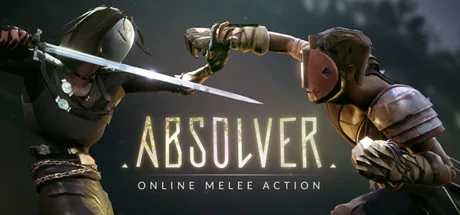
In the ruins of the fallen Adal Empire, you awaken with a mysterious mask on your face, and faint recollections of an esoteric ceremony. Freeing you from hunger, thirst, and even death, the mask is the creation of the Guides, the rulers of these lands, who have placed you here to determine whether you are worthy of becoming part of the elite corps of Absolvers. As you wander these forsaken lands, encountering other Prospects like you, you will learn new combat styles, acquire weapons, gear and armor, and build a team of warriors with whom to fight side by side in Arenas of combat.
Please visit the official Absolver FAQ on the Steam discussion board for more information: http://steamcommunity.com/app/473690/discussions/0/2579854400733819593/
Fluid Real-Time Combat: Position yourself in one of four tactical stances during real-time battles and execute devastating attacks, dodges, and parries. Movement becomes your weapon as you engage in solo duels or intense multiplayer melee battles.
Customizable Style and Flow: Players will define their character’s playstyle by picking a combat style, a weapon of choice, and arranging attacks in their Combat Deck to design their unique and personal attack flow.
Online Multiplayer Action and Narrative: Prospects and Absolvers will seamlessly encounter others in the world, generating unique stories that emerge through player interaction and choices. These moments are filled with tension as intentions to battle or befriend are never clear: trust is always a leap of faith. Encounters will have lasting consequences and transform into meaningful relationships as you make friends or enemies and find mentors or disciples.
PvP and PvE: Explore a rich and dynamic world including dedicated PvP battle arenas where champions will receive spoils of victory and progress in the ranks of the Absolvers, and PvE areas in which players cooperatively battle to retrieve rare loot and equipment from the ruins of Adal.
ABSOLVER CONTENT UPDATES
The development team at Sloclap is dedicated to improving and expanding Absolver based on community feedback once the game is live. In the coming weeks and months, Prospects can expect regular updates to the game to fix any issues that appear, as well as both minor and major content updates. These updates already include 3v3 Game Mode and a Spectator Mode soon after launch, but many more updates can be expected, from new combat styles and moves to new powers and equipment. Please follow updates here and on absolver.com or @Absolver on Twitter for the latest.
Absolver System Requirements
Minimum
- OS:
- -
- CPU:
- Not specified
- GPU:
- Not specified
- RAM:
- Not specified
- File Size:
- -
Recommended
- OS:
- -
- CPU:
- Not specified
- GPU:
- Not specified
- RAM:
- Not specified
Can I run Absolver on my PC?
To run Absolver on PC you need at minimum a Not specified processor, a Not specified graphics card, and Not specified of RAM running on Windows 10. For the best experience at recommended settings, upgrade to a Not specified CPU and Not specified GPU.
What GPU do I need to run Absolver?
The minimum GPU required to run Absolver is the Not specified. For smooth gameplay at high graphics settings, a Not specified is recommended.
How much RAM does Absolver require?
Absolver requires a minimum of Not specified RAM. For the recommended experience, Not specified of RAM is suggested.
How to check if your PC can run Absolver
- Check your CPU: Compare your processor against the minimum requirement: Not specified.
- Check your GPU: Your graphics card should meet or exceed: Not specified.
- Check your RAM: You need at least Not specified of RAM installed.
- Check storage: Ensure you have at least Not specified of free disk space.
- Use our tool above: Select your RAM in the "Can I Run It?" box to get an instant result.