Artificial Defense System Requirements (2016) | Minimum & Recommended PC Specs
Quick Hardware Summary
Artificial Defense requires at least a capable CPU, a dedicated GPU, and 8 GB RAM. For recommended settings, aim for powerful CPU and high-end GPU.
Can I Run Artificial Defense?
Enter your PC specs to instantly check compatibility
N/A
N/A
About Artificial Defense
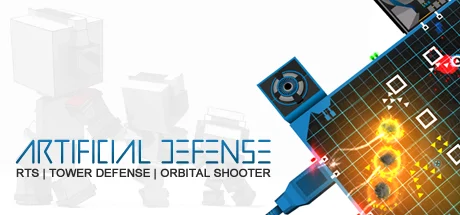
In a nutshell:"It's a yummy cocktail out of a AC130-Top-Down Shooter, RTS and a bit of Tower Defense. It's surely different, but it works out!"
1 simple task:Defend your Operation System (OS) against intruding creeps.
The execution might be a bit harder, though.Features
Firing off miniguns, launching Hellfire missiles, dropping incinerating Hades-Bombs and colossal asteroids, deploying mighty railgun and acid towers and spawning your own Intrusion Counter Measures (ICMs) to reconquer corrupted databases and firewalls are just some of the actions you can take while fending off the creeps. Earn RAM and upgrade your arsenal and hardware-level. Start as an analog punch-tape system and evolve into a quantum A.I. mainframe.Offense - Orbital ShooterThere are 21 offensive weapons available, reaching from outdated flintlocks, over maverick-missiles to devastating meteors and neutron-bombs. You can switch between three pre-loaded weapon categories and launch the installed weapons every few seconds. Each round you fire costs you RAM and each weapon type has its own unique cooldown so you must choose wisely and adapt quickly to different situations. But beware, aiming requires some skill. Creeps are moving targets and your projectiles need some flight time before impact. You can unlock and install new weapons in the uplab.[/b]Defense - Tower DefenseThere are 21 defense towers available, reaching from pistol-sentry-towers, over incinerating flame-throwers to powerful long-range railgun towers. In addition there are 7 production towers which produce your main resource: RAM (Random Access Memory). Yes, building up a small RAM economy is very important, in order to keep your system routines running. Towers must be deployed by an expensive capsule drop and you have to find the sweet spot between the right amount of resource production towers and the performance of your defense perimeter. You can unlock and install new tower versions in the uplab.Conquer - Real Time StrategySpawn Intrusion Counter Measures (ICMs) in order to conquer corrupted system-structures like databases, honeypots and firewalls. Databases e.g. spawn datablips, which carry valuable data and head for your backup-devices. Every datablip successfully arriving at its destination releases a certain amount of RAM, so you should do your best to protect those important but vulnerable convoys.
1 simple task:Defend your Operation System (OS) against intruding creeps.
The execution might be a bit harder, though.Features
- A new genre (RTS + Tower Defense + Orbital Shooter)
- 21 Offense Weapons (From Flintlocks to Neutron Bombs and Nukes)
- 21 Defense Towers (From Pistol Sentry Towers to Railgun Installations)
- 7 Hardware- Levels (Evolve from Punch-Tape to Quantum A.I.)
- 49 Challenges on 7 different Servers
- 13 Music Tracks
Firing off miniguns, launching Hellfire missiles, dropping incinerating Hades-Bombs and colossal asteroids, deploying mighty railgun and acid towers and spawning your own Intrusion Counter Measures (ICMs) to reconquer corrupted databases and firewalls are just some of the actions you can take while fending off the creeps. Earn RAM and upgrade your arsenal and hardware-level. Start as an analog punch-tape system and evolve into a quantum A.I. mainframe.Offense - Orbital ShooterThere are 21 offensive weapons available, reaching from outdated flintlocks, over maverick-missiles to devastating meteors and neutron-bombs. You can switch between three pre-loaded weapon categories and launch the installed weapons every few seconds. Each round you fire costs you RAM and each weapon type has its own unique cooldown so you must choose wisely and adapt quickly to different situations. But beware, aiming requires some skill. Creeps are moving targets and your projectiles need some flight time before impact. You can unlock and install new weapons in the uplab.[/b]Defense - Tower DefenseThere are 21 defense towers available, reaching from pistol-sentry-towers, over incinerating flame-throwers to powerful long-range railgun towers. In addition there are 7 production towers which produce your main resource: RAM (Random Access Memory). Yes, building up a small RAM economy is very important, in order to keep your system routines running. Towers must be deployed by an expensive capsule drop and you have to find the sweet spot between the right amount of resource production towers and the performance of your defense perimeter. You can unlock and install new tower versions in the uplab.Conquer - Real Time StrategySpawn Intrusion Counter Measures (ICMs) in order to conquer corrupted system-structures like databases, honeypots and firewalls. Databases e.g. spawn datablips, which carry valuable data and head for your backup-devices. Every datablip successfully arriving at its destination releases a certain amount of RAM, so you should do your best to protect those important but vulnerable convoys.
Score N/A
Released 6/1/2016
Developer
Publisher
Platforms
Artificial Defense System Requirements
Minimum
- OS:
- -
- CPU:
- Not specified
- GPU:
- Not specified
- RAM:
- Not specified
- File Size:
- -
Recommended
- OS:
- -
- CPU:
- Not specified
- GPU:
- Not specified
- RAM:
- Not specified
Can I run Artificial Defense on my PC?
To run Artificial Defense on PC you need at minimum a Not specified processor, a Not specified graphics card, and Not specified of RAM running on Windows 10. For the best experience at recommended settings, upgrade to a Not specified CPU and Not specified GPU.
What GPU do I need to run Artificial Defense?
The minimum GPU required to run Artificial Defense is the Not specified. For smooth gameplay at high graphics settings, a Not specified is recommended.
How much RAM does Artificial Defense require?
Artificial Defense requires a minimum of Not specified RAM. For the recommended experience, Not specified of RAM is suggested.
How to check if your PC can run Artificial Defense
- Check your CPU: Compare your processor against the minimum requirement: Not specified.
- Check your GPU: Your graphics card should meet or exceed: Not specified.
- Check your RAM: You need at least Not specified of RAM installed.
- Check storage: Ensure you have at least Not specified of free disk space.
- Use our tool above: Select your RAM in the "Can I Run It?" box to get an instant result.