Battle Ram System Requirements (2023) | Minimum & Recommended PC Specs
Quick Hardware Summary
Battle Ram requires at least a capable CPU, a dedicated GPU, and 8 GB RAM. For recommended settings, aim for powerful CPU and high-end GPU.
Can I Run Battle Ram?
Enter your PC specs to instantly check compatibility
About Battle Ram
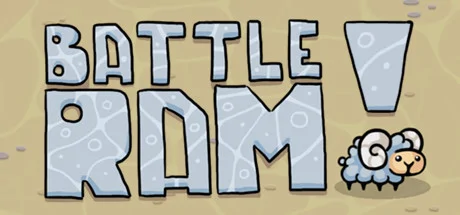
In a very secret laboratory, the perfect weapon was being developed. And as a result of numerous experiments, scientists brought out a powerful creature - the Battle Ram. And now the ram must be tested at a military training ground. He has to fight robots.
So what exactly is Battle Ram? This is a lamb that runs around the arena. The character is controlled with the mouse. And all he can do is butt, he has no secret weapon. Actually, this is his main and only skill. The character runs around the arena, colliding with opponents. The musical accompaniment in the game is very cheerful and rhythmic.
The environment in the game can be attributed to the style of animation. You can choose the following characteristics: puzzle, arcade, sports game, single player, difficult game.
The game currently has only eight levels. Despite the small number of levels, the game is difficult. The difficulty of the game is that every time you lose, you start the battle from the very beginning.
The game gives quite a lot of emotions, both positive and negative. Because the game is built according to such a scheme as "easy too liarm". That is, we easily understand the rules by which it must be passed, but it will take a lot of time to hone the technique and pass the tests. A lot of games on Dendy were built on the same principle.
Let's consider in more detail the game by levels. The first level is training. In the second level, opponents are trying to hit the character with bullets. The next level is rocket, when missiles explode when hitting a player or just hitting each other. This is a fairly simple level, because the player just needs to dodge missiles. In the fourth level, you can be not only hit by bullets, but also pushed out of the field, which is also considered a loss. You need to be opponents in this level from the middle of the arena, after they have fired shots. Level with lasers is quite easy to pass. As in the third level, the player will need dexterity to dodge in time. In the seventh level, robots are passive, which shoot with just one shot, but there are quite a few of them. In the last level, a hardcore carnage begins. It involves all kinds of robots and strikes
Battle Ram System Requirements
Minimum
- OS:
- -
- CPU:
- Not specified
- GPU:
- Not specified
- RAM:
- Not specified
- File Size:
- -
Recommended
- OS:
- -
- CPU:
- Not specified
- GPU:
- Not specified
- RAM:
- Not specified
Can I run Battle Ram on my PC?
To run Battle Ram on PC you need at minimum a Not specified processor, a Not specified graphics card, and Not specified of RAM running on Windows 10. For the best experience at recommended settings, upgrade to a Not specified CPU and Not specified GPU.
What GPU do I need to run Battle Ram?
The minimum GPU required to run Battle Ram is the Not specified. For smooth gameplay at high graphics settings, a Not specified is recommended.
How much RAM does Battle Ram require?
Battle Ram requires a minimum of Not specified RAM. For the recommended experience, Not specified of RAM is suggested.
How to check if your PC can run Battle Ram
- Check your CPU: Compare your processor against the minimum requirement: Not specified.
- Check your GPU: Your graphics card should meet or exceed: Not specified.
- Check your RAM: You need at least Not specified of RAM installed.
- Check storage: Ensure you have at least Not specified of free disk space.
- Use our tool above: Select your RAM in the "Can I Run It?" box to get an instant result.