Bigscreen Beta System Requirements (2016) | Minimum & Recommended PC Specs
Quick Hardware Summary
Bigscreen Beta requires at least a capable CPU, a dedicated GPU, and 8 GB RAM. For recommended settings, aim for powerful CPU and high-end GPU.
Can I Run Bigscreen Beta?
Enter your PC specs to instantly check compatibility
N/A
N/A
About Bigscreen Beta
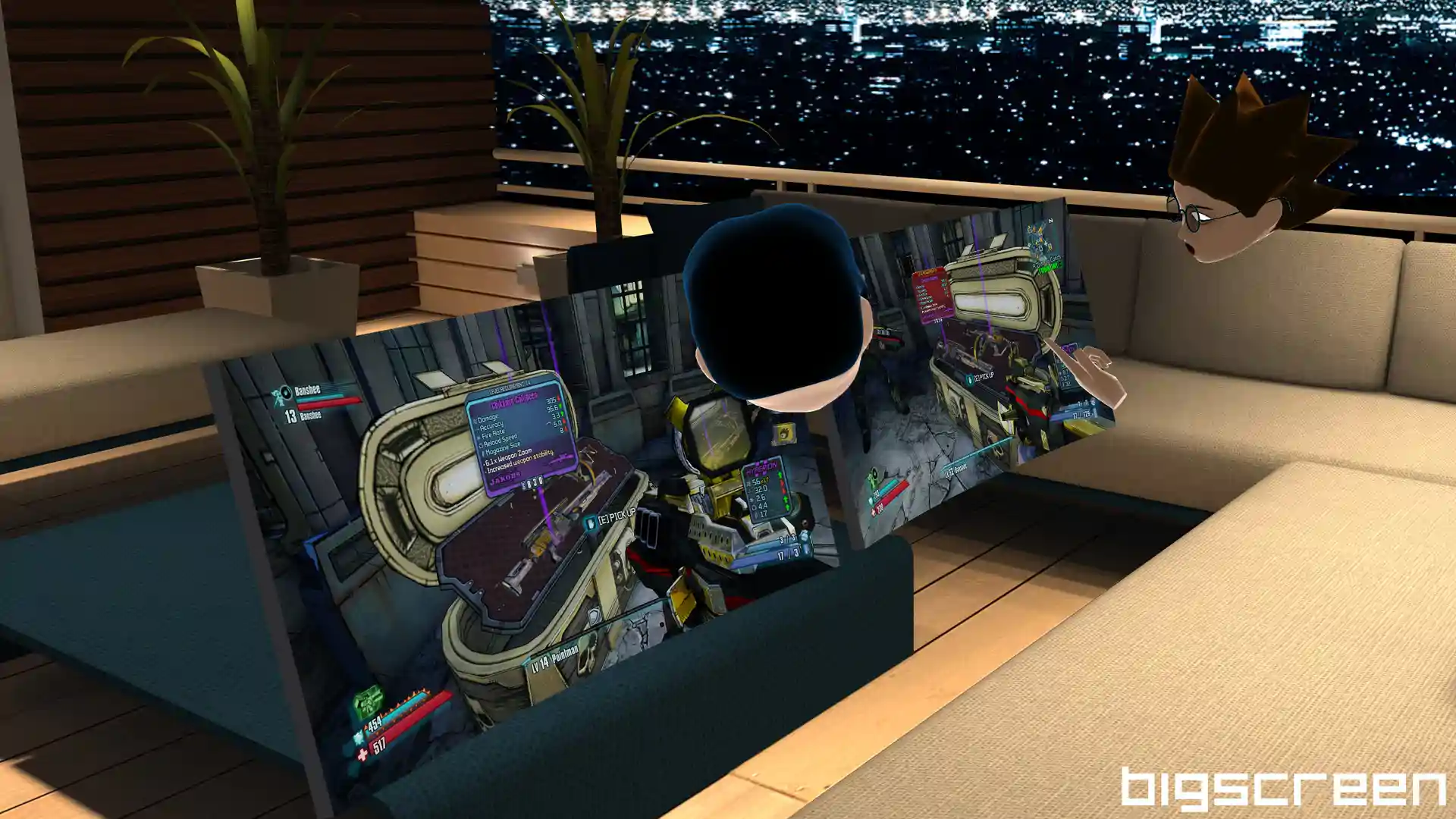
Bigscreen is a virtual desktop app that lets you use your computer in VR on massive virtual screens and a place to hang out with other users in virtual worlds to play PC games, have virtual LAN parties, draw with 3D markers, listen to music, watch movies, anime, YouTube, and Twitch streams with friends, or relax by the campfire and chat.Feature List
Ideas? Feature requests? Bugs? Join our active Discord Community or email us at [email protected]
- PLAY your favorite PC, Xbox One, or PS4 games on massive screens
- WATCH movies, videos, and TV shows on sites like Netflix and YouTube—basically anything you can do on your PC today
- DRAW with 3D markers for fun sketching, doodling, and whiteboarding
- CUSTOMIZE your screen to the perfect position, size, and curvature
- HANG OUT IN VIRTUAL WORLDS from a luxury house, campfire, theaters, to outer space
- 3D SBS (Side-by-Side) & OU support for 3D movies & games
- SOCIAL VR hangout in Multiplayer in Public and Private rooms with up to 4 players
- CROSS-PLATFORM support with Oculus Rift & HTC Vive
- VOICE CHAT with positional audio so you can hear your friends like they would be talking to you in real life
- DESKTOP SHARING to look at and hear a friend's computer screen in VR. Watch movies together, have a virtual LAN party, and more!
- USE YOUR HANDS with LeapMotion, Oculus Touch, Oculus Remote, and HTC Vive controllers to move screens around, interact with the tablet UI, draw, and wave at friends
- MULTIPLE MONITOR support for up to 3 monitors, showing either your physical monitors or virtual/emulated monitors
- Mobile Vr Headsets
- Larger Multiplayer Rooms
- More virtual worlds
- Integrated “native apps” (better video players, browsers, etc)
Ideas? Feature requests? Bugs? Join our active Discord Community or email us at [email protected]
Score N/A
Released 4/28/2016
Genres
Developer
Publisher
Platforms
Bigscreen Beta System Requirements
Minimum
- OS:
- -
- CPU:
- Not specified
- GPU:
- Not specified
- RAM:
- Not specified
- File Size:
- -
Recommended
- OS:
- -
- CPU:
- Not specified
- GPU:
- Not specified
- RAM:
- Not specified
Can I run Bigscreen Beta on my PC?
To run Bigscreen Beta on PC you need at minimum a Not specified processor, a Not specified graphics card, and Not specified of RAM running on Windows 10. For the best experience at recommended settings, upgrade to a Not specified CPU and Not specified GPU.
What GPU do I need to run Bigscreen Beta?
The minimum GPU required to run Bigscreen Beta is the Not specified. For smooth gameplay at high graphics settings, a Not specified is recommended.
How much RAM does Bigscreen Beta require?
Bigscreen Beta requires a minimum of Not specified RAM. For the recommended experience, Not specified of RAM is suggested.
How to check if your PC can run Bigscreen Beta
- Check your CPU: Compare your processor against the minimum requirement: Not specified.
- Check your GPU: Your graphics card should meet or exceed: Not specified.
- Check your RAM: You need at least Not specified of RAM installed.
- Check storage: Ensure you have at least Not specified of free disk space.
- Use our tool above: Select your RAM in the "Can I Run It?" box to get an instant result.