Castle Morihisa System Requirements (2022) | Minimum & Recommended PC Specs
Quick Hardware Summary
Castle Morihisa requires at least a capable CPU, a dedicated GPU, and 8 GB RAM. For recommended settings, aim for powerful CPU and high-end GPU.
Can I Run Castle Morihisa?
Enter your PC specs to instantly check compatibility
About Castle Morihisa
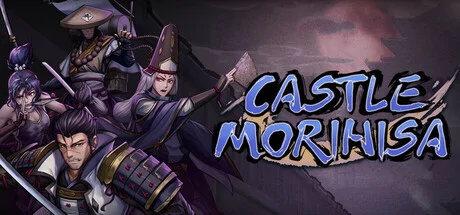
After general Tokugawa of the shogunate issued the "Laws for the Military Houses" to his vassals, none of the emissaries sent to the Ishikawas in Castle Morihisa have returned. Rumors claim that Lord Ishikawa Shinjuku was attempting to usurp the throne, and that he closed off all roads to the castle a few days prior. The great metsuke Yagyu Munenori requires a spy to make their way to Castle Morihisa to learn the truth of what is going on.
https://discord.gg/2FZVprUb2a
Twitter: @ThermiteGamesHQ
Unique Classes and Strategic Deckbuilding
Four distinctive classes - the Monk, Samurai, Onmyoji and Ninja, each with their exclusive set of deck. With more than 300 different cards, you will be able to build your own deck based on the class you have chosen to challenge those bizarre monsters from the Japanese folklores.
The Monk
With deep meditation he understands the causality of the world; with his mantras he quell the demon horde!
A master of both defense and offense, the Monk features two unique mechanics [Meditation] & [Mantra]. One with which he cleanses his mind and spirit, one with which he cleanses the wicked. But by choosing your talents wisely, you can turn offense into defense and vice versa!
The Samurai
While his blade may be sheathed, his very being radiates a frigid intent to kill. A killing machine who strides amidst a storm of Sakura petals.
To [kill in one blow] is the essence of his bushido spirit. Be it [Sakura] or [Retaliate], the Samurai utilizes his unique mechanics in the pursuit of reaching and surpassing the most extreme limits. Of course, the final choice rests in your hands. But truth be told: if big numbers are what you're all about, then the Samurai is for you!
The Onmyoji
With mine spirit as thine guide, mine blood essence as thine medium, taketh the oath to eradicate all that is evil, a contract signed.
The Onmyoji calls upon the aid of mighty [Shikigami] in battle, beings fueled by the Onmyoji's own blood. Apart from this sacred art, they can also activate powerful talents for builds that focus on [Leech]. Have you ever before laid eyes upon an Onmyoji who wades fearlessly into battle?
The Ninja
A master of shadows that moves soundlessly through the night, nine gates within.
Binding seals? Genjutsu? Kunai, shuriken? The ninjas of Senjiu Castle are masters of them all. [9 Mantra Signs], [Kunai], [Shuriken]. Together, these create endless combinations and possibilities. A class that requires a deep understanding of its mechanics to master! Do you have what it takes to reach its skill cap?
Sengoku Fallen Heroes As Your Allies
When facing difficulties, you could also ask for assistance from the Sengoku fallen heroes with different skills, which could give you an edge during the battles.
Castle Morihisa System Requirements
Minimum
- OS:
- -
- CPU:
- Not specified
- GPU:
- Not specified
- RAM:
- Not specified
- File Size:
- -
Recommended
- OS:
- -
- CPU:
- Not specified
- GPU:
- Not specified
- RAM:
- Not specified
Can I run Castle Morihisa on my PC?
To run Castle Morihisa on PC you need at minimum a Not specified processor, a Not specified graphics card, and Not specified of RAM running on Windows 10. For the best experience at recommended settings, upgrade to a Not specified CPU and Not specified GPU.
What GPU do I need to run Castle Morihisa?
The minimum GPU required to run Castle Morihisa is the Not specified. For smooth gameplay at high graphics settings, a Not specified is recommended.
How much RAM does Castle Morihisa require?
Castle Morihisa requires a minimum of Not specified RAM. For the recommended experience, Not specified of RAM is suggested.
How to check if your PC can run Castle Morihisa
- Check your CPU: Compare your processor against the minimum requirement: Not specified.
- Check your GPU: Your graphics card should meet or exceed: Not specified.
- Check your RAM: You need at least Not specified of RAM installed.
- Check storage: Ensure you have at least Not specified of free disk space.
- Use our tool above: Select your RAM in the "Can I Run It?" box to get an instant result.