City Car Driving System Requirements (2016) | Minimum & Recommended PC Specs
Quick Hardware Summary
City Car Driving requires at least a capable CPU, a dedicated GPU, and 8 GB RAM. For recommended settings, aim for powerful CPU and high-end GPU.
Can I Run City Car Driving?
Enter your PC specs to instantly check compatibility
About City Car Driving
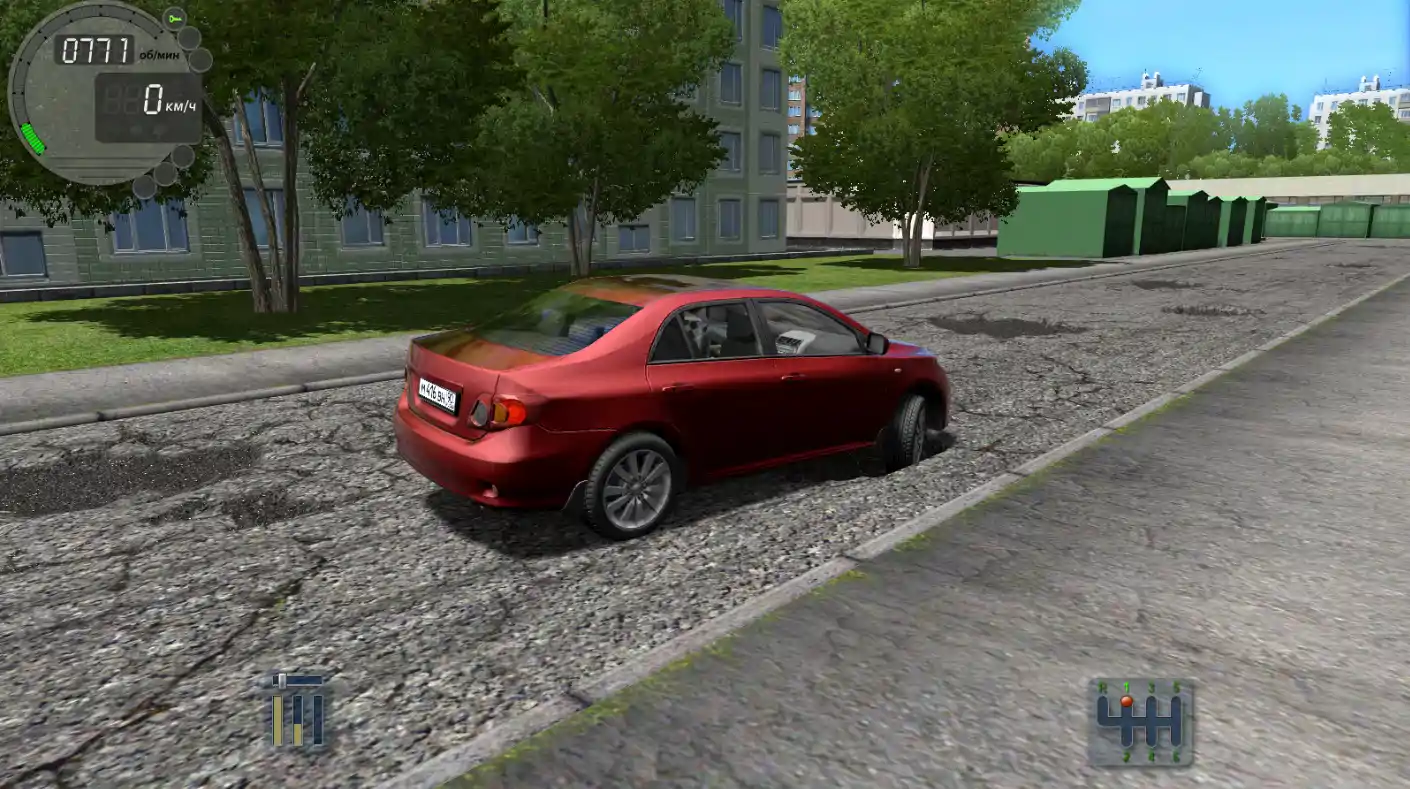
City Car Driving is a driving game that will help you to master the basic skills of car driving in different road conditions, immersing in an environment as close as possible to real.
"Smart" traffic that accurately simulates traffic in the current, unpredictable pedestrians and sudden dangerous situations will not let you relax and will maintain the atmosphere of a real traffic situation. Also full range of weather conditions and times of a day from rain and morning fog to night ice and snow will help to prepare for driving under the most unfavorable conditions.
Using the traffic rules compliance monitoring system and the instructor hints you will fix the knowledge of traffic laws in different countries of the world. The list of these countries will expand in updates. On special autodromes you will be able to work out different types of exercises, both basic, for instruction in driving, and special, for working out the elements of extreme driving and counter accident training.
Key Benefits:
Practical driving skills in the city and on the autodrome training.
Mechanical and automatic gearboxes are supported and work in accordance with real analogues.
Training of counter accident driving at a specialized autodrome.
Realistic traffic behavior which can violate traffic rules.
Sudden dangerous situations such as: going to the oncoming lane, a sharp stop, an unexpected car order change in traffic, pedestrians running across the road, broken traffic lights etc.
A wide selection of cars. In addition to the various versions of cars in the game are presented: a small truck, minivan, SUV, pickup and subcompact as well as cars with the right-hand drive. These cars have the entire set of controls including the sound signal and lights.
Random routes in free driving mode with customizable parameters.
It is possible to choose the time of day and weather conditions (rain, snow, ice, night, fog etc.)
Narrow tangled courtyards and multi-level parkings with lots of cars.
Trams as full-fledged participant of traffic.
Support of traffic rules of different countries: the USA, Australia, the European Union, Germany, the Russian Federation including the right-hand and left-hand traffic regimes for the respective countries.
Recording/playback function for later analysis of driving errors.
Support of racing wheels, gamepads and joysticks.
Support of virtual reality devices: Oculus Rift and HTC Vive as well as TrackIR head tracking system.
City Car Driving System Requirements
Minimum
- OS:
- -
- CPU:
- Not specified
- GPU:
- Not specified
- RAM:
- Not specified
- File Size:
- -
Recommended
- OS:
- -
- CPU:
- Not specified
- GPU:
- Not specified
- RAM:
- Not specified
Can I run City Car Driving on my PC?
To run City Car Driving on PC you need at minimum a Not specified processor, a Not specified graphics card, and Not specified of RAM running on Windows 10. For the best experience at recommended settings, upgrade to a Not specified CPU and Not specified GPU.
What GPU do I need to run City Car Driving?
The minimum GPU required to run City Car Driving is the Not specified. For smooth gameplay at high graphics settings, a Not specified is recommended.
How much RAM does City Car Driving require?
City Car Driving requires a minimum of Not specified RAM. For the recommended experience, Not specified of RAM is suggested.
How to check if your PC can run City Car Driving
- Check your CPU: Compare your processor against the minimum requirement: Not specified.
- Check your GPU: Your graphics card should meet or exceed: Not specified.
- Check your RAM: You need at least Not specified of RAM installed.
- Check storage: Ensure you have at least Not specified of free disk space.
- Use our tool above: Select your RAM in the "Can I Run It?" box to get an instant result.