Clone Drone in the Danger Zone System Requirements (2016) | Minimum & Recommended PC Specs
Quick Hardware Summary
Clone Drone in the Danger Zone requires at least a capable CPU, a dedicated GPU, and 8 GB RAM. For recommended settings, aim for powerful CPU and high-end GPU.
Can I Run Clone Drone in the Danger Zone?
Enter your PC specs to instantly check compatibility
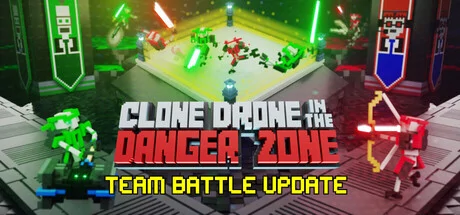
About Clone Drone in the Danger Zone
Apologies for the brief agony while we harvested your mind. But now your thought patterns are safely encased in this sleek, shiny robot!
With a laser sword.
SURVIVE AND PERHAPS YOU WILL EARN UPGRADES.
GOOD LUCK IN THE ARENA.
We hope you survive longer than the last contestant...
Oh, and the one before that...
Game Modes
1. Story Mode - One part epic tale of human defiance, another part laser swords.
2. Endless Mode - Challenge yourself to fight through 86 level variants spread across 5 difficulty tiers. Can you make it to ??TITANIUM?? ?
3. Twitch Mode - TWITCH PLAYS YOU. Your Twitch stream viewers earn coins, bet on your gameplay and spawn enemies to kill you (or give you ??s—if they really like you). !spawn jetpack2 Kappa Kappa Kappa4. Challenge Mode - Bow-only, hammer-only, can you still survive the arena?
5. Level Editor - Make custom levels and challenges and share them with other humans! Explore the rich Workshop library of awesome human-built levels!
Features (in the game right now!)
- Epic Voxel Dismemberment: In addition to looking cool, the ability to cut off body parts is central to the gameplay. Jumping on one leg is a common occurrence. Large enemies need to be cut down to size before a fatal blow can be delivered.
- Sharp Sword Combat: Combat is fast and intense, putting great emphasis on movement, timing and positioning. You are never safe, as any blow can instantly kill or dismember.
- Entertaining Commentary: With 7,421 spoken words, Commentatron and Analysis-Bot provide a running commentary of your performance and react to your activities.
- Upgrade your robot: jetpack, bow, kicking, deflection, clones, giant hammers, FIRE ??????.
- Terrifying robotic enemies that actually get pretty hard! Sword robots, bow robots, Spidertron 5000, Spidertron 6000, gigantic hammer bots. So many things to dismember.
See Early Access description above.
Hone your sword skills now, before the rest of humanity gets its turn. JOIN THE HUMAN RESISTANCE!
Or don't! It's your future-robo-funeral... ??
Clone Drone in the Danger Zone System Requirements
Minimum
- OS:
- -
- CPU:
- Not specified
- GPU:
- Not specified
- RAM:
- Not specified
- File Size:
- -
Recommended
- OS:
- -
- CPU:
- Not specified
- GPU:
- Not specified
- RAM:
- Not specified
Can I run Clone Drone in the Danger Zone on my PC?
To run Clone Drone in the Danger Zone on PC you need at minimum a Not specified processor, a Not specified graphics card, and Not specified of RAM running on Windows 10. For the best experience at recommended settings, upgrade to a Not specified CPU and Not specified GPU.
What GPU do I need to run Clone Drone in the Danger Zone?
The minimum GPU required to run Clone Drone in the Danger Zone is the Not specified. For smooth gameplay at high graphics settings, a Not specified is recommended.
How much RAM does Clone Drone in the Danger Zone require?
Clone Drone in the Danger Zone requires a minimum of Not specified RAM. For the recommended experience, Not specified of RAM is suggested.
How to check if your PC can run Clone Drone in the Danger Zone
- Check your CPU: Compare your processor against the minimum requirement: Not specified.
- Check your GPU: Your graphics card should meet or exceed: Not specified.
- Check your RAM: You need at least Not specified of RAM installed.
- Check storage: Ensure you have at least Not specified of free disk space.
- Use our tool above: Select your RAM in the "Can I Run It?" box to get an instant result.