Deliver Us the Moon System Requirements (2019) | Minimum & Recommended PC Specs
Quick Hardware Summary
Deliver Us the Moon requires at least a capable CPU, a dedicated GPU, and 8 GB RAM. For recommended settings, aim for powerful CPU and high-end GPU.
Can I Run Deliver Us the Moon?
Enter your PC specs to instantly check compatibility
About Deliver Us the Moon
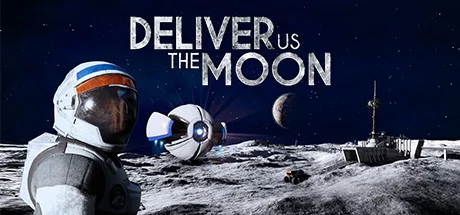
Deliver Us The Moon is a Sci-Fi thriller set in an apocalyptic near future where Earth's natural resources are depleted. In an effort to solve the energy crisis, global powers created the World Space Agency and secured a promising new source of energy on the moon.
The World Space Agency colonized and operated from the moon until one fateful night all communications with Earth ceased and the energy source was lost. Now, years later, you assume the role of Earth's last astronaut on a do-or-die mission to investigate what happened and save humanity.
During this adventure, your only companion is a small robot named ASE. Together you will traverse the moon, explore abandoned facilities, gather clues and ultimately uncover the secrets and hidden agendas of those long gone!
Will you save mankind or be forgotten in the dark abyss of Space?REAL WORLD THEMESThe narrative focuses on topical issues, like climate change and the depletion of the world’s natural resources
MULTIPLE GAMEPLAY STYLES
Experience sequences of 1st and 3rd person play, as Deliver Us The Moon takes you on a genre busting narrative adventure
BE AN ASTRONAUT
Launch a rocket from Earth, journey through the WSA space station and explore the open lunar landscape with weightless freedom - by foot, rover or monorail
UNCOVER THE PAST
Ruins of previous lunar missions have many stories and secrets to tell. Use your Astrotool to uncover the history of the lunar colony
SUIT UP WITH SPACE AGE TECH
With the ASE drone as your sole companion, utilise the greatest technology mankind has to offer from new age space-suits, cutting lasers, rockets and robot arms
SURVIVE HAZARDOUS ENVIRONMENTS
With oxygen tanks running out and the never-ending void of Space staring you down, staying alive won’t be so easy
CRACK THE CODE
Overcome obstacles, dangers blocking your path and uncover the secrets of the past by using various tools and all of your wits to solve intricate puzzles
FEEL WEIGHTLESS WITH A BREATHTAKING & ATMOSPHERIC SOUNDTRACK
Inspired by the greatest works of Sci-Fi in cinema, Deliver Us The Moon has an awe inspiring soundtrack to rival the movies with three hours of original music
POWERED BY UNREAL® ENGINE 4
Deliver Us The Moon uses Unreal® Engine 4 to deliver incredible gameplay and stunning graphics
Deliver Us the Moon System Requirements
Minimum
- OS:
- -
- CPU:
- Not specified
- GPU:
- Not specified
- RAM:
- Not specified
- File Size:
- -
Recommended
- OS:
- -
- CPU:
- Not specified
- GPU:
- Not specified
- RAM:
- Not specified
Can I run Deliver Us the Moon on my PC?
To run Deliver Us the Moon on PC you need at minimum a Not specified processor, a Not specified graphics card, and Not specified of RAM running on Windows 10. For the best experience at recommended settings, upgrade to a Not specified CPU and Not specified GPU.
What GPU do I need to run Deliver Us the Moon?
The minimum GPU required to run Deliver Us the Moon is the Not specified. For smooth gameplay at high graphics settings, a Not specified is recommended.
How much RAM does Deliver Us the Moon require?
Deliver Us the Moon requires a minimum of Not specified RAM. For the recommended experience, Not specified of RAM is suggested.
How to check if your PC can run Deliver Us the Moon
- Check your CPU: Compare your processor against the minimum requirement: Not specified.
- Check your GPU: Your graphics card should meet or exceed: Not specified.
- Check your RAM: You need at least Not specified of RAM installed.
- Check storage: Ensure you have at least Not specified of free disk space.
- Use our tool above: Select your RAM in the "Can I Run It?" box to get an instant result.