Desert Bus VR System Requirements (2017) | Minimum & Recommended PC Specs
Quick Hardware Summary
Desert Bus VR requires at least a capable CPU, a dedicated GPU, and 8 GB RAM. For recommended settings, aim for powerful CPU and high-end GPU.
Can I Run Desert Bus VR?
Enter your PC specs to instantly check compatibility
N/A
N/A
About Desert Bus VR
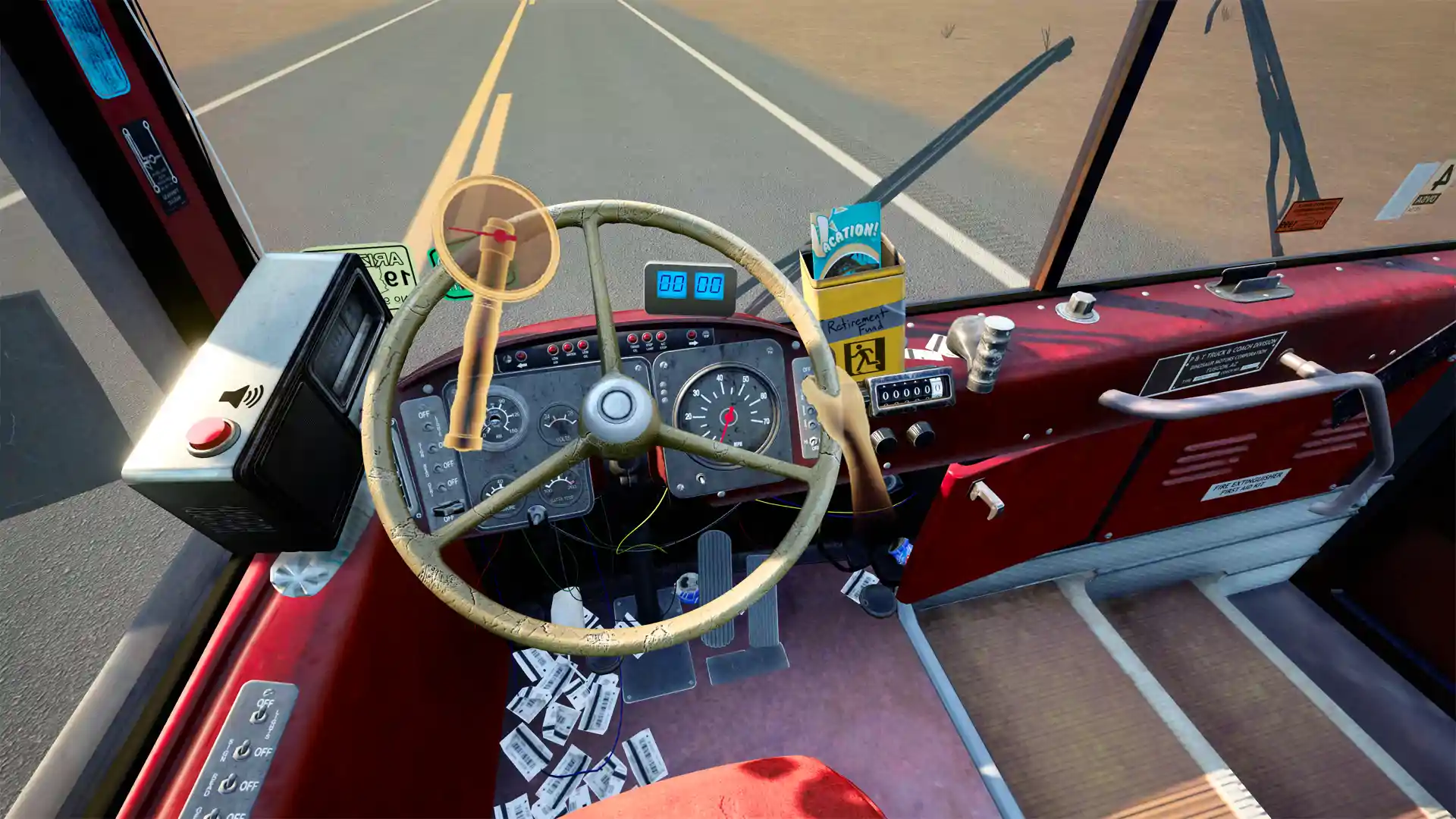
Desert Bus is back and better than ever! The 1998 Penn and Teller cult hit mini-game is coming to virtual reality, so you can fully immerse yourself in the thrilling eight-hour trip from Arizona to Nevada. It’s almost like you’re driving the “wheel” thing! Desert Bus VR can also be played in standard digital reality if you don’t own a VR headset.
FEATURES
Put the Pedal to the Metal
Show everyone who rules the road as you take the wheel of a commercial passenger bus. With blistering speeds of up to 45mph and a prominent passenger side misalignment, only the hardest drivers can make it to Nevada and back!
Getting Towed Has Never Been More Fun
Experience the realistic consequences of driving off the road with a tow service that takes you back to the start in real time!
Play Non-Stop for Hours of Amusement
Enjoy the action-packed eight-hour road trip from Tuscon to Las Vegas. When you make it to Nevada, turn around and do it all again!
Fill the Crushing, Oppressive Silence
Tune in to a variety of engaging radio programs, including one featuring the dulcet tones of Penn Jillette himself. You can even turn the radio on and off!
Get the Authentic Bus Driving Experience
Learn what it’s like to be a REAL bus driver with exciting gameplay that allows you to honk the horn and open the bus door! Tap the fully-interactive air freshener for some hardcore, pine-scented* action!
*Purchase of air freshener required for full effect.
Join Your Friends on This Road Trip
Play with up to four friends in Desert Bus VR’s groundbreaking new multiplayer mode. Passengers can sit, wave, and even throw wads of paper at the driver!
Desert Bus for Hope
Desert Bus VR was made in-part to support Desert Bus for Hope, a volunteer organization that holds the eponymous annual event to raise money for game industry charity Child’s Play. Participants play Desert Bus in a telethon-style stream, with others pledging donations in exchange for incentives that can include everything from prizes to increasing the length of the Desert Bus play time.
Desert Bus VR released on November 27, 2017 – the date selected by Robert “DoctorBobtastic” Nix, the winning donor during the Desert Bus for Hope 2017 “Choose the Desert Bus VR Release Date” charity drive. November 27th is also Robert’s birthday, so if you see him on that day this year, or any other year for that matter, be sure to give him a nice, big cake.
He also chose to make the driver’s default signature Bill “BWOS” Watt, a tribute to the late LoadingReadyRun crew member. This will be patched in with a future update that also includes the winning stickers Desert Bus Sticker Art donation drive. Thanks to the great artists who contributed!
FEATURES
Put the Pedal to the Metal
Show everyone who rules the road as you take the wheel of a commercial passenger bus. With blistering speeds of up to 45mph and a prominent passenger side misalignment, only the hardest drivers can make it to Nevada and back!
Getting Towed Has Never Been More Fun
Experience the realistic consequences of driving off the road with a tow service that takes you back to the start in real time!
Play Non-Stop for Hours of Amusement
Enjoy the action-packed eight-hour road trip from Tuscon to Las Vegas. When you make it to Nevada, turn around and do it all again!
Fill the Crushing, Oppressive Silence
Tune in to a variety of engaging radio programs, including one featuring the dulcet tones of Penn Jillette himself. You can even turn the radio on and off!
Get the Authentic Bus Driving Experience
Learn what it’s like to be a REAL bus driver with exciting gameplay that allows you to honk the horn and open the bus door! Tap the fully-interactive air freshener for some hardcore, pine-scented* action!
*Purchase of air freshener required for full effect.
Join Your Friends on This Road Trip
Play with up to four friends in Desert Bus VR’s groundbreaking new multiplayer mode. Passengers can sit, wave, and even throw wads of paper at the driver!
Desert Bus for Hope
Desert Bus VR was made in-part to support Desert Bus for Hope, a volunteer organization that holds the eponymous annual event to raise money for game industry charity Child’s Play. Participants play Desert Bus in a telethon-style stream, with others pledging donations in exchange for incentives that can include everything from prizes to increasing the length of the Desert Bus play time.
Desert Bus VR released on November 27, 2017 – the date selected by Robert “DoctorBobtastic” Nix, the winning donor during the Desert Bus for Hope 2017 “Choose the Desert Bus VR Release Date” charity drive. November 27th is also Robert’s birthday, so if you see him on that day this year, or any other year for that matter, be sure to give him a nice, big cake.
He also chose to make the driver’s default signature Bill “BWOS” Watt, a tribute to the late LoadingReadyRun crew member. This will be patched in with a future update that also includes the winning stickers Desert Bus Sticker Art donation drive. Thanks to the great artists who contributed!
Score N/A
Released 11/27/2017
Genres
Developer
Publisher
Platforms
Desert Bus VR System Requirements
Minimum
- OS:
- -
- CPU:
- Not specified
- GPU:
- Not specified
- RAM:
- Not specified
- File Size:
- -
Recommended
- OS:
- -
- CPU:
- Not specified
- GPU:
- Not specified
- RAM:
- Not specified
Can I run Desert Bus VR on my PC?
To run Desert Bus VR on PC you need at minimum a Not specified processor, a Not specified graphics card, and Not specified of RAM running on Windows 10. For the best experience at recommended settings, upgrade to a Not specified CPU and Not specified GPU.
What GPU do I need to run Desert Bus VR?
The minimum GPU required to run Desert Bus VR is the Not specified. For smooth gameplay at high graphics settings, a Not specified is recommended.
How much RAM does Desert Bus VR require?
Desert Bus VR requires a minimum of Not specified RAM. For the recommended experience, Not specified of RAM is suggested.
How to check if your PC can run Desert Bus VR
- Check your CPU: Compare your processor against the minimum requirement: Not specified.
- Check your GPU: Your graphics card should meet or exceed: Not specified.
- Check your RAM: You need at least Not specified of RAM installed.
- Check storage: Ensure you have at least Not specified of free disk space.
- Use our tool above: Select your RAM in the "Can I Run It?" box to get an instant result.