Dungeons & Dragons: Dragonshard System Requirements (2005) | Minimum & Recommended PC Specs
Quick Hardware Summary
Dungeons & Dragons: Dragonshard requires at least a capable CPU, a dedicated GPU, and 8 GB RAM. For recommended settings, aim for powerful CPU and high-end GPU.
Can I Run Dungeons & Dragons: Dragonshard?
Enter your PC specs to instantly check compatibility
About Dungeons & Dragons: Dragonshard
Originally released in 2005, Dragonshard™ returns in a respectful re-release that quietly modernises the classic: modern-resolution support, localisation-friendly saves and profiles, smoother timers and physics, ASLR compatibility, and other under-the-hood fixes for a cleaner experience on today’s PCs.
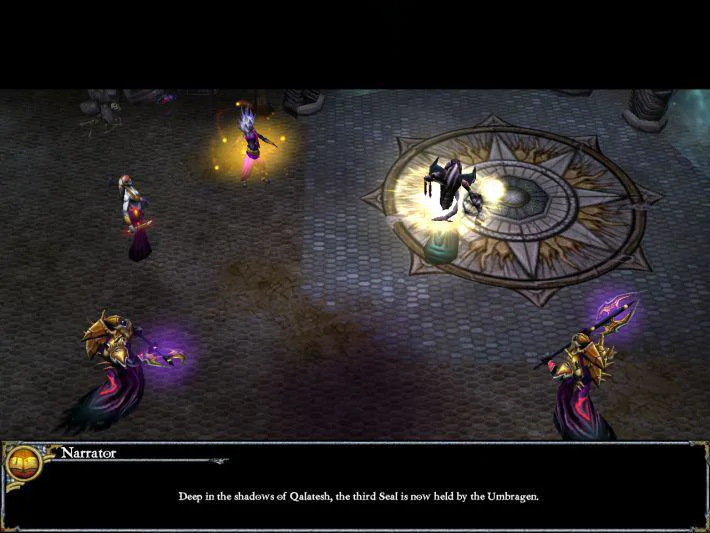
Dragonshard™ is a real-time strategy experience based in the mystical world of Eberron, the acclaimed DUNGEONS & DRAGONS® realm. Within this wholly imaginative setting lives an inventive gameplay fusion: dramatic RTS play is affected by the risks and rewards of a thrilling RPG-styled underworld. As players direct troops over the land, they also plunge smaller, hero-led parties below ground to an RPG-modeled world of beasts, battles and bounty. Experience and items gained in this underworld result in great powers and abilities above ground. Using magic, weaponry and skilled maneuvers, players command armies from varying races to control, protect - or destroy - the powerful Heart of Siberys. Obtaining this omnipotent artifact will unleash its full forces, good or evil, upon the entire world.
The first DUNGEONS & DRAGONS® Real-Time Strategy Experience
DUNGEONS & DRAGONS® game from the Eberron campaign setting
Game design with two levels of interconnected action: RTS war above ground and critical RPG-styled battles in dungeons below
Four ranges of controllable units: powerful champions, heroic captains, trainable henchmen, and nearly unstoppable battlefield juggernauts
Unit development based on 'Experience Points', allowing players to "level up" units - an added RPG twist to the classic RTS gameplay structure
An innovative village grid system - the "Nexus System" - where choice and placement of buildings can specifically affect units' powers
Three warring factions, each with its own history, campaigns, unique strengths... and weaknesses.
Game story by Eberron creator Keith Baker
A variety of threatening environments, all with the "Hyper Terrain" feature, creating real-time terrain deformation in the wake of unit movements
Dungeons & Dragons: Dragonshard System Requirements
Minimum
- OS:
- -
- CPU:
- Not specified
- GPU:
- Not specified
- RAM:
- Not specified
- File Size:
- -
Recommended
- OS:
- -
- CPU:
- Not specified
- GPU:
- Not specified
- RAM:
- Not specified
Can I run Dungeons & Dragons: Dragonshard on my PC?
To run Dungeons & Dragons: Dragonshard on PC you need at minimum a Not specified processor, a Not specified graphics card, and Not specified of RAM running on Windows 10. For the best experience at recommended settings, upgrade to a Not specified CPU and Not specified GPU.
What GPU do I need to run Dungeons & Dragons: Dragonshard?
The minimum GPU required to run Dungeons & Dragons: Dragonshard is the Not specified. For smooth gameplay at high graphics settings, a Not specified is recommended.
How much RAM does Dungeons & Dragons: Dragonshard require?
Dungeons & Dragons: Dragonshard requires a minimum of Not specified RAM. For the recommended experience, Not specified of RAM is suggested.
How to check if your PC can run Dungeons & Dragons: Dragonshard
- Check your CPU: Compare your processor against the minimum requirement: Not specified.
- Check your GPU: Your graphics card should meet or exceed: Not specified.
- Check your RAM: You need at least Not specified of RAM installed.
- Check storage: Ensure you have at least Not specified of free disk space.
- Use our tool above: Select your RAM in the "Can I Run It?" box to get an instant result.