Flying Shark System Requirements (2023) | Minimum & Recommended PC Specs
Quick Hardware Summary
Flying Shark requires at least a capable CPU, a dedicated GPU, and 256 MB RAM. For recommended settings, aim for powerful CPU and high-end GPU.
Can I Run Flying Shark?
Enter your PC specs to instantly check compatibility
256 MB
N/A
About Flying Shark
"AIM RIGHT. FLY TIGHT. THE SKIES ARE NOT FRIENDLY TONIGHT."
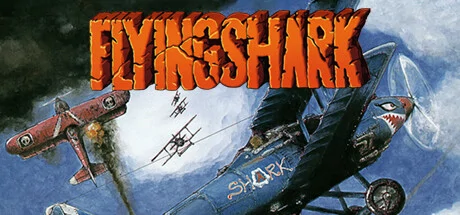
The enhanced edition of Toaplan's 1987 vertical shooter Flying Shark (AKA Sky Shark) includes online leaderboards, a beginner mode, CRT filters, and much more! Despite its simplicity, Flying Shark requires strategy and guts thanks to an innovative feature: OFF-SCREEN ACTION! By flying left and right, you can expand your field of vision beyond the screen borders and reveal hidden threats!
"We are at war's end, and the enemy has taken control of most of our military bases. Only one man can restore our flagging fortunes and bring us back to glory... The legendary FLYING SHARK!"
ORIGINAL GAME FEATURES:
- Chase enemies off-screen to dominate the battlefield! The enemies are sneaky, so use your limited supply of bombs wisely...
- Upgrade your plane with destructive power-ups scattered throughout the stages.
- Compete with a friend to see who's the best!
- Enjoy the striking visuals and highly detailed settings in this timeless masterpiece.
QUALITY OF LIFE IMPROVEMENTS:
- Minimal Input Lag: Emulation, input processing, and rendering all complete on the same frame.
- Quick Save using F1-F10, Reload with Shift+ F1-F10
- Online leaderboards for Single Credit, No Assist, and Assisted plays.
- Instrument panels with extra gameplay information and artwork.
- Rewind the game between 10-18 minutes, depending on the action.
- Experience the game in Mirror Mode
- Capture sharable replays to immortalize your interstellar victories (or funny moments).
- Assist Features such as auto-fire at multiple rates.
- Very Easy Mode: Lower the difficulty to breeze through the adventure.
- Pixel perfect or full-screen scaling in windowed or full-screen mode.
- Rotate the gameplay in 90-degree increments.
- Steam Achievements
- Choose between Raw Input on Windows or Steam Input.
- Hone your skills in the ultra-customizable practice mode!
? If you want to play this game on a Steam Deck, you may need to force the use of "Steam Linux Runtime" in the compatibility menu in the game options
Score N/A
Released 8/23/2023
Genres
Developer
Publisher
Flying Shark System Requirements
Minimum
- OS:
- -
- CPU:
- Not specified
- GPU:
- Not specified
- RAM:
- 256 MB
- File Size:
- 10 MB
Recommended
- OS:
- -
- CPU:
- Not specified
- GPU:
- Not specified
- RAM:
- Not specified
Can I run Flying Shark on my PC?
To run Flying Shark on PC you need at minimum a Not specified processor, a Not specified graphics card, and 256 MB of RAM running on Windows 10. For the best experience at recommended settings, upgrade to a Not specified CPU and Not specified GPU.
What GPU do I need to run Flying Shark?
The minimum GPU required to run Flying Shark is the Not specified. For smooth gameplay at high graphics settings, a Not specified is recommended.
How much RAM does Flying Shark require?
Flying Shark requires a minimum of 256 MB RAM. For the recommended experience, Not specified of RAM is suggested.
How to check if your PC can run Flying Shark
- Check your CPU: Compare your processor against the minimum requirement: Not specified.
- Check your GPU: Your graphics card should meet or exceed: Not specified.
- Check your RAM: You need at least 256 MB of RAM installed.
- Check storage: Ensure you have at least 10 MB of free disk space.
- Use our tool above: Select your RAM in the "Can I Run It?" box to get an instant result.