G-Darius HD System Requirements (2022) | Minimum & Recommended PC Specs
Quick Hardware Summary
G-Darius HD requires at least a intel Corei3-3120M CPU, a dedicated GPU, and 2 GB RAM. For recommended settings, aim for intel Corei7-3770 CPU and NVIDIA GTX760/AMD Radeon R9 270X GPU.
Can I Run G-Darius HD?
Enter your PC specs to instantly check compatibility
About G-Darius HD
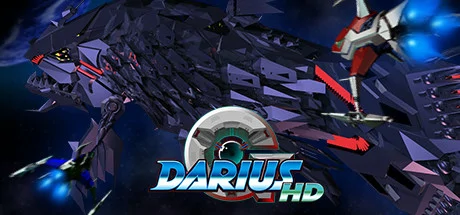
G-Darius is the 4th arcade game in the Darius series of horizontally-scrolling shooting games, which sees the Silver Hawks battling against huge, space-faring warships who resemble various aquatic life-forms.
G-Darius HD features 5 versions of G-Darius: arcade-perfect ports of G-Darius and G-Darius Ver.2 and an HD version of each, along with the console port of G-Darius, coupled with an Steam-exclusive widescreen bonus mode!
G-Darius/G-Darius HD
The original arcade game, faithfully recreated with a host of extra features to enhance your enjoyment!
- Use the Capture Ball!
Capture most enemies and turn them against their allies. - Fire the ? Beam!
Release captured enemies in an all-powerful burst of destructive energy. - Boss Beam Battles!
Counter a boss's ß Beam with your own ? Beam to unleash an even more deadly Counter Beam. - Branching paths!
Choose your route as Zones branch midway and after each boss. - Capture Gallery!
Check which enemies you still need to capture. - Subwoofer compatible! (Steam only)
Re-create the legendary in-seat speaker of the arcade cabinet. - Gadgets galore!
Dive deeper into the game with extra info to aid you in your battle.
G-Darius Ver.2/G-Darius Ver.2 HD
All the features of G-Darius and more, in this update to the original arcade game!
- Beginner mode
- Rapid fire button added
- Game speed adjustments
- Enemy endurance adjustments
- Player shield capacity adjustments
- Mid-bosses added to some zones
- Boss timer & timer bonus system
- New and adjusted boss attack patterns
G-Darius CS
A faithfully emulated console port with all the extra features which that release boasted!
- Fight any or all of the 30 bosses in VS BOSS mode!
- Practice your skills using the beginner’s mode.
- View the opening and endings from the options menu.
Exhibition
Peek at what might have been if G-Darius was developed as a dual screen arcade cabinet! Battle a handful of selected bosses in wide-screen glory in this PC-exclusive bonus mode!
G-Darius HD System Requirements
Minimum
- OS:
- Windows10
- CPU:
- intel Corei3-3120M
- GPU:
- Not specified
- RAM:
- 2 GB
- File Size:
- 128 MB
Recommended
- OS:
- Windows10
- CPU:
- intel Corei7-3770
- GPU:
- NVIDIA GTX760/AMD Radeon R9 270X
- RAM:
- 8 GB
Can I run G-Darius HD on my PC?
To run G-Darius HD on PC you need at minimum a intel Corei3-3120M processor, a Not specified graphics card, and 2 GB of RAM running on Windows10. For the best experience at recommended settings, upgrade to a intel Corei7-3770 CPU and NVIDIA GTX760/AMD Radeon R9 270X GPU.
What GPU do I need to run G-Darius HD?
The minimum GPU required to run G-Darius HD is the Not specified. For smooth gameplay at high graphics settings, a NVIDIA GTX760/AMD Radeon R9 270X is recommended.
How much RAM does G-Darius HD require?
G-Darius HD requires a minimum of 2 GB RAM. For the recommended experience, 8 GB of RAM is suggested.
How to check if your PC can run G-Darius HD
- Check your CPU: Compare your processor against the minimum requirement: intel Corei3-3120M.
- Check your GPU: Your graphics card should meet or exceed: Not specified.
- Check your RAM: You need at least 2 GB of RAM installed.
- Check storage: Ensure you have at least 128 MB of free disk space.
- Use our tool above: Select your RAM in the "Can I Run It?" box to get an instant result.