Hamster All-Stars System Requirements (2021) | Minimum & Recommended PC Specs
Quick Hardware Summary
Hamster All-Stars requires at least a Intel Dual Core CPU, a dedicated GPU, and 4 GB RAM. For recommended settings, aim for powerful CPU and high-end GPU.
Can I Run Hamster All-Stars?
Enter your PC specs to instantly check compatibility
4 GB
N/A
About Hamster All-Stars
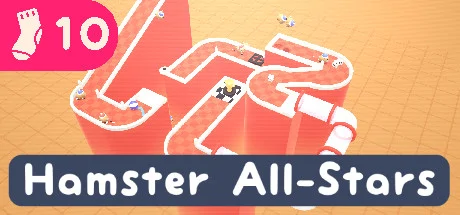
Horse betting is out: hamster betting is in. Build crazy race tracks for cute hamsters, then bet on who will to earn credits. Use these credits to unlock all kinds of cool objects, like bumpers, funnels & tubes.
Physics chaos
Watch clumsy hamsters run and tumble their way down your chaotic racing tracks. Make them jump off ramps and launch 'em into the air with launchpads.
Play the odds
Control your hamsters by nudging them into the right direction so you can earn that sweet sweet cash.
Features
Sokpop makes a new game every month!
Subscribe for 3$ per month at http://sokpop.co
Physics chaos
Watch clumsy hamsters run and tumble their way down your chaotic racing tracks. Make them jump off ramps and launch 'em into the air with launchpads.
Play the odds
Control your hamsters by nudging them into the right direction so you can earn that sweet sweet cash.
Features
- Build tracks with an easy-to-use track creator
- Cute hamsters with realistic hamster physics
- 19 objects to build tracks with
- Share your tracks with friends using level codes
Sokpop makes a new game every month!
Subscribe for 3$ per month at http://sokpop.co
Score N/A
Released 2/28/2021
Genres
Developer
Publisher
Hamster All-Stars System Requirements
Minimum
- OS:
- Windows 7
- CPU:
- Intel Dual Core
- GPU:
- Not specified
- RAM:
- 4 GB
- File Size:
- 200 MB
Recommended
- OS:
- -
- CPU:
- Not specified
- GPU:
- Not specified
- RAM:
- Not specified
Can I run Hamster All-Stars on my PC?
To run Hamster All-Stars on PC you need at minimum a Intel Dual Core processor, a Not specified graphics card, and 4 GB of RAM running on Windows 7. For the best experience at recommended settings, upgrade to a Not specified CPU and Not specified GPU.
What GPU do I need to run Hamster All-Stars?
The minimum GPU required to run Hamster All-Stars is the Not specified. For smooth gameplay at high graphics settings, a Not specified is recommended.
How much RAM does Hamster All-Stars require?
Hamster All-Stars requires a minimum of 4 GB RAM. For the recommended experience, Not specified of RAM is suggested.
How to check if your PC can run Hamster All-Stars
- Check your CPU: Compare your processor against the minimum requirement: Intel Dual Core.
- Check your GPU: Your graphics card should meet or exceed: Not specified.
- Check your RAM: You need at least 4 GB of RAM installed.
- Check storage: Ensure you have at least 200 MB of free disk space.
- Use our tool above: Select your RAM in the "Can I Run It?" box to get an instant result.