Havendock System Requirements (2025) | Minimum & Recommended PC Specs
Quick Hardware Summary
Havendock requires at least a Intel Dual core+ CPU, a GTX 700 series GPU, and 4 GB RAM. For recommended settings, aim for powerful CPU and GTX 1050 series GPU.
Can I Run Havendock?
Enter your PC specs to instantly check compatibility
4 GB
8 GB
About Havendock
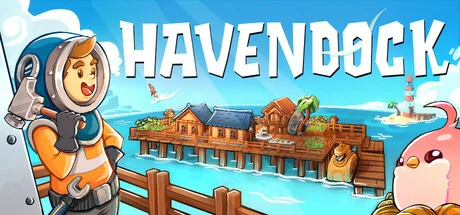
Havendock is a resource management, base building, simulation game where you try to survive in the middle of the sea and build a thriving town. You attract settlers onboard and manage them, while trying to meet their needs.
Create your own character. This is your life now, stay positive!
Collect resources from floating debris. Build facilities to become self-sufficient.
Arrange your settlement the way you want and at your own pace.
Build farms to grow food and cook delicious meals.
Raise and feed animals – make fluffy new friends, they just want to help.
Welcome new survivors – manage tasks and production to keep everyone happy and healthy. More settlers means more needs to be met, but don't worry. You'll teach your new pals how to work, and they'll help you automate the things you like less.
Master mad science – push past the limits of modern engineering and common sense. From basic devices like water distiller or coffee maker to robots that help you further automate your work, power plants, submarine, and even… a rocket.
Build boats and discover isles looming on the horizon.
Jump into your submarine to explore the depths of the ocean and look for ores and oil.
Invite your friends and play in co-op mode. Have fun but keep in mind that you’ll encounter a spectacular number of bugs as long as this is work-in-progress mode.
Problems and workarounds: please contribute if you want, and sorry for any inconvenience.
What’s possible next for Havendock?
Instead of having a fixed plan in mind, we want to let you decide what direction we'll be heading in. There are already some features you can explore. Check out our experimental branch and let us know what you think of them!
You can access the experimental branch by right clicking Havendock in your Steam Library, opening the Properties window, and selecting "Experimental builds for Windows" in the Betas tab.
And for other ideas, you can visit YYZ’s Notion's page. He puts all your ideas there together with his! In addition, we already started collecting suggestions through conversations with players, feedback forms, suggestions on Discord forums, etc. We have also now created a suggestions thread on Steam, and in the future we will prepare even more ways to provide your input, e.g. through a feature upvote system.
Your feedback will allow us to adjust priorities and decide what to develop. Join our Discord and let us know!
Take a look at some of the ideas:
Cow Island
Build a barn and raise cows to get milk and make delicious desserts!
Astronomy Island
Your settlement gets a taste of outer space! Pull meteorites and turn them into resources.
Boathouse
Tired of your bustling settlement? Design a boathouse and sail away.
The Cave
Discover the underground world! Fight creatures inhabiting the cave and claim new resources.
House Building System
Become creative building your dream house! Design unique buildings.
https://store.steampowered.com/app/2020710/Havendock/
Create your own character. This is your life now, stay positive!
Collect resources from floating debris. Build facilities to become self-sufficient.
Arrange your settlement the way you want and at your own pace.
Build farms to grow food and cook delicious meals.
Raise and feed animals – make fluffy new friends, they just want to help.
Welcome new survivors – manage tasks and production to keep everyone happy and healthy. More settlers means more needs to be met, but don't worry. You'll teach your new pals how to work, and they'll help you automate the things you like less.
Master mad science – push past the limits of modern engineering and common sense. From basic devices like water distiller or coffee maker to robots that help you further automate your work, power plants, submarine, and even… a rocket.
Build boats and discover isles looming on the horizon.
Jump into your submarine to explore the depths of the ocean and look for ores and oil.
Invite your friends and play in co-op mode. Have fun but keep in mind that you’ll encounter a spectacular number of bugs as long as this is work-in-progress mode.
Problems and workarounds: please contribute if you want, and sorry for any inconvenience.
What’s possible next for Havendock?
Instead of having a fixed plan in mind, we want to let you decide what direction we'll be heading in. There are already some features you can explore. Check out our experimental branch and let us know what you think of them!
You can access the experimental branch by right clicking Havendock in your Steam Library, opening the Properties window, and selecting "Experimental builds for Windows" in the Betas tab.
And for other ideas, you can visit YYZ’s Notion's page. He puts all your ideas there together with his! In addition, we already started collecting suggestions through conversations with players, feedback forms, suggestions on Discord forums, etc. We have also now created a suggestions thread on Steam, and in the future we will prepare even more ways to provide your input, e.g. through a feature upvote system.
Your feedback will allow us to adjust priorities and decide what to develop. Join our Discord and let us know!
Take a look at some of the ideas:
Cow Island
Build a barn and raise cows to get milk and make delicious desserts!
Astronomy Island
Your settlement gets a taste of outer space! Pull meteorites and turn them into resources.
Boathouse
Tired of your bustling settlement? Design a boathouse and sail away.
The Cave
Discover the underground world! Fight creatures inhabiting the cave and claim new resources.
House Building System
Become creative building your dream house! Design unique buildings.
https://store.steampowered.com/app/2020710/Havendock/
Score N/A
Released 4/21/2025
Genres
Developer
Publisher
Platforms
Havendock System Requirements
Minimum
- OS:
- Windows 7
- CPU:
- Intel Dual core+
- GPU:
- GTX 700 series
- RAM:
- 4 GB
- File Size:
- 1 GB
Recommended
- OS:
- Windows 7
- CPU:
- Not specified
- GPU:
- GTX 1050 series
- RAM:
- 8 GB
Can I run Havendock on my PC?
To run Havendock on PC you need at minimum a Intel Dual core+ processor, a GTX 700 series graphics card, and 4 GB of RAM running on Windows 7. For the best experience at recommended settings, upgrade to a Not specified CPU and GTX 1050 series GPU.
What GPU do I need to run Havendock?
The minimum GPU required to run Havendock is the GTX 700 series. For smooth gameplay at high graphics settings, a GTX 1050 series is recommended.
How much RAM does Havendock require?
Havendock requires a minimum of 4 GB RAM. For the recommended experience, 8 GB of RAM is suggested.
How to check if your PC can run Havendock
- Check your CPU: Compare your processor against the minimum requirement: Intel Dual core+.
- Check your GPU: Your graphics card should meet or exceed: GTX 700 series.
- Check your RAM: You need at least 4 GB of RAM installed.
- Check storage: Ensure you have at least 1 GB of free disk space.
- Use our tool above: Select your RAM in the "Can I Run It?" box to get an instant result.