In Case of Emergency, Release Raptor System Requirements (2016) | Minimum & Recommended PC Specs
Quick Hardware Summary
In Case of Emergency, Release Raptor requires at least a Intel Dual Core 64bit CPU (2.2+ GHz Dual Core CPU CPU, a GeForce 8xxx+, Radeon X2400+, GPU, and 4 GB RAM. For recommended settings, aim for 3.0+ GHz Dual Core CPU CPU and NVIDIA GTX 660 2GB GPU.
Can I Run In Case of Emergency, Release Raptor?
Enter your PC specs to instantly check compatibility
About In Case of Emergency, Release Raptor
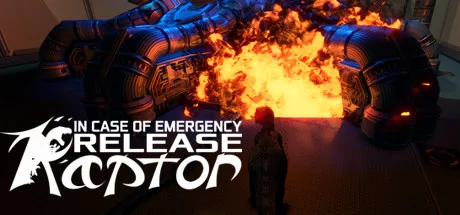
- Be a raptor, feel like one, and smash robots to bits.
- Procedurally-assembled 3D environments set in a scenic futuristic dystopia.
- Free release of an aborted Early Access title. We hope you enjoy it! Note that this is an AS-IS release, based on popular demand, rather than us taking it down completely.
If I have to convince you why being any form of dromaeosaurid is freaking awesome, then I'm not sure we can be friends. This game is carefully crafted to give you the closest possible feeling of being one of these glorious monsters -- then turning you loose to do fun stuff.What’s The Point?
- 1. For the pure fun of the thing. In 1993, a certain game let you be a raptor. The controls were iffy. The levels were short and static. It's very dated. Yet many of us still dust it off periodically -- just to be a raptor. Release Raptor gives you a far more satisfying, modern, dynamic experience.
- 2. For a power trip. For speedrunning and finesse, you're on an invincible rampage. It's not about IF you can do it, but how WELL you do it. Your performance is evaluated, so mistakes still have consequences without interrupting the flow of the game.
- 3. To play with kids. I want to be able to play this with my 5 year old son, but still have dismemberment (because that's cool). How to do that without blood or gore? Robots! Little robots = pouncing targets; giant mechs = dismemberment targets.Procedural AssemblyWhat on earth do we mean by "procedurally-assembled?" Basically, we're using a very heavy mix of handcrafted content with procedural bits making it fresh each time.
Creating unique and recognizable areas is a huge focus, because otherwise you get unimaginative "procgen blandness." Yuck! But we still wanted that sense of exploration, and so not chunk of level is present in every run, the layouts of the overall level (and where enemies are as well) varies quite a bit.
NB: Yes, we know that’s not a velociraptor (and there should be feathers).
In Case of Emergency, Release Raptor System Requirements
Minimum
- OS:
- Windows 7
- CPU:
- Intel Dual Core 64bit CPU (2.2+ GHz Dual Core CPU
- GPU:
- GeForce 8xxx+, Radeon X2400+,
- RAM:
- 4 GB
- File Size:
- 5 GB
Recommended
- OS:
- -
- CPU:
- 3.0+ GHz Dual Core CPU
- GPU:
- NVIDIA GTX 660 2GB
- RAM:
- 5 GB
Can I run In Case of Emergency, Release Raptor on my PC?
To run In Case of Emergency, Release Raptor on PC you need at minimum a Intel Dual Core 64bit CPU (2.2+ GHz Dual Core CPU processor, a GeForce 8xxx+, Radeon X2400+, graphics card, and 4 GB of RAM running on Windows 7. For the best experience at recommended settings, upgrade to a 3.0+ GHz Dual Core CPU CPU and NVIDIA GTX 660 2GB GPU.
What GPU do I need to run In Case of Emergency, Release Raptor?
The minimum GPU required to run In Case of Emergency, Release Raptor is the GeForce 8xxx+, Radeon X2400+,. For smooth gameplay at high graphics settings, a NVIDIA GTX 660 2GB is recommended.
How much RAM does In Case of Emergency, Release Raptor require?
In Case of Emergency, Release Raptor requires a minimum of 4 GB RAM. For the recommended experience, 5 GB of RAM is suggested.
How to check if your PC can run In Case of Emergency, Release Raptor
- Check your CPU: Compare your processor against the minimum requirement: Intel Dual Core 64bit CPU (2.2+ GHz Dual Core CPU.
- Check your GPU: Your graphics card should meet or exceed: GeForce 8xxx+, Radeon X2400+,.
- Check your RAM: You need at least 4 GB of RAM installed.
- Check storage: Ensure you have at least 5 GB of free disk space.
- Use our tool above: Select your RAM in the "Can I Run It?" box to get an instant result.