Kingdom Wars 2: Definitive Edition System Requirements | Minimum & Recommended PC Specs
Quick Hardware Summary
Kingdom Wars 2: Definitive Edition requires at least a capable CPU, a dedicated GPU, and 8 GB RAM. For recommended settings, aim for powerful CPU and high-end GPU.
Can I Run Kingdom Wars 2: Definitive Edition?
Enter your PC specs to instantly check compatibility
About Kingdom Wars 2: Definitive Edition
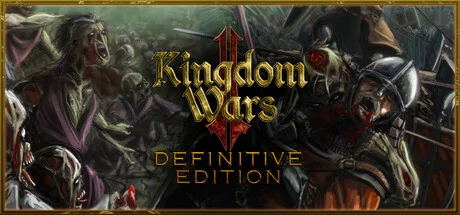
Completely RedesignedThe original Kingdom Wars 2 has been reworked and redesigned from the ground up. With new engine, sweet new graphics, and a total update of presentation, and interface. This is not just a high definition version, but a new gameplay experience.The Great RacesThe game is focused on the dominant races of Humans, Elves and Orcs with each able to recruit from other races depending on the alliances, techs and buildings they have available. Among the other races you will find scurrying Goblins, lumbering Ogres, mighty Minotaurs, ancient Treants, magical Dragons, crafty Dwarves, and fearsome Skeletal Warriors.Heroes and WizardsEach of the great races can recruit a variety of Heroes each with their own abilities to bolster their allies or decimate their foes. The three Orders of Wizards have also each aligned themselves with one of the great races, and use their vast magical power to shift the course of battle with terrifying Lightning Storms and devastating Blizzards.Story-driven CampaignPlay an epic story-driven singleplayer campaign combining engaging cinematic narrative and original gameplay to determine the fate of the three great races as they try to survive in a world engulfed by total war after they fall out of favour with the gods.Skirmish BattleEngage in the complex city building and economy of a fast paced skirmish environment as you gather resources, construct buildings, reinforce walls and train troops before being swept up in field and siege battles with up to four players or AI. Craft the right Techs and Cards, and perfect your strategy and play style to ensure that victory is yours.Survival ModeThe dead have risen and are marching towards your settlement with blood-thirsty determination. How long can you survive when your own dead bolster the ranks of the enemy if you don't burn the bodies quickly enough? Go it alone to prove your mettle as you play in solo mode or share in the struggle by inviting a friend to co-op mode.Siege Combat MechanicsAttackers can demolish gates with Battering Rams, scale walls with Ladders and Siege Towers, bombard the defenders and breach walls with Trebuchets and Dwarven Cannons. Meanwhile the defenders can hold the gates with boiling Oil Pots, skewer the advancing hordes with hidden Spike Traps, crush their enemies with Stone Tippers, and more. Set the battlefield ablaze with flame throwing Dragon's Breath machine, cower the moving shield that is the Mantlet, and mow down your enemies with the spinning blades of the Grinder.Complex Crafting SystemEvery battle gives a chance to collect crafting items ranging from the common Tools and Blueprints to the rare Legendary Weapons and Tomes of Magic. Crafting is tied into every aspect of the game, from crafting new deadly siege weapons and units buildings, to creating new game cards, or researching new industrial technologies.Tech TreeEach of the great races has their own Tech Tree to unlock and research using various combinations of crafting items, providing opportunities for management and long-term strategic thinking as players unlock their ideal set of buildings, units and abilities to ensure victory in battle.Strategic Card GamePlayers build combinations of playable card decks that they acquire through crafting that they use during battle to give extra resources, provide re-inforcements or call upon magical effects. Players need to think strategically about which cards to take into battle and tactically about when to use them, as playing the right card at the right time can shift the tide of battle.Online CommunityUse the chat channels to make friends, get help and arrange battles. Join guilds and alliances to show your allegiance and gain extra rewards. Invite your friends to co-op battle together and challenge your enemies to battle.
Kingdom Wars 2: Definitive Edition System Requirements
Minimum
- OS:
- -
- CPU:
- Not specified
- GPU:
- Not specified
- RAM:
- Not specified
- File Size:
- -
Recommended
- OS:
- -
- CPU:
- Not specified
- GPU:
- Not specified
- RAM:
- Not specified
Can I run Kingdom Wars 2: Definitive Edition on my PC?
To run Kingdom Wars 2: Definitive Edition on PC you need at minimum a Not specified processor, a Not specified graphics card, and Not specified of RAM running on Windows 10. For the best experience at recommended settings, upgrade to a Not specified CPU and Not specified GPU.
What GPU do I need to run Kingdom Wars 2: Definitive Edition?
The minimum GPU required to run Kingdom Wars 2: Definitive Edition is the Not specified. For smooth gameplay at high graphics settings, a Not specified is recommended.
How much RAM does Kingdom Wars 2: Definitive Edition require?
Kingdom Wars 2: Definitive Edition requires a minimum of Not specified RAM. For the recommended experience, Not specified of RAM is suggested.
How to check if your PC can run Kingdom Wars 2: Definitive Edition
- Check your CPU: Compare your processor against the minimum requirement: Not specified.
- Check your GPU: Your graphics card should meet or exceed: Not specified.
- Check your RAM: You need at least Not specified of RAM installed.
- Check storage: Ensure you have at least Not specified of free disk space.
- Use our tool above: Select your RAM in the "Can I Run It?" box to get an instant result.