Kingdom Wars System Requirements (2013) | Minimum & Recommended PC Specs
Quick Hardware Summary
Kingdom Wars requires at least a capable CPU, a dedicated GPU, and 8 GB RAM. For recommended settings, aim for powerful CPU and high-end GPU.
Can I Run Kingdom Wars?
Enter your PC specs to instantly check compatibility
N/A
N/A
About Kingdom Wars
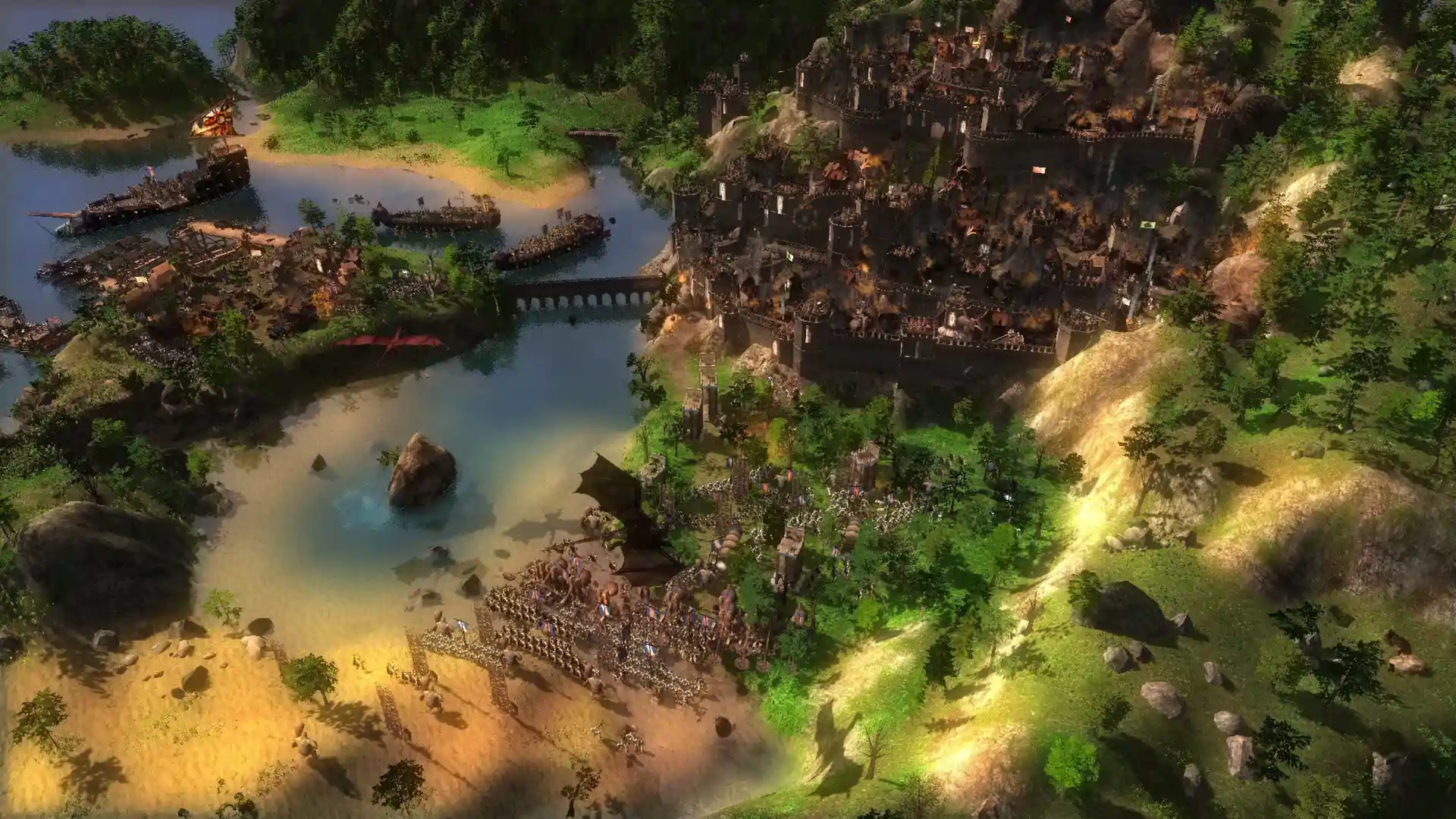
Kingdom Wars is a free to play 3D MMORTS with real-time siege combat, without the pay to win element so common in the genre. Having evolved from Dawn of Fantasy: Kingdom Wars this strategy game offers lively online world, where players gather resources, construct majestic towns, and impregnable strongholds, direct citizens, complete quests in the service of mighty nobles and fiendish rogues, and eventually manage a global empire. All within an online realm that grows, works, lives, and breathes even when you log off. All this in glorious 3d world with stunning level of detail and epic scale - with vibrant towns and thousand strong armies. And of-course let’s not forget the glorious siege battles all in real-time! Developed by Reverie World Studios, Kingdom Wars is the result of several years of hard work by a new Toronto based studio, with members all over the world.FeaturesInnovative MMORTS Approach
- Wage war with neighboring regions or complete countless hours of quests as you unveil the dark secrets of Terria while managing a persistent kingdom and economy with thousands of other players. Socialize, trade, forge alliances and - best of all - battle against other players across the world, defeat their armies, and burn their towns!
- With Kingdom Wars free to play release our goal was to create a game of skill, not bigger wallets. We have followed player suggestions and tried to avoid the common pay2win traps. In Kingdom Wars majority of micro-transaction only effect cosmetic changes or unlock bonus content, that does not effect game progress and player interaction. All the other options are limited to one time use, to prevent anyone gaining unfair advantage.
- Two additional singleplayer modes - including open-ended Campaign mode, and content-packed single-player Skirmish mode with both Lay Siege and Castle Defense maps - guaranteed to satisfy players of various tastes and gameplay styles.
- User-friendly Siege-oriented gameplay adds a whole new dimension to the battlefield as you ram the enemy gate, scale the walls, and place automated defensive systems, such as: stone tippers, boiling oil, and wall-mounted catapults.
- Kingdom Wars features three distinct civilizations: Elves, Orcs and Men, presenting a unique approach to these iconic races with three distinct styles of gameplay. Each race is complete with its own lore, language, world region and terrain, dozens of distinct units and buildings, hundreds of unique technologies, and each even has a different approach to economy and building style.
- Travel the MMORTS world using a beautifully-designed 3D World Map featuring scale replicas of all the NPC strongholds, quest areas, and the player's homeland.
- Each player’s Stronghold features hundreds of buildings that look and behave like a City-Simulation game, but without any micro-management, giving the player more time to spend on the battlefield. In addition each race offers a different approach to building strongholds.
- Combines the complexity of nearly a dozen gathering possibilities, different for each race, with automated simplicity, allowing players the options to micromanage their economy, or leave it to run itself in times of war.
- The gaming world comes alive as you build and battle during winter or summer months, as you push your armies through heavy rain or snow storms. Your economy significantly changes from summer to winter, when different strategic options are available during different times of day and severe weather makes certain units useless.
Score N/A
Released 4/1/2013
Developer
Publisher
Kingdom Wars System Requirements
Minimum
- OS:
- -
- CPU:
- Not specified
- GPU:
- Not specified
- RAM:
- Not specified
- File Size:
- -
Recommended
- OS:
- -
- CPU:
- Not specified
- GPU:
- Not specified
- RAM:
- Not specified
Can I run Kingdom Wars on my PC?
To run Kingdom Wars on PC you need at minimum a Not specified processor, a Not specified graphics card, and Not specified of RAM running on Windows 10. For the best experience at recommended settings, upgrade to a Not specified CPU and Not specified GPU.
What GPU do I need to run Kingdom Wars?
The minimum GPU required to run Kingdom Wars is the Not specified. For smooth gameplay at high graphics settings, a Not specified is recommended.
How much RAM does Kingdom Wars require?
Kingdom Wars requires a minimum of Not specified RAM. For the recommended experience, Not specified of RAM is suggested.
How to check if your PC can run Kingdom Wars
- Check your CPU: Compare your processor against the minimum requirement: Not specified.
- Check your GPU: Your graphics card should meet or exceed: Not specified.
- Check your RAM: You need at least Not specified of RAM installed.
- Check storage: Ensure you have at least Not specified of free disk space.
- Use our tool above: Select your RAM in the "Can I Run It?" box to get an instant result.