Labyrinth Of The Demon King System Requirements (2025) | Minimum & Recommended PC Specs
Quick Hardware Summary
Labyrinth Of The Demon King requires at least a Intel Core i5-2300 CPU, a GeForce GTX 660 GPU, and 6 GB RAM. For recommended settings, aim for powerful CPU and high-end GPU.
Can I Run Labyrinth Of The Demon King?
Enter your PC specs to instantly check compatibility
About Labyrinth Of The Demon King
"The world is in chaos, and has entered the latter age of the Dharma.
Society is crumbling and war has spread throughout the country.
Disease and famine have killed thousands, and demons walk the very earth itself.
You are an 'Ashigaru', a foot soldier in the service of Lord Takeda Nobumitsu.
Deceived by a powerful demon king, your lord led his army into an ambush. All perished except for you. Against your wishes your lord sacrificed his life to aid your escape from the battle.
You have made a vow to track down the demon who betrayed your lord and end its life.
You take what could possibly be your final breaths on this mortal plane, and prepare yourself to enter…
The Labyrinth of the Demon King!"
Features:
Discover A Grim World
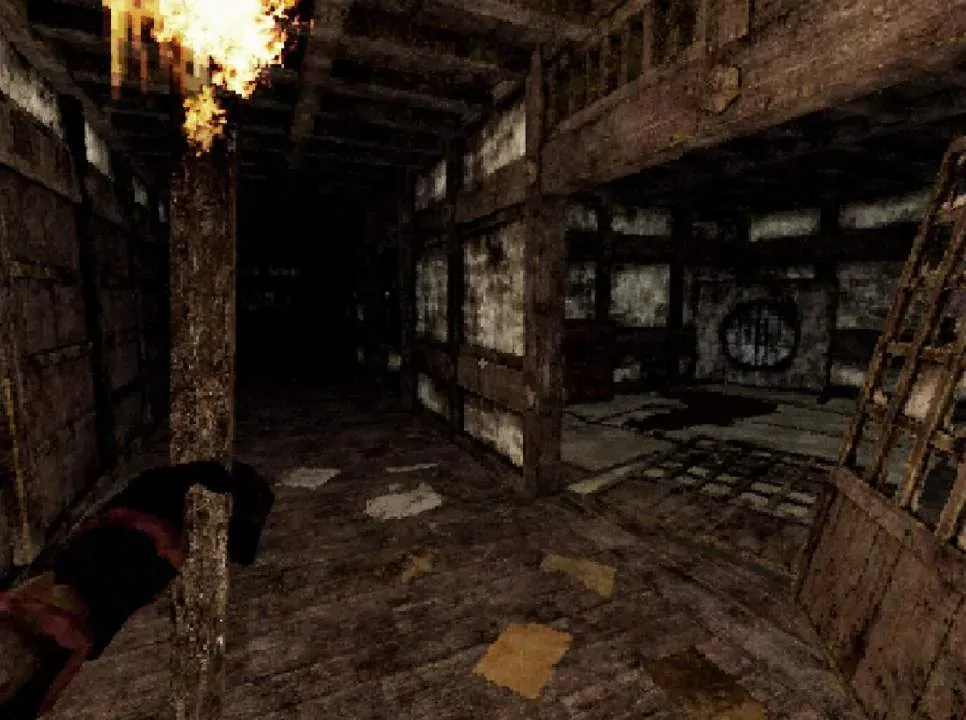
Immerse yourself in the foreboding, dark world of the Demon King, a setting inspired by feudal Japan and brought to life in a gorgeous retro-grim art style. Complete with dither filters for that genuine PS1 feel.Prove Yourself in Combat
Arm yourself with your wits and a select range of weapons, from katanas and naginatas to muskets and bows, as you engage in brutal, challenging combat. Revel in accomplishment and extreme satisfaction as you take down various Yokai from ancient myth, and other horrific abominations that dwell in the labyrinth.Explore the Labyrinth
As you trudge through the dark, twisted corridors of the Labyrinth, explore every nook and cranny for limited resources. Sets of armor and talismans change your fortunes in combat, and important clues help solve puzzles laid out before you by the Demon King.Decide, Friend or Foe?
Engage with other strange characters on your journey. Some offer things you might need, others a simple moment of respite, but be careful who you decide to trust - it could affect your fate.Labyrinth Of The Demon King System Requirements
Minimum
- OS:
- Windows 10
- CPU:
- Intel Core i5-2300
- GPU:
- GeForce GTX 660
- RAM:
- 6 GB
- File Size:
- 5 GB
Recommended
- OS:
- -
- CPU:
- Not specified
- GPU:
- Not specified
- RAM:
- Not specified
Can I run Labyrinth Of The Demon King on my PC?
To run Labyrinth Of The Demon King on PC you need at minimum a Intel Core i5-2300 processor, a GeForce GTX 660 graphics card, and 6 GB of RAM running on Windows 10. For the best experience at recommended settings, upgrade to a Not specified CPU and Not specified GPU.
What GPU do I need to run Labyrinth Of The Demon King?
The minimum GPU required to run Labyrinth Of The Demon King is the GeForce GTX 660. For smooth gameplay at high graphics settings, a Not specified is recommended.
How much RAM does Labyrinth Of The Demon King require?
Labyrinth Of The Demon King requires a minimum of 6 GB RAM. For the recommended experience, Not specified of RAM is suggested.
How to check if your PC can run Labyrinth Of The Demon King
- Check your CPU: Compare your processor against the minimum requirement: Intel Core i5-2300.
- Check your GPU: Your graphics card should meet or exceed: GeForce GTX 660.
- Check your RAM: You need at least 6 GB of RAM installed.
- Check storage: Ensure you have at least 5 GB of free disk space.
- Use our tool above: Select your RAM in the "Can I Run It?" box to get an instant result.