Last Rites System Requirements (1997) | Minimum & Recommended PC Specs
Quick Hardware Summary
Last Rites requires at least a Intel Pentium 4 CPU, a dedicated GPU, and 256 MB RAM. For recommended settings, aim for powerful CPU and high-end GPU.
Can I Run Last Rites?
Enter your PC specs to instantly check compatibility
256 MB
N/A
About Last Rites
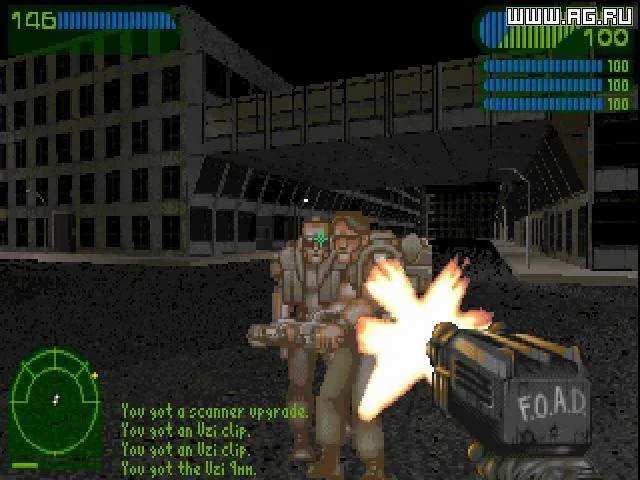
And The Dead were made flesh and dwelt among us. In flesh ripped and pocketed in running sores and the terror of our age our bodies cannot staunch the flow of darkness nor stem the tides of death. We are food but not for long.
There is enough fire power stacked here to blow them soulless husks to hell and back; and we are giving it them all. The towns and cities are burning and the end's a long time coming. Enjoy it while you can.
• Full 3D Environment with full 360 degree rotational view.
• Mission based scenarios for full immerse play.
• Massive numbers of enemies at any one time.
• Controversial horror setting.
• Gory hack and slash first person action.
• Incredible Painted backdrops.
Due to the age of the title, it currently does not support network multiplayer.
There is enough fire power stacked here to blow them soulless husks to hell and back; and we are giving it them all. The towns and cities are burning and the end's a long time coming. Enjoy it while you can.
• Full 3D Environment with full 360 degree rotational view.
• Mission based scenarios for full immerse play.
• Massive numbers of enemies at any one time.
• Controversial horror setting.
• Gory hack and slash first person action.
• Incredible Painted backdrops.
Due to the age of the title, it currently does not support network multiplayer.
Score N/A
Released 1/1/1997
Developer
Platforms
Last Rites System Requirements
Minimum
- OS:
- Windows 7
- CPU:
- Intel Pentium 4
- GPU:
- Not specified
- RAM:
- 256 MB
- File Size:
- 256 MB
Recommended
- OS:
- -
- CPU:
- Not specified
- GPU:
- Not specified
- RAM:
- Not specified
Can I run Last Rites on my PC?
To run Last Rites on PC you need at minimum a Intel Pentium 4 processor, a Not specified graphics card, and 256 MB of RAM running on Windows 7. For the best experience at recommended settings, upgrade to a Not specified CPU and Not specified GPU.
What GPU do I need to run Last Rites?
The minimum GPU required to run Last Rites is the Not specified. For smooth gameplay at high graphics settings, a Not specified is recommended.
How much RAM does Last Rites require?
Last Rites requires a minimum of 256 MB RAM. For the recommended experience, Not specified of RAM is suggested.
How to check if your PC can run Last Rites
- Check your CPU: Compare your processor against the minimum requirement: Intel Pentium 4.
- Check your GPU: Your graphics card should meet or exceed: Not specified.
- Check your RAM: You need at least 256 MB of RAM installed.
- Check storage: Ensure you have at least 256 MB of free disk space.
- Use our tool above: Select your RAM in the "Can I Run It?" box to get an instant result.