Life is Feudal: MMO System Requirements (2017) | Minimum & Recommended PC Specs
Quick Hardware Summary
Life is Feudal: MMO requires at least a capable CPU, a dedicated GPU, and 8 GB RAM. For recommended settings, aim for powerful CPU and high-end GPU.
Can I Run Life is Feudal: MMO?
Enter your PC specs to instantly check compatibility
N/A
N/A
About Life is Feudal: MMO
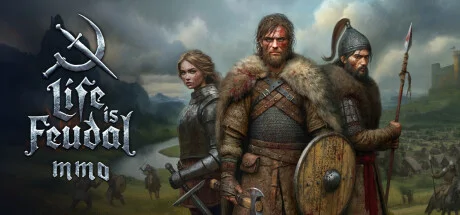
Life is Feudal: MMO enables you, along with thousands of other players, to dive into a living, breathing - and ever-evolving - world. You can create and influence the history in the land of Abella and have those events ripple through eternity.
Begin your journey by stepping into an enormous 21x21km, fully realized world, complete with naturalistic weather, day-night cycles, and changing seasons. Various areas produce differing amounts of region-specific resources, while the weather alternates throughout the land, and can play a vital role in successful crop growth and availability of natural resources. Each region can offer unique advantages and favorable conditions for brave adventurers.
Explore a vast world; choose a suitable location for your humble home, walled city or strapping fort. Level and terraform to perfect the area before getting to work. Set out to meet new friends and forge alliances with neighbors — imagine the possibilities with a team of people. Excluding the starting city, everything will be built by you - the players, as you cooperate to build majestic kingdoms and thriving communities.
Kingdoms will rise and kingdoms will fall. The pen can be mightier than the sword if wielded properly. Guild holdings can turn into towns; towns into cities and cities into kingdoms, stretching across the land. Do you have what it takes to form coalitions and alliances to defend your lands and rule over Abella?
When diplomacy fails, it is time to reach for the sword. During this era, there was always that bright, shining light of peace and prosperity, but, alas, civilizations were usually mired in the dark, brutal and often violent reality of medieval life. Take up arms against your foes, utilizing the non-target, physics-based combat system. With realistic player damage you can create deadly combos to deliver bleeding wounds and fractured bones, and in the end... conquer the battlefield.
Establish yourself as an entrepreneur; watch your wealth and influence grow as you build an empire with a completely realistic economy. Barter for goods with others through player-built trading posts across the world. Set up trade routes and recruit competent guards to escort you and your caravans, offering protection from raiders and brigands on your journey.
Engage in fun minigames to earn high score results, which you can use in-game to improve mass production actions to maximize the quality of your crafted items results and the speed in which you complete them. If you suck at these minigames (or if they’re just not quite your thing), never fear, you can get your friends involved by simply generating a code on your account to share - you will be able to use these results in your crafting!
Carve out your legacy; be a part of the history of Life is Feudal: MMO.
Begin your journey by stepping into an enormous 21x21km, fully realized world, complete with naturalistic weather, day-night cycles, and changing seasons. Various areas produce differing amounts of region-specific resources, while the weather alternates throughout the land, and can play a vital role in successful crop growth and availability of natural resources. Each region can offer unique advantages and favorable conditions for brave adventurers.
Explore a vast world; choose a suitable location for your humble home, walled city or strapping fort. Level and terraform to perfect the area before getting to work. Set out to meet new friends and forge alliances with neighbors — imagine the possibilities with a team of people. Excluding the starting city, everything will be built by you - the players, as you cooperate to build majestic kingdoms and thriving communities.
Kingdoms will rise and kingdoms will fall. The pen can be mightier than the sword if wielded properly. Guild holdings can turn into towns; towns into cities and cities into kingdoms, stretching across the land. Do you have what it takes to form coalitions and alliances to defend your lands and rule over Abella?
When diplomacy fails, it is time to reach for the sword. During this era, there was always that bright, shining light of peace and prosperity, but, alas, civilizations were usually mired in the dark, brutal and often violent reality of medieval life. Take up arms against your foes, utilizing the non-target, physics-based combat system. With realistic player damage you can create deadly combos to deliver bleeding wounds and fractured bones, and in the end... conquer the battlefield.
Establish yourself as an entrepreneur; watch your wealth and influence grow as you build an empire with a completely realistic economy. Barter for goods with others through player-built trading posts across the world. Set up trade routes and recruit competent guards to escort you and your caravans, offering protection from raiders and brigands on your journey.
Engage in fun minigames to earn high score results, which you can use in-game to improve mass production actions to maximize the quality of your crafted items results and the speed in which you complete them. If you suck at these minigames (or if they’re just not quite your thing), never fear, you can get your friends involved by simply generating a code on your account to share - you will be able to use these results in your crafting!
Carve out your legacy; be a part of the history of Life is Feudal: MMO.
Score N/A
Released 11/17/2017
Developer
Publisher
Platforms
Life is Feudal: MMO System Requirements
Minimum
- OS:
- -
- CPU:
- Not specified
- GPU:
- Not specified
- RAM:
- Not specified
- File Size:
- -
Recommended
- OS:
- -
- CPU:
- Not specified
- GPU:
- Not specified
- RAM:
- Not specified
Can I run Life is Feudal: MMO on my PC?
To run Life is Feudal: MMO on PC you need at minimum a Not specified processor, a Not specified graphics card, and Not specified of RAM running on Windows 10. For the best experience at recommended settings, upgrade to a Not specified CPU and Not specified GPU.
What GPU do I need to run Life is Feudal: MMO?
The minimum GPU required to run Life is Feudal: MMO is the Not specified. For smooth gameplay at high graphics settings, a Not specified is recommended.
How much RAM does Life is Feudal: MMO require?
Life is Feudal: MMO requires a minimum of Not specified RAM. For the recommended experience, Not specified of RAM is suggested.
How to check if your PC can run Life is Feudal: MMO
- Check your CPU: Compare your processor against the minimum requirement: Not specified.
- Check your GPU: Your graphics card should meet or exceed: Not specified.
- Check your RAM: You need at least Not specified of RAM installed.
- Check storage: Ensure you have at least Not specified of free disk space.
- Use our tool above: Select your RAM in the "Can I Run It?" box to get an instant result.