Little Kingdom RTS System Requirements (2025) | Minimum & Recommended PC Specs
Quick Hardware Summary
Little Kingdom RTS requires at least a Intel Core 2 Duo CPU, a GeForce 9600 GT (512 MB) GPU, and 1024 MB RAM. For recommended settings, aim for powerful CPU and high-end GPU.
Can I Run Little Kingdom RTS?
Enter your PC specs to instantly check compatibility
About Little Kingdom RTS
Game Objective
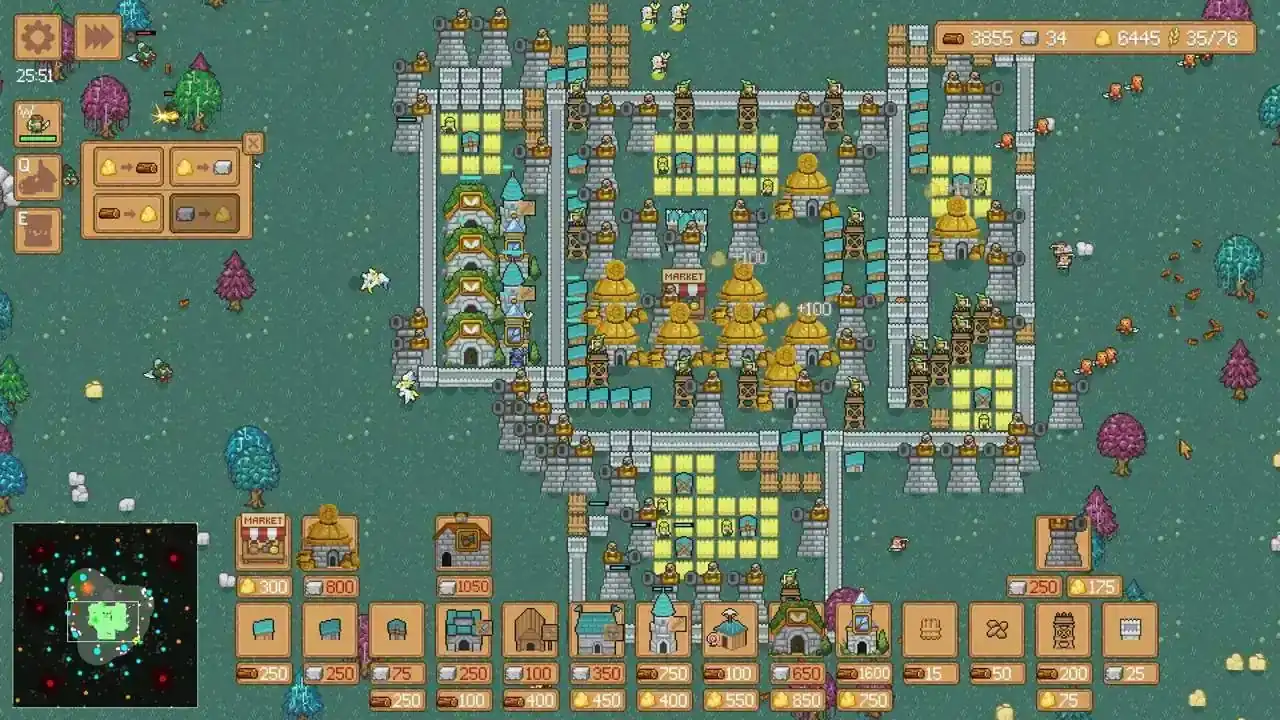
In Little Kingdom RTS, you play as the ruler of a small kingdom. With limited resources, your task is to build a base, gather wood, stone, wheat, and gold, construct defenses, form an army, and survive enemy attacks. Your main goal is to conquer the entire map. Each level features a new map with unique resource placement, enemy kingdoms, secrets, and strategic opportunities. A survival mode is also available to test your tactics under constant enemy pressure.
Resource Gathering
To develop your kingdom, you must efficiently manage three key resources:
• Wood: Gathered by lumberjacks you assign to nearby trees. Used for construction.
• Stone: Mined by workers at quarries built near rocky terrain.
• Gold: Obtained by workers in gold mines, which must be built near gold ore.
• Wheat: Grown on farms and required to sustain your economy and army.
Proper worker distribution and building near natural zones are vital for sustainable development.
Construction
You can construct a wide variety of buildings, each serving an important function:
• Worker buildings: for lumberjacks, stonemasons, and wheat farmers.
• Military structures: barracks for knights, archers, cavalry, and mage towers.
• Defenses: archer towers, wooden palisades, and stone walls.
A well-planned base with complementary structures will help you survive even the harshest conditions.
Battles
Combat plays a major role in gameplay. You must defend and attack in real time, commanding your army against:
• Armies of rival kingdoms.
• Orcs, including warriors, archers, mages, and wolf riders.
• Wild animals and fantasy monsters.
• Undead, demons and other dark forces.
Each enemy requires a unique strategy, and every map offers distinct battle challenges.
Game Features
• Classic real-time strategy gameplay
• Charming pixel art inspired by retro games
• Varied maps with increasing difficulty
• Unique economy and building system
• Two modes: campaign and survival
From the Developers
Little Kingdom RTS is an indie game developed by a solo developer. The game is promoted by a single indie publisher. Your feedback and support mean the world to us – add the game to your wishlist and help us grow. The release is coming soon!
Little Kingdom RTS System Requirements
Minimum
- OS:
- Windows 7
- CPU:
- Intel Core 2 Duo
- GPU:
- GeForce 9600 GT (512 MB)
- RAM:
- 1024 MB
- File Size:
- 250 MB
Recommended
- OS:
- -
- CPU:
- Not specified
- GPU:
- Not specified
- RAM:
- Not specified
Can I run Little Kingdom RTS on my PC?
To run Little Kingdom RTS on PC you need at minimum a Intel Core 2 Duo processor, a GeForce 9600 GT (512 MB) graphics card, and 1024 MB of RAM running on Windows 7. For the best experience at recommended settings, upgrade to a Not specified CPU and Not specified GPU.
What GPU do I need to run Little Kingdom RTS?
The minimum GPU required to run Little Kingdom RTS is the GeForce 9600 GT (512 MB). For smooth gameplay at high graphics settings, a Not specified is recommended.
How much RAM does Little Kingdom RTS require?
Little Kingdom RTS requires a minimum of 1024 MB RAM. For the recommended experience, Not specified of RAM is suggested.
How to check if your PC can run Little Kingdom RTS
- Check your CPU: Compare your processor against the minimum requirement: Intel Core 2 Duo.
- Check your GPU: Your graphics card should meet or exceed: GeForce 9600 GT (512 MB).
- Check your RAM: You need at least 1024 MB of RAM installed.
- Check storage: Ensure you have at least 250 MB of free disk space.
- Use our tool above: Select your RAM in the "Can I Run It?" box to get an instant result.