Lost in Play System Requirements (2022) | Minimum & Recommended PC Specs
Quick Hardware Summary
Lost in Play requires at least a capable CPU, a dedicated GPU, and 8 GB RAM. For recommended settings, aim for powerful CPU and high-end GPU.
Can I Run Lost in Play?
Enter your PC specs to instantly check compatibility
About Lost in Play
Help a brother and sister on an uplifting epic adventure to find their way home. Escaping a horned beast and meeting quirky goblins are just part of the journey!
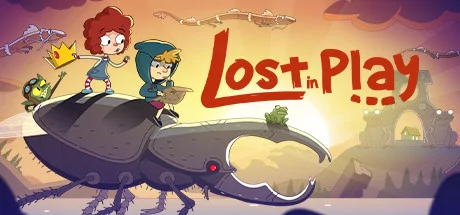
Lost in Play is a journey through childhood imagination with thoughtfully crafted puzzles and colorful characters. Play as a brother and sister duo on an adventure to find their way back home. Between reality and fantasy, the siblings explore the enchanted forest of a horned beast, start a rebellion in a goblin village, and help a team of frogs free a sword from a stone.
PUZZLES & MYSTERY
The bizarre and dreamlike world of Lost in Play is filled with mystery, unique puzzles, and mini-games. Challenge a pirate seagull to a game of clicking crabs, serve magical tea to a royal toad, and collect pieces to build a flying machine. Be a part of this modern point & click game that will reward your curiosity and leave you excited for the next piece of story.
IMAGINATION COMES TO LIFE
From what seems like a normal morning at home to a typical afternoon at the park, you'll soon find yourself on a whirlwind quest as you sneak into a goblin castle, explore ancient ruins, and soar atop a giant stork. Lost in Play takes you on a nostalgic roller-coaster!
AN INTERACTIVE CARTOON
With a hand-crafted style similar to animated shows from childhood, Lost in Play is a story meant for all. Whether you’re seeking wholesome delight or just a good time, the family can enjoy this story together.
GAME FEATURES:
A mysterious animated puzzle adventure.
Filled with magical and magnificent creatures.
Created with families in mind. Have your children watch you play!
No dialogue. Everything is communicated visually in a universal way.
Inspired by nostalgic TV shows such as Gravity Falls, Hilda, and Over the Garden Wall.
Play cards with goblins, build a dragon, and teach a sheep how to fly.
Includes 30+ unique puzzles and mini-games.
Catch a derpy chicken. Maybe.
Happy Juice Games previously worked on "The Office Quest" and is a studio that focuses on pushing the boundaries of animated adventure games. We hope you love our game as much as we loved making it.
Lost in Play System Requirements
Minimum
- OS:
- -
- CPU:
- Not specified
- GPU:
- Not specified
- RAM:
- Not specified
- File Size:
- -
Recommended
- OS:
- -
- CPU:
- Not specified
- GPU:
- Not specified
- RAM:
- Not specified
Can I run Lost in Play on my PC?
To run Lost in Play on PC you need at minimum a Not specified processor, a Not specified graphics card, and Not specified of RAM running on Windows 10. For the best experience at recommended settings, upgrade to a Not specified CPU and Not specified GPU.
What GPU do I need to run Lost in Play?
The minimum GPU required to run Lost in Play is the Not specified. For smooth gameplay at high graphics settings, a Not specified is recommended.
How much RAM does Lost in Play require?
Lost in Play requires a minimum of Not specified RAM. For the recommended experience, Not specified of RAM is suggested.
How to check if your PC can run Lost in Play
- Check your CPU: Compare your processor against the minimum requirement: Not specified.
- Check your GPU: Your graphics card should meet or exceed: Not specified.
- Check your RAM: You need at least Not specified of RAM installed.
- Check storage: Ensure you have at least Not specified of free disk space.
- Use our tool above: Select your RAM in the "Can I Run It?" box to get an instant result.