Marooners System Requirements (2016) | Minimum & Recommended PC Specs
Quick Hardware Summary
Marooners requires at least a capable CPU, a dedicated GPU, and 8 GB RAM. For recommended settings, aim for powerful CPU and high-end GPU.
Can I Run Marooners?
Enter your PC specs to instantly check compatibility
N/A
N/A
About Marooners
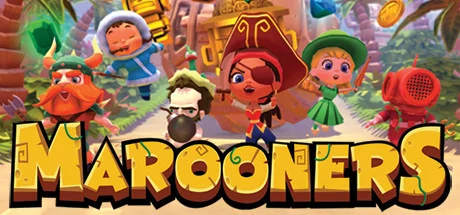
Play a wild mix of fun party games agames as the action regularly switches back and forth between games. Can you handle the switcheroo chaos? Join your friends both on the couch and online while sadistically laughing at their misfortune, or come back to haunt them if you die. Run, jump and slap your way to victory!
Marooners throws you into a chaotic mix of minigames. You’ll be switching back and forth between exotic locations, all the while grabbing as much treasure as you can. Just try not to get drowned, burned, squashed, blown up, or worse...
You also have the option to experience a complete run where you play every game once to full completion, or just watch some games in spectator mode!
Onward, treasure and victory await!
Playing with friends in your own living room is awesome, and we support that! But maybe you want to party with friends or strangers online? No worries! People from all over the world can easily play together, and you can even combine 2-6 local and / or online players, so your local friends can play with your offline friends. And if you need some extras to make up the numbers or don't feel so sociable, you can bring in the AI pirate bots to join the game.
As well as Party Mode, you can challenge your friends in Arena Mode to see who's the king of the ring! Battle it out across 12 different locations, and expect to stumble upon fresh new chaos from time to time in the form of a hidden game mode or two! Expect the unexpected, and die... we mean WIN in extreme ways! What are you waiting for, there's treasure out there!
Unlock cool and quirky characters as you play, and choose your favorite. Then load up with one of 70+ unique weapons that will make your opponents think twice about messing with you!
Visit our website: http://www.MaroonersGame.comAbout the developersMarooners is being developed by game studio M2H and friends, brought together by their love of party games. M2H are veterans when it comes to developing games. In 2009, the brothers Hergaarden founded their studio, specializing in 3D Unity multiplayer games. They are known for their hugely successful realistic WW1 FPS "Verdun" and the "Crash Drive" free-roaming stunting series.
For more information visit www.M2H.nl or talk with the developers on Discord.
- Party Game madness: experience switcheroo chaos as the action jumps between multiple intense minigames when you least expect it, or take the challenge of completing a full play through of each minigame once. Face different game types and surprise bonus stages.
- Pick your Marooner: a host of quirky characters to unlock and play as, 60+ hilarious weapons to unlock and use, and if you die... come back as a ghost to haunt your friends.
- Play Party Mode and Arena Mode: 25 different games and arena maps, as you race for treasure in Party Mode or duke it out to see who will be king of the ring in Arena Mode. Whichever mode you pick, expect the unexpected!
- Seamless local and online play: up to 6 players in any combination of local and online as you level up and unlock new weapons, plus full bot support to play solo and in multiplayer mode, spectator mode, streamlined matchmaker and lobby system.
Marooners throws you into a chaotic mix of minigames. You’ll be switching back and forth between exotic locations, all the while grabbing as much treasure as you can. Just try not to get drowned, burned, squashed, blown up, or worse...
You also have the option to experience a complete run where you play every game once to full completion, or just watch some games in spectator mode!
Onward, treasure and victory await!
Playing with friends in your own living room is awesome, and we support that! But maybe you want to party with friends or strangers online? No worries! People from all over the world can easily play together, and you can even combine 2-6 local and / or online players, so your local friends can play with your offline friends. And if you need some extras to make up the numbers or don't feel so sociable, you can bring in the AI pirate bots to join the game.
As well as Party Mode, you can challenge your friends in Arena Mode to see who's the king of the ring! Battle it out across 12 different locations, and expect to stumble upon fresh new chaos from time to time in the form of a hidden game mode or two! Expect the unexpected, and die... we mean WIN in extreme ways! What are you waiting for, there's treasure out there!
Unlock cool and quirky characters as you play, and choose your favorite. Then load up with one of 70+ unique weapons that will make your opponents think twice about messing with you!
Visit our website: http://www.MaroonersGame.comAbout the developersMarooners is being developed by game studio M2H and friends, brought together by their love of party games. M2H are veterans when it comes to developing games. In 2009, the brothers Hergaarden founded their studio, specializing in 3D Unity multiplayer games. They are known for their hugely successful realistic WW1 FPS "Verdun" and the "Crash Drive" free-roaming stunting series.
For more information visit www.M2H.nl or talk with the developers on Discord.
Score N/A
Released 9/15/2016
Developer
Publisher
Platforms
Marooners System Requirements
Minimum
- OS:
- -
- CPU:
- Not specified
- GPU:
- Not specified
- RAM:
- Not specified
- File Size:
- -
Recommended
- OS:
- -
- CPU:
- Not specified
- GPU:
- Not specified
- RAM:
- Not specified
Can I run Marooners on my PC?
To run Marooners on PC you need at minimum a Not specified processor, a Not specified graphics card, and Not specified of RAM running on Windows 10. For the best experience at recommended settings, upgrade to a Not specified CPU and Not specified GPU.
What GPU do I need to run Marooners?
The minimum GPU required to run Marooners is the Not specified. For smooth gameplay at high graphics settings, a Not specified is recommended.
How much RAM does Marooners require?
Marooners requires a minimum of Not specified RAM. For the recommended experience, Not specified of RAM is suggested.
How to check if your PC can run Marooners
- Check your CPU: Compare your processor against the minimum requirement: Not specified.
- Check your GPU: Your graphics card should meet or exceed: Not specified.
- Check your RAM: You need at least Not specified of RAM installed.
- Check storage: Ensure you have at least Not specified of free disk space.
- Use our tool above: Select your RAM in the "Can I Run It?" box to get an instant result.