Meowstery of a Growing Aurora System Requirements (2025) | Minimum & Recommended PC Specs
Quick Hardware Summary
Meowstery of a Growing Aurora requires at least a Intel(R) Core(TM) i9-9900KF CPU, a NVIDIA GeForce GTX 1650 GPU, and 8 GB RAM. For recommended settings, aim for Intel(R) Core(TM) i9-9900KF CPU and NVIDIA GeForce GTX 1650 GPU.
Can I Run Meowstery of a Growing Aurora?
Enter your PC specs to instantly check compatibility
About Meowstery of a Growing Aurora
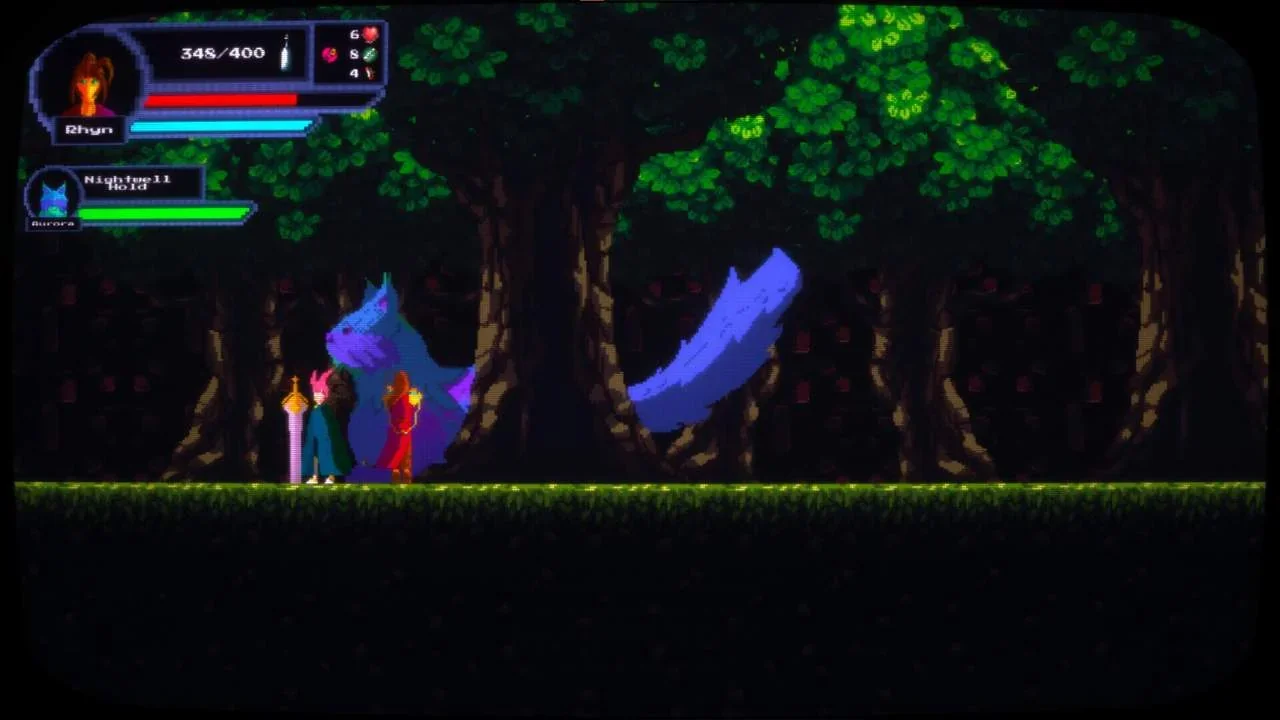
'Meowstery of a Growing Aurora' is a 2D side-scrolling adventure set within an exciting, but familiar setting. Travel through the world of the VR-MMORPG Shenanghia and help Rhyn find a way to shrink her pet cat, Aurora!
Key Features
Meticulously created levels spanning from dense jungles to monster infested castles
An engaging story with multiple endings (should you be quick and bold enough to earn them)
Non-Metroidvania progression; “Meowstery of a Growing Aurora” is a linear game, with different stages, and upgrades being awarded once a level has been reached
The ability to pet Aurora (in both her small and large state)
Story
The year is 20XX, and Eleanor (in-game name Rhyn), a player of the mega-popular Virtual Reality MMORPG Shenanghia has agreed to an interview with Mr. Slater, a freelance gaming journalist; to tell her side of the story from that fateful afternoon in December 203X, when Aurora, her in-game pet cat grew to massive proportions.
Released in the not-so-distant future of 20XX, Shenanghia is a Virtual Reality MMORPG that took the world by storm.
Built on the promise that its servers will never go offline, and anything that happens in the game’s world is persistent, its players have started calling it their new home, almost like a second (virtual) life.
Bonds are made, relationships built (and ruined), and jobs are created.
However, every game has its dips in popularity.
And every time the number of players active on Shenanghia’s servers starts to dip, a near cataclysmic event happens!
From Lizardfolk rising up from the swamplands and briefly taking over the central kingdoms, to Werewolves massively increasing their numbers every time they kill something in the game; something always occurs.
And from those occurrences the Bounty Bands were born!
Consisting of high-level players with a thirst for glory, these groups take on the deadliest challenges, clear the trickiest dungeons, and hunt any creature (or player) that would pose a big enough threat to be noticed by the community.
Is Aurora another such occurrence? Are the Bounty Bands going to hunt Rhyn alongside her pet kitty-kat? Or is Rhyn going to find a way to make Aurora regular sized again?
Only one way to find out.
Meowstery of a Growing Aurora System Requirements
Minimum
- OS:
- Windows 10
- CPU:
- Intel(R) Core(TM) i9-9900KF
- GPU:
- NVIDIA GeForce GTX 1650
- RAM:
- 8 GB
- File Size:
- 2 GB
Recommended
- OS:
- Windows 10
- CPU:
- Intel(R) Core(TM) i9-9900KF
- GPU:
- NVIDIA GeForce GTX 1650
- RAM:
- 16 GB
Can I run Meowstery of a Growing Aurora on my PC?
To run Meowstery of a Growing Aurora on PC you need at minimum a Intel(R) Core(TM) i9-9900KF processor, a NVIDIA GeForce GTX 1650 graphics card, and 8 GB of RAM running on Windows 10. For the best experience at recommended settings, upgrade to a Intel(R) Core(TM) i9-9900KF CPU and NVIDIA GeForce GTX 1650 GPU.
What GPU do I need to run Meowstery of a Growing Aurora?
The minimum GPU required to run Meowstery of a Growing Aurora is the NVIDIA GeForce GTX 1650. For smooth gameplay at high graphics settings, a NVIDIA GeForce GTX 1650 is recommended.
How much RAM does Meowstery of a Growing Aurora require?
Meowstery of a Growing Aurora requires a minimum of 8 GB RAM. For the recommended experience, 16 GB of RAM is suggested.
How to check if your PC can run Meowstery of a Growing Aurora
- Check your CPU: Compare your processor against the minimum requirement: Intel(R) Core(TM) i9-9900KF.
- Check your GPU: Your graphics card should meet or exceed: NVIDIA GeForce GTX 1650.
- Check your RAM: You need at least 8 GB of RAM installed.
- Check storage: Ensure you have at least 2 GB of free disk space.
- Use our tool above: Select your RAM in the "Can I Run It?" box to get an instant result.