Minoria System Requirements (2019) | Minimum & Recommended PC Specs
Quick Hardware Summary
Minoria requires at least a capable CPU, a dedicated GPU, and 8 GB RAM. For recommended settings, aim for powerful CPU and high-end GPU.
Can I Run Minoria?
Enter your PC specs to instantly check compatibility
About Minoria
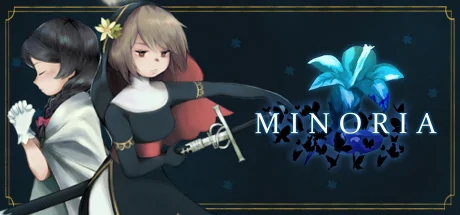
Minoria is the latest and most ambitious game from Bombservice, and a spiritual sequel to the Momodora series, from the same studio.
Fans of Momodora will find familiar aspects in the design and gameplay elements, as they master the ins-and-outs of parries, dodges, and a variety of different spells.
The presentation has evolved to an HD format, with aesthetics mixing 2D hand-painted backgrounds and cel-shaded characters.
The story takes place during the fourth Witch War. It is a time of fanatical religious fervor. On the one hand, by the Sacred Office, a powerful organization leading an Inquisition against heresy, in order to purify the sinners who threaten humanity. And on the other hand, those labeled “witches”, responsible for conducting a mysterious ceremony that contradicts the rules of the Church.
Set forth with Sisters Semilla and Fran, missionaries in the Church’s service, on their journey to thwart the witches’ ceremony and protect the common-folk from heresy that endangers the status quo.
A powerful fantasy story inspired by the history of medieval Europe
A unique visual aesthetic combining hand-painted 2D art with cel-shading
Fluid controls encouraging careful engagement and patient play
Offensive combat enabling players to crush enemies with a mix of swordplay and spells
Defensive options including dodge-rolls and parries
A leveling system that helps players adjust their character to their desired difficulty
Hello there! I’m rdein, the creator and director of Minoria.
First of all, I’d like to share my excitement in announcing this project. This is an universe I care a lot for, from the setting to the characters, and it’s been a lot of fun to explore and develop its concepts during the process of game development.
For the first time in many years, I started a game project set in a new universe. It felt like a breath of fresh air for me. With that said, Minoria does contain some similarities with my previous projects (especially Momodora’s latest installment, Reverie Under the Moonlight).
I am proud of what we’ve been making for Minoria, and I hope you will enjoy the story and characters I’ve prepared this time around!
Howdy folks, Dan here from Dangen Entertainment. It’s been hard patiently waiting for the announcement of Minoria, knowing what an amazing game it’s going to be. It combines everything I love about the Momodora games with stronger emphasis on a solemn story. I love how Bombservice is approaching the visuals this time around too--it’s a unique take that looks beautiful and shows another evolutionary step in the team’s development experience, just as previous titles have.
This game is extraordinary. A must-play if you’ve got an appetite for action-platformers like I do.
Minoria System Requirements
Minimum
- OS:
- -
- CPU:
- Not specified
- GPU:
- Not specified
- RAM:
- Not specified
- File Size:
- -
Recommended
- OS:
- -
- CPU:
- Not specified
- GPU:
- Not specified
- RAM:
- Not specified
Can I run Minoria on my PC?
To run Minoria on PC you need at minimum a Not specified processor, a Not specified graphics card, and Not specified of RAM running on Windows 10. For the best experience at recommended settings, upgrade to a Not specified CPU and Not specified GPU.
What GPU do I need to run Minoria?
The minimum GPU required to run Minoria is the Not specified. For smooth gameplay at high graphics settings, a Not specified is recommended.
How much RAM does Minoria require?
Minoria requires a minimum of Not specified RAM. For the recommended experience, Not specified of RAM is suggested.
How to check if your PC can run Minoria
- Check your CPU: Compare your processor against the minimum requirement: Not specified.
- Check your GPU: Your graphics card should meet or exceed: Not specified.
- Check your RAM: You need at least Not specified of RAM installed.
- Check storage: Ensure you have at least Not specified of free disk space.
- Use our tool above: Select your RAM in the "Can I Run It?" box to get an instant result.