My Dream Setup System Requirements (2023) | Minimum & Recommended PC Specs
Quick Hardware Summary
My Dream Setup requires at least a Intel Dual Core CPU, a NVIDIA GeForce GTX 560 Ti GPU, and 4 GB RAM. For recommended settings, aim for Intel Dual Core CPU and NVIDIA GeForce GTX 960 GPU.
Can I Run My Dream Setup?
Enter your PC specs to instantly check compatibility
About My Dream Setup
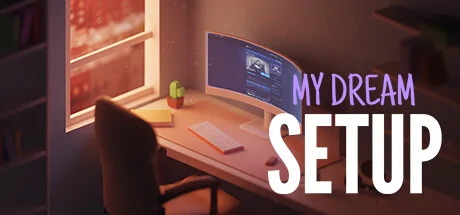
My Dream Setup is a simulation game about building the room you've always dreamed of. A huge selection of furniture, computers and their accessories, posters, pictures, plants, and other interior details await you. Try all of them and create your dream setup.
Arrange the furniture the way you want. No placing by the grid - complete freedom of action. If you don't like where you put a piece of furniture, just move it at any time. No limits on the amount of furniture in the room. Make a small neat office or a huge studio with a bunch of computers, monitors and other things - it's all up to you.
Change the color of the furniture. All colors of the RGB palette are available to you. Each piece of furniture is customizable separately. This allows you to create all kinds of color combinations. You can paint almost anything: doors, windows, furniture and background color. Try combining different colors and shades to get the best looking room.
A huge selection of wallpapers and wall paints awaits you. Do you want to put wallpaper with flowers in your room? Or are you a fan of loft and want a brick wall? Paint each wall separately to create the most unexpected designs, or paint an entire room in one click. We let your imagination run wild.
See how your room looks under different lighting and weather conditions. We offer you five weather options: sunny, sunset, rain, snow, and night. Each option gives the room a new atmosphere as well as a new view from the window. Also in rainy and snowy weather, precipitation appears on the windows for even more immersion.
My Dream Setup offers you the opportunity to design the room you'll be setting up yourself. Use Blueprint mode to place walls, windows, and doors. You can redesign the room at any time, even if you've already started decorating it.
More features
- Relaxing, engaging, and highly varied gameplay, limited only by your imagination
- Huge selection of furniture, computers and their accessories, posters, pictures, plants and other interior details
- Ability to share your rooms on Twitter right from the game
- Cozy atmosphere
- RGB lighting
My Dream Setup System Requirements
Minimum
- OS:
- Windows 10
- CPU:
- Intel Dual Core
- GPU:
- NVIDIA GeForce GTX 560 Ti
- RAM:
- 4 GB
- File Size:
- 4 GB
Recommended
- OS:
- Windows 10
- CPU:
- Intel Dual Core
- GPU:
- NVIDIA GeForce GTX 960
- RAM:
- 4 GB
Can I run My Dream Setup on my PC?
To run My Dream Setup on PC you need at minimum a Intel Dual Core processor, a NVIDIA GeForce GTX 560 Ti graphics card, and 4 GB of RAM running on Windows 10. For the best experience at recommended settings, upgrade to a Intel Dual Core CPU and NVIDIA GeForce GTX 960 GPU.
What GPU do I need to run My Dream Setup?
The minimum GPU required to run My Dream Setup is the NVIDIA GeForce GTX 560 Ti. For smooth gameplay at high graphics settings, a NVIDIA GeForce GTX 960 is recommended.
How much RAM does My Dream Setup require?
My Dream Setup requires a minimum of 4 GB RAM. For the recommended experience, 4 GB of RAM is suggested.
How to check if your PC can run My Dream Setup
- Check your CPU: Compare your processor against the minimum requirement: Intel Dual Core.
- Check your GPU: Your graphics card should meet or exceed: NVIDIA GeForce GTX 560 Ti.
- Check your RAM: You need at least 4 GB of RAM installed.
- Check storage: Ensure you have at least 4 GB of free disk space.
- Use our tool above: Select your RAM in the "Can I Run It?" box to get an instant result.