NASCAR 21: Ignition System Requirements (2021) | Minimum & Recommended PC Specs
Quick Hardware Summary
NASCAR 21: Ignition requires at least a capable CPU, a dedicated GPU, and 8 GB RAM. For recommended settings, aim for powerful CPU and high-end GPU.
Can I Run NASCAR 21: Ignition?
Enter your PC specs to instantly check compatibility
About NASCAR 21: Ignition
The Champions Edition will give you access to the forthcoming Season Pass which includes 3 monthly content drops, each containing over 55 alternative paint schemes, one alternative driver and a legendary driver.
The Champions Edition offers a career booster pack so you'll be able to sign up to a full season contract with any team of your choice, allowing you to jump right into the action with a championship caliber team. Save yourself some time by not having to sign for a underfunded team on a part-time schedule.
The Champions Edition also includes access to Driver’s Champion Bill Elliott, including paint schemes , helmet and fire suit.
ABOUT THIS GAME
THE OFFICIAL NASCAR VIDEO GAME
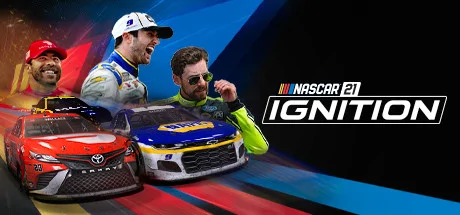
NASCAR 21: Ignition redefines the official video game of the world’s most popular stock car racing series. With incredible graphics and immersive gameplay, NASCAR 21: Ignition brings a whole new level of authenticity and atmosphere to the NASCAR Cup Series.
Complete with official drivers, teams and tracks from the 2021 NASCAR Cup Series season, the authentic presentation, including broadcast quality pre-race build up and post-race replays, takes you as close to the real thing as you can get.
The handling of the car is a direct representation of how it feels to drive one of these incredible machines, complete with updated track packages that represent the 2021 NASCAR Cup Series schedule. This puts you in the heat of the action as the green flag drops, while a full suite of driver assists make the game accessible to new racers.
Either dive straight into the action with Race Now, playing as your favorite official driver from the NASCAR Cup Series, or take on the immersive and engaging career mode as you build your reputation in the sport and battle your way toward the championship.
A brand-new Paint Booth offers an unrivalled level of customization allowing you to create your own NASCAR Cup Series paint scheme complete with your own iconic race number.
Supporting online multiplayer races, you are never far from a race whether that is in a party with your friends or racing with other players from around the world.
· Experience the thrill and atmosphere of the NASCAR Cup Series with official cars, drivers and tracks from the 2021 season
· New Paint Booth offers unrivalled customization for your paint scheme
· Race online with other players for fun or competitively
· Incredible visuals and presentation
· True to life vehicle physics and handling with a suite of driver assists available
· Immersive Career Mode where you can create your NASCAR legacy
NASCAR 21: Ignition System Requirements
Minimum
- OS:
- -
- CPU:
- Not specified
- GPU:
- Not specified
- RAM:
- Not specified
- File Size:
- -
Recommended
- OS:
- -
- CPU:
- Not specified
- GPU:
- Not specified
- RAM:
- Not specified
Can I run NASCAR 21: Ignition on my PC?
To run NASCAR 21: Ignition on PC you need at minimum a Not specified processor, a Not specified graphics card, and Not specified of RAM running on Windows 10. For the best experience at recommended settings, upgrade to a Not specified CPU and Not specified GPU.
What GPU do I need to run NASCAR 21: Ignition?
The minimum GPU required to run NASCAR 21: Ignition is the Not specified. For smooth gameplay at high graphics settings, a Not specified is recommended.
How much RAM does NASCAR 21: Ignition require?
NASCAR 21: Ignition requires a minimum of Not specified RAM. For the recommended experience, Not specified of RAM is suggested.
How to check if your PC can run NASCAR 21: Ignition
- Check your CPU: Compare your processor against the minimum requirement: Not specified.
- Check your GPU: Your graphics card should meet or exceed: Not specified.
- Check your RAM: You need at least Not specified of RAM installed.
- Check storage: Ensure you have at least Not specified of free disk space.
- Use our tool above: Select your RAM in the "Can I Run It?" box to get an instant result.