New Heights: Realistic Climbing and Bouldering System Requirements (2023) | Minimum & Recommended PC Specs
Quick Hardware Summary
New Heights: Realistic Climbing and Bouldering requires at least a Ryzen 3 CPU, a GeForce GTX 950 GPU, and 8 GB RAM. For recommended settings, aim for Ryzen 5 CPU and GeForce GTX 1060 GPU.
Can I Run New Heights: Realistic Climbing and Bouldering?
Enter your PC specs to instantly check compatibility
About New Heights: Realistic Climbing and Bouldering
EXPERIENCE THE THRILL OF THE CLIMB
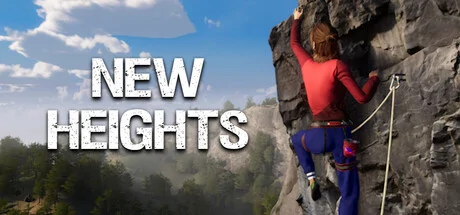
Featuring realistic, physics-based climbing mechanics that will put your balance and grip to the test as you approach climbing and bouldering problems just as you would in real life. Feel the adrenaline rush as you make your way up the cliffs, and the sense of accomplishment as you reach the top.
ELEVATE YOUR SKILLS
New Heights offers a realistic and immersive climbing and bouldering experience that will transport you to beautiful and treacherous locations that you might never have the opportunity to visit in real life. Become a professional climber, and reach the top of the leaderboards.
CLIMB THE UNATTAINABLE
Push the boundaries of what's possible in climbing and bouldering. With the ability to try out free solo climbing and bouldering from the safety of your computer and to tackle routes that are inaccessible in real life.
KEY FEATURES:
- Realistic, physics-based climbing mechanics that test your balance and grip
- Real cliffs and structures made possible by photogrammetry and drones
- Climb in locations you might never have the opportunity to visit in real life
- Try out free solo climbing and bouldering from the safety of your computer
- Climb where it's not allowed in real life
- Leaderboards to compete with other players
- Elevate your climbing skills
- Conquer fear of heights in a virtual setting
New Heights is the ultimate climbing and bouldering game for anyone who loves the thrill of climbing, and wants to experience it in the most realistic and immersive way possible. Get ready to reach new heights!
New Heights: Realistic Climbing and Bouldering System Requirements
Minimum
- OS:
- Windows 10
- CPU:
- Ryzen 3
- GPU:
- GeForce GTX 950
- RAM:
- 8 GB
- File Size:
- 15 GB
Recommended
- OS:
- Windows 10
- CPU:
- Ryzen 5
- GPU:
- GeForce GTX 1060
- RAM:
- 16 GB
Can I run New Heights: Realistic Climbing and Bouldering on my PC?
To run New Heights: Realistic Climbing and Bouldering on PC you need at minimum a Ryzen 3 processor, a GeForce GTX 950 graphics card, and 8 GB of RAM running on Windows 10. For the best experience at recommended settings, upgrade to a Ryzen 5 CPU and GeForce GTX 1060 GPU.
What GPU do I need to run New Heights: Realistic Climbing and Bouldering?
The minimum GPU required to run New Heights: Realistic Climbing and Bouldering is the GeForce GTX 950. For smooth gameplay at high graphics settings, a GeForce GTX 1060 is recommended.
How much RAM does New Heights: Realistic Climbing and Bouldering require?
New Heights: Realistic Climbing and Bouldering requires a minimum of 8 GB RAM. For the recommended experience, 16 GB of RAM is suggested.
How to check if your PC can run New Heights: Realistic Climbing and Bouldering
- Check your CPU: Compare your processor against the minimum requirement: Ryzen 3.
- Check your GPU: Your graphics card should meet or exceed: GeForce GTX 950.
- Check your RAM: You need at least 8 GB of RAM installed.
- Check storage: Ensure you have at least 15 GB of free disk space.
- Use our tool above: Select your RAM in the "Can I Run It?" box to get an instant result.