Nigate Tale System Requirements (2021) | Minimum & Recommended PC Specs
Quick Hardware Summary
Nigate Tale requires at least a Intel Dual Core CPU, a dedicated GPU, and 2000 MB RAM. For recommended settings, aim for Intel Core i5-8400 CPU and high-end GPU.
Can I Run Nigate Tale?
Enter your PC specs to instantly check compatibility
2000 MB
4000 MB
About Nigate Tale
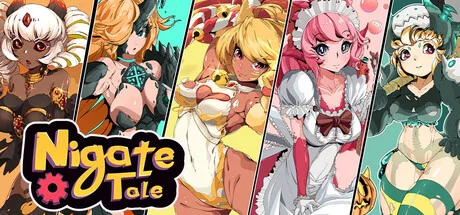
Nigate Tile is a rogue-like dungeon crawler with unique low-poly and 2D anime art. Fight your way out of a mysterious enchanted castle, searching for materials and loot to buy and craft new equipment, leveling up your character to get new combat skills and befriending cute monster girls capable of boosting you with astonishing magical powers!
In Nigate Tale you play as Roy, a crafty young engineer and adventurer. One day, you were flying in your airplane when a strange cloud sucked you into a strange, unknown world. You crashed in the sewers of a castle, inhabited by strange magical creatures. You have to explore every corner of this ever-changing castle to find all the missing parts… and piece together the secret story of this place, unveiling the thousands-years-old mystery that trapped it out of time and space.
Your mission won’t be easy: you’ll have to fight your way out of the labyrinthic corners of this castle, full of monsters, traps and all kinds of hazards. Every time you die, you will reappear in the same place, as in stuck in a neverending time loop… but the castle will have changed its layout, forcing you to begin your path anew!
Enjoy the thrill of a fast-paced and deep combat system that will keep you on the edge of your seat! Nigate Tale gives you total freedom to choose your own playstyle, with dozens of weapons of all kinds (melee and ranged, slow but strong and weak but fast…), different types of magic, and several skills trees for you to level up, creating in every playthrough a unique character to fight with.
You’ll need to hone your skills and level up to learn new fighting techniques if you are to get out of this castle... But luckily you won’t be alone in this fight: this castle is also inhabited by friendly monster ladies, capable of granting you magical powers and even fight by your side… if you manage to befriend them and bring them the right presents!
As you beat enemies in your incursions to the heart of the castle, you will loot gold you can use to buy new gear. But you can also gather materials to craft your own special equipment – and of course, the special items needed to gain the favor of the monster girls!
Hermit Game, the studio behind Nigate Tale, was founded by former artists of the anime industry. You’ll be the protagonist of your own vibrant and colorful anime show!
In Nigate Tale you play as Roy, a crafty young engineer and adventurer. One day, you were flying in your airplane when a strange cloud sucked you into a strange, unknown world. You crashed in the sewers of a castle, inhabited by strange magical creatures. You have to explore every corner of this ever-changing castle to find all the missing parts… and piece together the secret story of this place, unveiling the thousands-years-old mystery that trapped it out of time and space.
Your mission won’t be easy: you’ll have to fight your way out of the labyrinthic corners of this castle, full of monsters, traps and all kinds of hazards. Every time you die, you will reappear in the same place, as in stuck in a neverending time loop… but the castle will have changed its layout, forcing you to begin your path anew!
Enjoy the thrill of a fast-paced and deep combat system that will keep you on the edge of your seat! Nigate Tale gives you total freedom to choose your own playstyle, with dozens of weapons of all kinds (melee and ranged, slow but strong and weak but fast…), different types of magic, and several skills trees for you to level up, creating in every playthrough a unique character to fight with.
You’ll need to hone your skills and level up to learn new fighting techniques if you are to get out of this castle... But luckily you won’t be alone in this fight: this castle is also inhabited by friendly monster ladies, capable of granting you magical powers and even fight by your side… if you manage to befriend them and bring them the right presents!
As you beat enemies in your incursions to the heart of the castle, you will loot gold you can use to buy new gear. But you can also gather materials to craft your own special equipment – and of course, the special items needed to gain the favor of the monster girls!
Hermit Game, the studio behind Nigate Tale, was founded by former artists of the anime industry. You’ll be the protagonist of your own vibrant and colorful anime show!
Score N/A
Released 4/11/2021
Developer
Publisher
Platforms
Nigate Tale System Requirements
Minimum
- OS:
- Windows 7
- CPU:
- Intel Dual Core
- GPU:
- Not specified
- RAM:
- 2000 MB
- File Size:
- 4000 MB
Recommended
- OS:
- Windows 10
- CPU:
- Intel Core i5-8400
- GPU:
- Not specified
- RAM:
- 4000 MB
Can I run Nigate Tale on my PC?
To run Nigate Tale on PC you need at minimum a Intel Dual Core processor, a Not specified graphics card, and 2000 MB of RAM running on Windows 7. For the best experience at recommended settings, upgrade to a Intel Core i5-8400 CPU and Not specified GPU.
What GPU do I need to run Nigate Tale?
The minimum GPU required to run Nigate Tale is the Not specified. For smooth gameplay at high graphics settings, a Not specified is recommended.
How much RAM does Nigate Tale require?
Nigate Tale requires a minimum of 2000 MB RAM. For the recommended experience, 4000 MB of RAM is suggested.
How to check if your PC can run Nigate Tale
- Check your CPU: Compare your processor against the minimum requirement: Intel Dual Core.
- Check your GPU: Your graphics card should meet or exceed: Not specified.
- Check your RAM: You need at least 2000 MB of RAM installed.
- Check storage: Ensure you have at least 4000 MB of free disk space.
- Use our tool above: Select your RAM in the "Can I Run It?" box to get an instant result.