Pulstar System Requirements (2014) | Minimum & Recommended PC Specs
Quick Hardware Summary
Pulstar requires at least a Intel Celeron CPU, a NVidia GT 640 GPU, and 1 GB RAM. For recommended settings, aim for Intel Core i3-6100 CPU and NVidia GTS 450 GPU.
Can I Run Pulstar?
Enter your PC specs to instantly check compatibility
About Pulstar
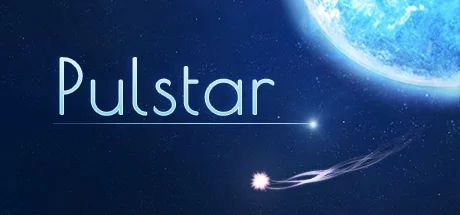
Pulstar is a fast paced arcade game that brings back the basic of its genre. No nonsense, just kill as long as you can to gain the highest score as possible! This concept gives Pulstar the challenge and high replay value real fans of this genre need!
Pulstar also has a local co-op multiplayer, which means you can team up with your buddy to dominate the world rankings!
Key features:
- easy to play, hard to master concept
- build up audio and visual experience as you kill more
- activate Pulsetime to slow down the time around you
- local co-op multiplayer
- battle against the world with online leaderboards (single and multiplayer)
- dual analogue control support
- including Steam achievements and Steam gamecards
- available for Windows, Mac and Linux
Pulstar System Requirements
Minimum
- OS:
- Windows XP
- CPU:
- Intel Celeron
- GPU:
- NVidia GT 640
- RAM:
- 1 GB
- File Size:
- 512 MB
Recommended
- OS:
- Windows 10
- CPU:
- Intel Core i3-6100
- GPU:
- NVidia GTS 450
- RAM:
- 2 GB
Can I run Pulstar on my PC?
To run Pulstar on PC you need at minimum a Intel Celeron processor, a NVidia GT 640 graphics card, and 1 GB of RAM running on Windows XP. For the best experience at recommended settings, upgrade to a Intel Core i3-6100 CPU and NVidia GTS 450 GPU.
What GPU do I need to run Pulstar?
The minimum GPU required to run Pulstar is the NVidia GT 640. For smooth gameplay at high graphics settings, a NVidia GTS 450 is recommended.
How much RAM does Pulstar require?
Pulstar requires a minimum of 1 GB RAM. For the recommended experience, 2 GB of RAM is suggested.
How to check if your PC can run Pulstar
- Check your CPU: Compare your processor against the minimum requirement: Intel Celeron.
- Check your GPU: Your graphics card should meet or exceed: NVidia GT 640.
- Check your RAM: You need at least 1 GB of RAM installed.
- Check storage: Ensure you have at least 512 MB of free disk space.
- Use our tool above: Select your RAM in the "Can I Run It?" box to get an instant result.