Retro Commander System Requirements (2021) | Minimum & Recommended PC Specs
Quick Hardware Summary
Retro Commander requires at least a capable CPU, a dedicated GPU, and 512 MB RAM. For recommended settings, aim for powerful CPU and high-end GPU.
Can I Run Retro Commander?
Enter your PC specs to instantly check compatibility
512 MB
N/A
About Retro Commander
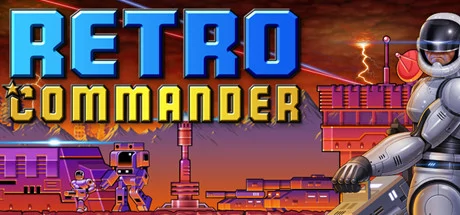
Retro Commander is a post-apocalyptic real-time strategy wargame (RTS). Take command and fight it out in a world where a cataclysmic timeline has transpired on Mother Earth. Wage wars solo, against the AI, or take on your gaming comrades and friends in cross-platform multiplayer matches. Form teams and clans and fight co-op style with the AI and other players for ultimate victory.
As opposed to other real-time strategy game, Retro Commander tries to focus on both, a fun single player and a thrilling multiplayer experience. The game strives to be easy to learn with a modern user interface. Single player comes with skirmish matches against the AI as well as a comic-based story campaign. Multiplayer can be played cross-platform and includes a ranking and rating system.
Downloadable Content (DLC): This is not a free game but comes with downloadable maps. You can unlock all the maps via a one-time payment of "All Maps & Modding" inside the game. It includes everything for single player including the story campaign, skirmishing against the AI or LAN-play with friends and family.
As opposed to other real-time strategy game, Retro Commander tries to focus on both, a fun single player and a thrilling multiplayer experience. The game strives to be easy to learn with a modern user interface. Single player comes with skirmish matches against the AI as well as a comic-based story campaign. Multiplayer can be played cross-platform and includes a ranking and rating system.
- Post-Apocalyptic: Real-time strategy (RTS) played in a post-apocalyptic timeline on Mother Earth. The environment includes day-night cycles, rain, snow, wind and solar flare activity.
- Story Campaign: Deep campaign and story line of humanity after a cataclysmic event. Factions come with their own specialized technologies such as stealth, robots, drones or shields.
- Single & Multiplayer: A challenging AI for both single and multiplayer matches with co-op play. Cross-platform multiplayer including LAN/internet. ONLINE play comes with an award and rating system.
- Play Modes: In addition to regular skirmish matches, the game supports missions such as elimination, survival, capture the flag, defense and battle royale. Available in both single and multiplayer also are escort and rescue missions.
- Structures & Troops: Common troops for land, sea and air warfare is available to all factions. Specialized elements such as stealth, shields, EMP weapons, nukes, portals, orbital weapons, assimilator and other troops and structures provide for additional variety.
- Modding: A map editor is included allowing for player-modded maps including player-modded campaigns. All elements including troops, structures, as well as graphics and sound effects, can be modded if desired.
Downloadable Content (DLC): This is not a free game but comes with downloadable maps. You can unlock all the maps via a one-time payment of "All Maps & Modding" inside the game. It includes everything for single player including the story campaign, skirmishing against the AI or LAN-play with friends and family.
Score N/A
Released 5/28/2021
Developer
Publisher
Retro Commander System Requirements
Minimum
- OS:
- Windows XP
- CPU:
- Not specified
- GPU:
- Not specified
- RAM:
- 512 MB
- File Size:
- 256 MB
Recommended
- OS:
- -
- CPU:
- Not specified
- GPU:
- Not specified
- RAM:
- Not specified
Can I run Retro Commander on my PC?
To run Retro Commander on PC you need at minimum a Not specified processor, a Not specified graphics card, and 512 MB of RAM running on Windows XP. For the best experience at recommended settings, upgrade to a Not specified CPU and Not specified GPU.
What GPU do I need to run Retro Commander?
The minimum GPU required to run Retro Commander is the Not specified. For smooth gameplay at high graphics settings, a Not specified is recommended.
How much RAM does Retro Commander require?
Retro Commander requires a minimum of 512 MB RAM. For the recommended experience, Not specified of RAM is suggested.
How to check if your PC can run Retro Commander
- Check your CPU: Compare your processor against the minimum requirement: Not specified.
- Check your GPU: Your graphics card should meet or exceed: Not specified.
- Check your RAM: You need at least 512 MB of RAM installed.
- Check storage: Ensure you have at least 256 MB of free disk space.
- Use our tool above: Select your RAM in the "Can I Run It?" box to get an instant result.