River Towns System Requirements (2025) | Minimum & Recommended PC Specs
Quick Hardware Summary
River Towns requires at least a Quad-core Intel CPU, a dedicated GPU, and 8 GB RAM. For recommended settings, aim for powerful CPU and high-end GPU.
Can I Run River Towns?
Enter your PC specs to instantly check compatibility
About River Towns
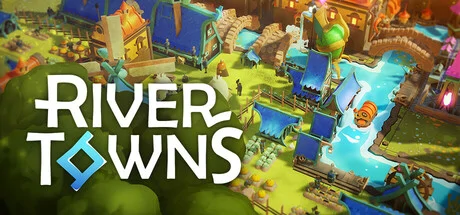
In River Towns, you place differently shaped buildings and make them fit into a limited area. Combine unique districts into a vibrant living city and help restore our River Towns.
Puzzle a River Town
Each of the three districts has its own set of shapes which are shuffled randomly. This makes every game you play a new and unique puzzle to solve. The different district's unique and vibrant architecture combines into beautiful little towns along the river. As the town grows, more townspeople move in and bring life back into this old and broken world.
Earn Points
Buildings also belong to differently colored districts which score bonus points when connected into large clusters. Getting a good score on each level awards stars, which restores the world and also unlocks more levels.
Each Level is Different
The beginning of each town starts with you restoring this part of the dried up river and surrounding it with buildings. Throughout the game you encounter other objectives, such as gold to collect, trees to regrow and old monuments to rebuild. This turns the difficulty and possibility of collecting points completely upside down.
Progression
With every city you piece together, the world becomes a little more verdant. When you complete a level, you will receive a gold, silver or bronze marker, depending on your score. Once you have enough points, you can move on to the next world.
Level Editor with Steam Workshop integration
Create and customize your own levels with the Level Editor! Design and build your own unique levels, experiment with different district layouts, and challenge yourself or others to solve your creations. Upload your own creations to the Steam Workshop and play your friends' levels
Leaderboard
Think you're the ultimate town planner? Compete for the top spot on the Leaderboard! Every level is a chance to earn points and climb the ranks. Optimize your placements, build the largest clusters, and challenge yourself to achieve the highest scores!
Features
Piece together beautiful towns along the river
Earn points in various ways
Enjoy many unique levels with ever-changing mechanics
Restore nature and rebuild the monuments of the old, broken world
Share your towns with photo mode
Compare your score with your friends
River Towns System Requirements
Minimum
- OS:
- Windows 10 64-bit
- CPU:
- Quad-core Intel
- GPU:
- Not specified
- RAM:
- 8 GB
- File Size:
- -
Recommended
- OS:
- -
- CPU:
- Not specified
- GPU:
- Not specified
- RAM:
- Not specified
Can I run River Towns on my PC?
To run River Towns on PC you need at minimum a Quad-core Intel processor, a Not specified graphics card, and 8 GB of RAM running on Windows 10 64-bit. For the best experience at recommended settings, upgrade to a Not specified CPU and Not specified GPU.
What GPU do I need to run River Towns?
The minimum GPU required to run River Towns is the Not specified. For smooth gameplay at high graphics settings, a Not specified is recommended.
How much RAM does River Towns require?
River Towns requires a minimum of 8 GB RAM. For the recommended experience, Not specified of RAM is suggested.
How to check if your PC can run River Towns
- Check your CPU: Compare your processor against the minimum requirement: Quad-core Intel.
- Check your GPU: Your graphics card should meet or exceed: Not specified.
- Check your RAM: You need at least 8 GB of RAM installed.
- Check storage: Ensure you have at least Not specified of free disk space.
- Use our tool above: Select your RAM in the "Can I Run It?" box to get an instant result.