Robot Robert System Requirements (2021) | Minimum & Recommended PC Specs
Quick Hardware Summary
Robot Robert requires at least a intel x86 family, CPU, a dedicated GPU, and 1 GB RAM. For recommended settings, aim for powerful CPU and high-end GPU.
Can I Run Robot Robert?
Enter your PC specs to instantly check compatibility
1 GB
N/A
About Robot Robert
Features
History
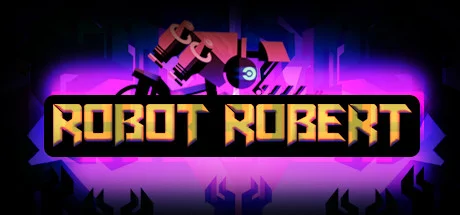
Year 3875, scientists discover a habitable planet and send expedition number three, consisting of one highly technological Robot Robert, a flight lasting 557.7 light-years.
With Earth's signal lost, your goal is to find traces of the first two expeditions and find out what the friendly planet is hiding beneath the surface. Your mission begins in a cave full of riddles, hostile creatures, and dangerous plants.
- High-tech Robot Robert.
- Convenient operation.
- Dangerous opponents.
- Lasers and traps.
- Alien creatures.
- Shoot and destroy all enemies.
- Complete levels and get achievements.
History
Year 3875, scientists discover a habitable planet and send expedition number three, consisting of one highly technological Robot Robert, a flight lasting 557.7 light-years.
With Earth's signal lost, your goal is to find traces of the first two expeditions and find out what the friendly planet is hiding beneath the surface. Your mission begins in a cave full of riddles, hostile creatures, and dangerous plants.
Score N/A
Released 1/18/2021
Developer
Publisher
Platforms
Robot Robert System Requirements
Minimum
- OS:
- Windows 7
- CPU:
- intel x86 family,
- GPU:
- Not specified
- RAM:
- 1 GB
- File Size:
- 800 MB
Recommended
- OS:
- -
- CPU:
- Not specified
- GPU:
- Not specified
- RAM:
- Not specified
Can I run Robot Robert on my PC?
To run Robot Robert on PC you need at minimum a intel x86 family, processor, a Not specified graphics card, and 1 GB of RAM running on Windows 7. For the best experience at recommended settings, upgrade to a Not specified CPU and Not specified GPU.
What GPU do I need to run Robot Robert?
The minimum GPU required to run Robot Robert is the Not specified. For smooth gameplay at high graphics settings, a Not specified is recommended.
How much RAM does Robot Robert require?
Robot Robert requires a minimum of 1 GB RAM. For the recommended experience, Not specified of RAM is suggested.
How to check if your PC can run Robot Robert
- Check your CPU: Compare your processor against the minimum requirement: intel x86 family,.
- Check your GPU: Your graphics card should meet or exceed: Not specified.
- Check your RAM: You need at least 1 GB of RAM installed.
- Check storage: Ensure you have at least 800 MB of free disk space.
- Use our tool above: Select your RAM in the "Can I Run It?" box to get an instant result.