Rogue Lords System Requirements (2021) | Minimum & Recommended PC Specs
Quick Hardware Summary
Rogue Lords requires at least a capable CPU, a dedicated GPU, and 8 GB RAM. For recommended settings, aim for powerful CPU and high-end GPU.
Can I Run Rogue Lords?
Enter your PC specs to instantly check compatibility
About Rogue Lords
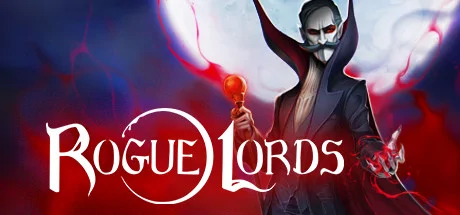
The first roguelike in which you play as the devil, which means you can change some of the game's rules to your advantage! Run after run, manage your team of famous evil geniuses as they encounter unforeseen events and turn-based combat. Unlock new skills, create powerful synergies and use your powers to turn the situation in your favour at critical moments. Only by collecting ancient artefacts can you finally take your revenge on the Demon Hunters.
A DARK TALE
Weakened from defeat to the forces of good, you fled the world and sought refuge in hell to survive. Decades later, you have returned with your most faithful Disciples to exact revenge on those wretched Demon Hunters. But the world has changed in your absence. Your enemies have become all-powerful, and a new religion – the Sanctua Lumen – has become very influential. It mercilessly hunts down all those who serve you. To reinstate your hold over the world of humans, you must first regain the strength you previously wielded by taking possession of artefacts with legendary power.
CONTROL FAMOUS EVIL GENIUSES
Create your team of 3 Disciples from Dracula, the Headless Horsemen, Bloody Mary, the White Lady, Lilith, Hecate, Baron Samedi, and Frankenstein and his Creature.
Each Disciple has their own unique story, abilities and gameplay: combine their skills to create devastating synergies, and deal with the mortals that dare stand in your way.
Collect souls and exchange them for new skills, upgrades and powerful relics that can strengthen your Disciples.
THE DEVIL PLAYS BY HIS OWN RULES
Sacrifice some of your health to control the game interface: nothing will stop you – and certainly not the rules imposed on mortals.
Manipulate the health bars of your Disciples and enemies, optimise status effects to suit your fight tactics, open portals on the map, tip the odds in your favour during events… there are many occasions to use your diabolical powers throughout your run.
TAKE BACK YOUR RIGHTFUL PLACE
Increase the terror gauge by winning fights and completing interactive events to earn valuable bonuses for your Disciples.
Complete each event to your liking to reduce the influence of the Sanctua Lumen, give mortals good reason to fear you, and decide the fate of traitors who have allied themselves with your enemies.
Take revenge on the Demon Hunters in epic turn-based fights.
Rogue Lords System Requirements
Minimum
- OS:
- -
- CPU:
- Not specified
- GPU:
- Not specified
- RAM:
- Not specified
- File Size:
- -
Recommended
- OS:
- -
- CPU:
- Not specified
- GPU:
- Not specified
- RAM:
- Not specified
Can I run Rogue Lords on my PC?
To run Rogue Lords on PC you need at minimum a Not specified processor, a Not specified graphics card, and Not specified of RAM running on Windows 10. For the best experience at recommended settings, upgrade to a Not specified CPU and Not specified GPU.
What GPU do I need to run Rogue Lords?
The minimum GPU required to run Rogue Lords is the Not specified. For smooth gameplay at high graphics settings, a Not specified is recommended.
How much RAM does Rogue Lords require?
Rogue Lords requires a minimum of Not specified RAM. For the recommended experience, Not specified of RAM is suggested.
How to check if your PC can run Rogue Lords
- Check your CPU: Compare your processor against the minimum requirement: Not specified.
- Check your GPU: Your graphics card should meet or exceed: Not specified.
- Check your RAM: You need at least Not specified of RAM installed.
- Check storage: Ensure you have at least Not specified of free disk space.
- Use our tool above: Select your RAM in the "Can I Run It?" box to get an instant result.