SAGA System Requirements (2015) | Minimum & Recommended PC Specs
Quick Hardware Summary
SAGA requires at least a capable CPU, a dedicated GPU, and 8 GB RAM. For recommended settings, aim for powerful CPU and high-end GPU.
Can I Run SAGA?
Enter your PC specs to instantly check compatibility
N/A
N/A
About SAGA
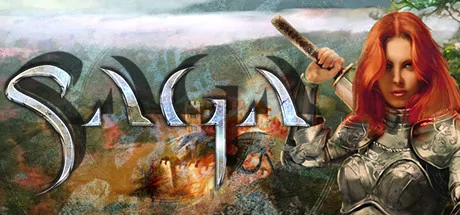
The world's first and longest running Persistent MMORTS is finally on Steam! SAGA has been running since 2008, when it revolutionized the genre. We call SAGA an MMORTS because you build cities, command troops, and manage resources like in a traditional RTS, but also go on quests, chat with your friends, join guilds, and trade like an MMO. SAGA is an RTS with battling similar to the Total War series, mixed with city building from Stronghold. Build your army by collecting cards found in booster packs, or trade in-game resources for them in the auction house.Persistent World
With the latest 1.50 update, we are focusing on bringing many more cards to the game's marketplace for in-game currency, making the full experience available for free. So pay to win is now a thing of the past!
Will my current SAGA account work on the Steam version?
Yes, since the Steam version uses the same servers, your account will still work. You can also still use the standalone client if you prefer.
Does SAGA have subscription fees?
No. SAGA has absolutely no subscription fees. Instead, players are encouraged--but not required--to buy their troops in booster packs. Purchased troops remain a player's property, and can be traded with other players for different troops. Troops can also be obtained from the market with in-game gold.
Troops become more powerful as you use them, gaining experience, new weapons and armor over time. Players can customize their armies to their nation type, drawing from over 150 different troop and spell types to find the combination that works best for them.
Where can i find more information about the game?
You can find loads more information about the game on our official site.
We also have an official gameplay and support focused FAQ.
- Design, build and expand your own kingdom.
- Manage peasants as they collect resources to help you build and maintain your fortifications even when you're not online!.
- Research and discover new technologies in your quest for total dominance.
- Your units level up and gain experience points that persist between battles.
- Collect over 100 different kinds of troops and over 50 spells.
- Collect loot from fallen enemies to customize and improve your units.
- Join with friends in Cooperative Mode or battle solo on over a thousand quests!
- Create and join guilds which regularly give resource benefits.
- Trade resources and troops with other players directly, using the Auction House, and with trade routes.
- PvP is completely optional, but participate in PvP for unique rewards including booster packs, troops, and items!
With the latest 1.50 update, we are focusing on bringing many more cards to the game's marketplace for in-game currency, making the full experience available for free. So pay to win is now a thing of the past!
Will my current SAGA account work on the Steam version?
Yes, since the Steam version uses the same servers, your account will still work. You can also still use the standalone client if you prefer.
Does SAGA have subscription fees?
No. SAGA has absolutely no subscription fees. Instead, players are encouraged--but not required--to buy their troops in booster packs. Purchased troops remain a player's property, and can be traded with other players for different troops. Troops can also be obtained from the market with in-game gold.
Troops become more powerful as you use them, gaining experience, new weapons and armor over time. Players can customize their armies to their nation type, drawing from over 150 different troop and spell types to find the combination that works best for them.
Where can i find more information about the game?
You can find loads more information about the game on our official site.
We also have an official gameplay and support focused FAQ.
Score 61
Released 8/4/2015
Genres
Developer
Publisher
Platforms
SAGA System Requirements
Minimum
- OS:
- -
- CPU:
- Not specified
- GPU:
- Not specified
- RAM:
- Not specified
- File Size:
- -
Recommended
- OS:
- -
- CPU:
- Not specified
- GPU:
- Not specified
- RAM:
- Not specified
Can I run SAGA on my PC?
To run SAGA on PC you need at minimum a Not specified processor, a Not specified graphics card, and Not specified of RAM running on Windows 10. For the best experience at recommended settings, upgrade to a Not specified CPU and Not specified GPU.
What GPU do I need to run SAGA?
The minimum GPU required to run SAGA is the Not specified. For smooth gameplay at high graphics settings, a Not specified is recommended.
How much RAM does SAGA require?
SAGA requires a minimum of Not specified RAM. For the recommended experience, Not specified of RAM is suggested.
How to check if your PC can run SAGA
- Check your CPU: Compare your processor against the minimum requirement: Not specified.
- Check your GPU: Your graphics card should meet or exceed: Not specified.
- Check your RAM: You need at least Not specified of RAM installed.
- Check storage: Ensure you have at least Not specified of free disk space.
- Use our tool above: Select your RAM in the "Can I Run It?" box to get an instant result.