Star Wars: Squadrons System Requirements (2020) | Minimum & Recommended PC Specs
Quick Hardware Summary
Star Wars: Squadrons requires at least a capable CPU, a dedicated GPU, and 8 GB RAM. For recommended settings, aim for powerful CPU and high-end GPU.
Can I Run Star Wars: Squadrons?
Enter your PC specs to instantly check compatibility
About Star Wars: Squadrons
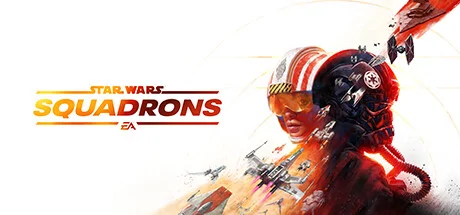
Master the art of starfighter combat in the authentic piloting experience STAR WARS™: Squadrons. Buckle up and feel the adrenaline of first-person, multiplayer space dogfights alongside your squadron. Pilots who enlist will step into the cockpits of starfighters from both the New Republic and Imperial fleets and fight in strategic 5v5 space battles. Modify your starfighter, and adjust the composition of your squadron to suit varying playstyles and crush the opposition. Pilots will triumph as a team and complete tactical objectives across known and never-before-seen battlefields, including the gas giant of Yavin Prime and the shattered moon of Galitan. Take control of starfighters such as the X-wing and TIE fighter. Customize loadouts and cosmetics. Divert power between weapons, shields, and engines while immersing yourself in the cockpit. In addition, players will have the option to play the entirety of the game in virtual reality (VR)!
Live your STAR WARS pilot fantasy
The cockpit is your home. Use its dashboards to your advantage and — with just a thin hull of metal and glass between you and the perils of space — feel the intensity of combat from a first-person perspective. Take off in thrilling multiplayer modes and a unique single-player STAR WARS story. Immerse yourself in the pilot’s seat completely with the option to play the entirety of STAR WARS: Squadrons in VR.
STAR WARS™ single-player story — Learn what it means to be a pilot after the events of Return of the Jedi. Seen from alternating perspectives between 2 factions, iconic and emerging leaders on both sides are battling for the galaxy. The New Republic fights for freedom. The Empire demands order. We need you to join the galaxy’s finest.
All wings report in — Plan skirmishes with your squadron in the briefing room before taking off to the evolving battlefields across the galaxy. Compete in intense 5v5 multiplayer dogfights, or unite with your squadron to tip the scales in monumental fleet battles. Together, you’re the galaxy’s finest.
Master legendary starfighters — Take control of different classes of starfighters from both the New Republic and Imperial fleets — including the agile A-wing and the devastating TIE bomber. Modify your ship, divert the power between its systems, and destroy your opponents in strategic space dogfights.
The mission is clear — STAR WARS: Squadrons is a fully self-contained experience from day one, where you earn rewards through play. Climb the ranks and unlock new components like weapons, hulls, engines, shields, and cosmetic items in a clear path for progression that keeps gameplay fresh and engaging.
Star Wars: Squadrons System Requirements
Minimum
- OS:
- -
- CPU:
- Not specified
- GPU:
- Not specified
- RAM:
- Not specified
- File Size:
- -
Recommended
- OS:
- -
- CPU:
- Not specified
- GPU:
- Not specified
- RAM:
- Not specified
Can I run Star Wars: Squadrons on my PC?
To run Star Wars: Squadrons on PC you need at minimum a Not specified processor, a Not specified graphics card, and Not specified of RAM running on Windows 10. For the best experience at recommended settings, upgrade to a Not specified CPU and Not specified GPU.
What GPU do I need to run Star Wars: Squadrons?
The minimum GPU required to run Star Wars: Squadrons is the Not specified. For smooth gameplay at high graphics settings, a Not specified is recommended.
How much RAM does Star Wars: Squadrons require?
Star Wars: Squadrons requires a minimum of Not specified RAM. For the recommended experience, Not specified of RAM is suggested.
How to check if your PC can run Star Wars: Squadrons
- Check your CPU: Compare your processor against the minimum requirement: Not specified.
- Check your GPU: Your graphics card should meet or exceed: Not specified.
- Check your RAM: You need at least Not specified of RAM installed.
- Check storage: Ensure you have at least Not specified of free disk space.
- Use our tool above: Select your RAM in the "Can I Run It?" box to get an instant result.