Starship Troopers: Extermination System Requirements (2023) | Minimum & Recommended PC Specs
Quick Hardware Summary
Starship Troopers: Extermination requires at least a Intel Core i3-8100 CPU, a Nvidia GTX 970 GPU, and 12 GB RAM. For recommended settings, aim for Intel i7-8700K CPU and Nvidia GTX 1070 8 GB GPU.
Can I Run Starship Troopers: Extermination?
Enter your PC specs to instantly check compatibility
About Starship Troopers: Extermination
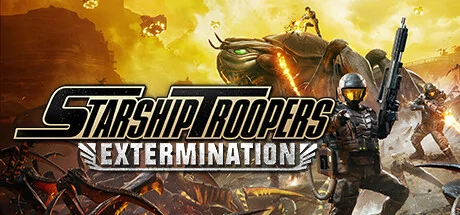
Starship Troopers: Extermination is a pulse-pounding, base-building, objective-grabbing co-op first-person shooter. Join the Deep Space Vanguard, an elite Special Forces branch of the Mobile Infantry, in the fight against the Bug menace and claim victory for humanity!
The deep-space mining colony on Planet Valaka, designation PE-59, has been decimated by the Arachnids—and the Vanguard has been sent in to take it back. As soon as dropship hits dirt, your trusty Morita Assault Rifle, build tool, and fellow Vanguard Troopers are all that will keep you alive while exploring the hostile surface of Valaka.
Would You Like to Know More?
Retake and rebuild bases, construct refineries, and complete a variety of other side objectives to wrest control of the map away from the Bug menace. A massive, detailed map with several unique zones adds to incredible replayability, and swarm-based combat with hundreds of enemy Bugs on screen delivers the sense of taking part in an overwhelming planetary struggle!
Choose from the Hunter, Operator, and Bastion classes to best suit your playstyle and support the rest of your squad. Stay in contact with your teammates with the intuitive “Ping” system to call out points of interest, enemies, and more. As you progress, you’ll unlock new weapons, equipment, and perks for each class to become an elite warfighter of the Deep Space Vanguard! Additional customization choices to come as the game develops.
Increasing Bug threat levels during missions bring bigger and more dangerous enemies to the fight and you’re going to need to hunker down to stand a chance. Construct walls, towers, ammo stations, and more using resources acquired from planetside refineries to beat back the Bugs until Fleet can come and get you. At Early Access launch you’ll encounter Drone, Warrior, Gunner, Plasma Grenadier, and Tiger Elite enemy Bugs, with more to come!
Starship Troopers: Extermination is being built alongside the community. With a lower entry price at Early Access launch, we want to encourage Troopers to sign up with the Vanguard. We are boots on the ground with our community, ready to listen, as we take the game from Early Access to a full launch.
Join us on the Starship Troopers: Extermination Discord server!
http://discord.com/invite/8yCFRTm9ZQ
Starship Troopers: Extermination System Requirements
Minimum
- OS:
- Windows 10 64-bit
- CPU:
- Intel Core i3-8100
- GPU:
- Nvidia GTX 970
- RAM:
- 12 GB
- File Size:
- 20 GB
Recommended
- OS:
- Windows 10 64-bit
- CPU:
- Intel i7-8700K
- GPU:
- Nvidia GTX 1070 8 GB
- RAM:
- 16 GB
Can I run Starship Troopers: Extermination on my PC?
To run Starship Troopers: Extermination on PC you need at minimum a Intel Core i3-8100 processor, a Nvidia GTX 970 graphics card, and 12 GB of RAM running on Windows 10 64-bit. For the best experience at recommended settings, upgrade to a Intel i7-8700K CPU and Nvidia GTX 1070 8 GB GPU.
What GPU do I need to run Starship Troopers: Extermination?
The minimum GPU required to run Starship Troopers: Extermination is the Nvidia GTX 970. For smooth gameplay at high graphics settings, a Nvidia GTX 1070 8 GB is recommended.
How much RAM does Starship Troopers: Extermination require?
Starship Troopers: Extermination requires a minimum of 12 GB RAM. For the recommended experience, 16 GB of RAM is suggested.
How to check if your PC can run Starship Troopers: Extermination
- Check your CPU: Compare your processor against the minimum requirement: Intel Core i3-8100.
- Check your GPU: Your graphics card should meet or exceed: Nvidia GTX 970.
- Check your RAM: You need at least 12 GB of RAM installed.
- Check storage: Ensure you have at least 20 GB of free disk space.
- Use our tool above: Select your RAM in the "Can I Run It?" box to get an instant result.