Stygian: Outer Gods System Requirements (2025) | Minimum & Recommended PC Specs
Quick Hardware Summary
Stygian: Outer Gods requires at least a Intel i5-10600 CPU, a NVIDIA GeForce RTX 3050 GPU, and 16 GB RAM. For recommended settings, aim for Intel i7-10700K CPU and VIDIA GeForce RTX 3080 GPU.
Can I Run Stygian: Outer Gods?
Enter your PC specs to instantly check compatibility
About Stygian: Outer Gods
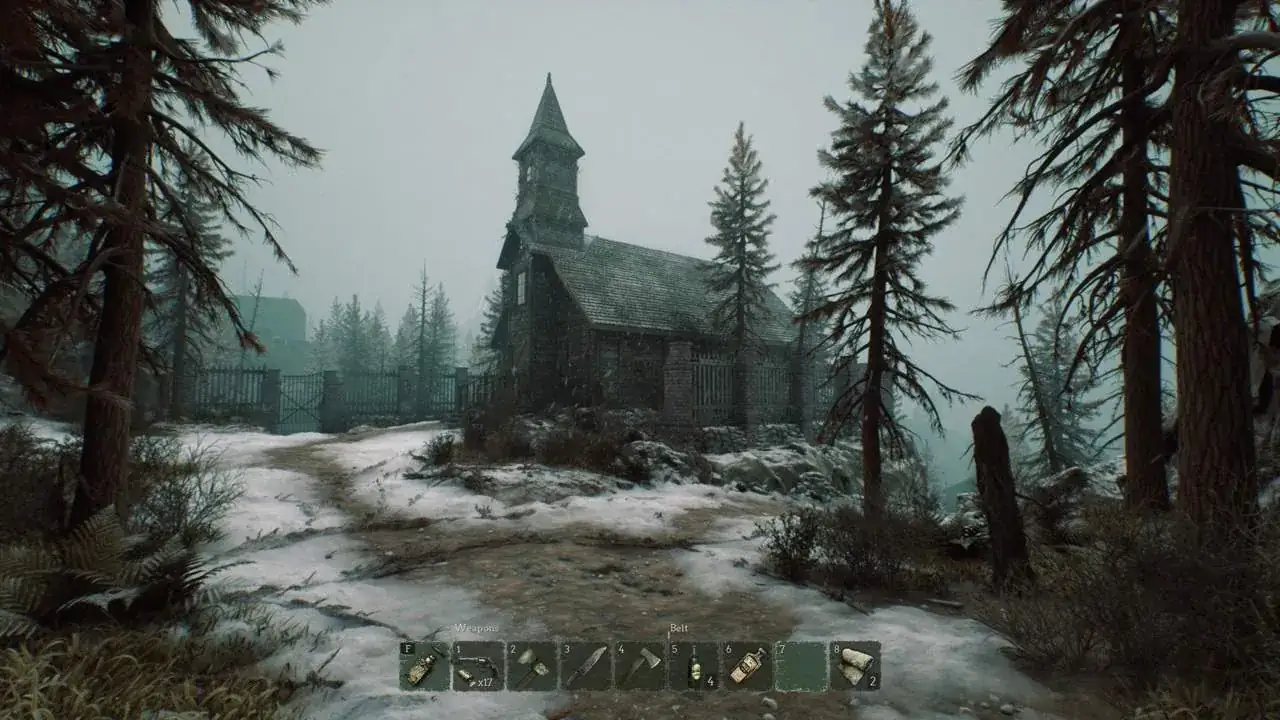
Set in the universe of Stygian: Reign of the Old Ones, the game lets players witness and influence the events preceding the Black Day. Immerse yourself in a unique world full of dangers, unexplored dark corners, and looming evil beyond mortal comprehension.
Accompany an old friend on her voyage to the foggy settlement of Kingsport to uncover the town's dark secrets and find your missing father. You survive a shipwreck, but soon realize that it was just a prelude to the nightmare that awaits. Using your strength and wits, guided by your friend's knowledge of the occult, can you prevent the coming of the Outer Gods? Or is the descent into madness inevitable?
Forbidden harbor
Explore the dark streets of the forgotten settlement of Kingsport, inspired by the works of H.P. Lovecraft. Check its hidden corners and unlock access to new areas. Find its secrets, solve puzzles, open new paths, and unlock closed doors. Many locations await you: an old village, a mysterious mansion, dark mines, cemeteries, foggy forests, and, of course, an old lighthouse.
Survive the horror
You will be in constant jeopardy, rarely escaping from monstrous enemies and devious traps unscathed. Physical harm is far from the gravest danger, however, as all these perils will take a toll on your psyche, and your mind may be hurt as well. Any mental afflictions you develop will impact your gameplay experience. Stay on the lookout for materials and recipes and craft the tools, medicines, and remedies necessary to face the horrors around you.
Roleplaying mechanics
Choose your play style - unlock new abilities, find eldritch artifacts, and experiment with different ways to interact with the environment. You will always have choices and multiple paths to progress the story, but be prepared to face their consequences.
Impending doom
Player choices influence events unfolding in the game world, leading to various endings. Any wrong word or action may have irreversible consequences. The world reacts to how you develop your character, the denizens and hazards may react differently depending on your madness and chosen playstyle.
Stygian Legacy
Stygian: Outer Gods takes place in the original Stygian universe, therefore certain events in this game may provide a fresh perspective on events and characters from the Reign of the Old Ones.
Stygian: Outer Gods System Requirements
Minimum
- OS:
- Windows 10 64-bit
- CPU:
- Intel i5-10600
- GPU:
- NVIDIA GeForce RTX 3050
- RAM:
- 16 GB
- File Size:
- 25 GB
Recommended
- OS:
- Windows 10 64-bit
- CPU:
- Intel i7-10700K
- GPU:
- VIDIA GeForce RTX 3080
- RAM:
- 32 GB
Can I run Stygian: Outer Gods on my PC?
To run Stygian: Outer Gods on PC you need at minimum a Intel i5-10600 processor, a NVIDIA GeForce RTX 3050 graphics card, and 16 GB of RAM running on Windows 10 64-bit. For the best experience at recommended settings, upgrade to a Intel i7-10700K CPU and VIDIA GeForce RTX 3080 GPU.
What GPU do I need to run Stygian: Outer Gods?
The minimum GPU required to run Stygian: Outer Gods is the NVIDIA GeForce RTX 3050. For smooth gameplay at high graphics settings, a VIDIA GeForce RTX 3080 is recommended.
How much RAM does Stygian: Outer Gods require?
Stygian: Outer Gods requires a minimum of 16 GB RAM. For the recommended experience, 32 GB of RAM is suggested.
How to check if your PC can run Stygian: Outer Gods
- Check your CPU: Compare your processor against the minimum requirement: Intel i5-10600.
- Check your GPU: Your graphics card should meet or exceed: NVIDIA GeForce RTX 3050.
- Check your RAM: You need at least 16 GB of RAM installed.
- Check storage: Ensure you have at least 25 GB of free disk space.
- Use our tool above: Select your RAM in the "Can I Run It?" box to get an instant result.