Subterrain System Requirements (2016) | Minimum & Recommended PC Specs
Quick Hardware Summary
Subterrain requires at least a capable CPU, a dedicated GPU, and 8 GB RAM. For recommended settings, aim for powerful CPU and high-end GPU.
Can I Run Subterrain?
Enter your PC specs to instantly check compatibility
N/A
N/A
About Subterrain
You may end up being your own worst enemy if you’re careless!
Every decision you make is critical as the world does not wait for you.
SURVIVAL
There is free demo version of Subterrain! If you would like to see how the game plays, please try it!
Setting:
By 2050, humanity has finally colonized Mars thanks to the efforts of one man, Jeff Murray. To avoid Mars’ high radiation levels and inhospitable temperature changes, he built a city underground. This city was named Mars MPO. Free of the constraints that often plagued businesses and researchers on Earth, scientists and entrepreneurs flocked to MPO.
Recently, Dr. Albert West has migrated to MPO at the personal invitation of Mr. Murray. West has been working on a cure for Alzheimer's disease in a race to save his wife, Jennifer, from dementia. His efforts are cut short; a lab accident leads to an accusation of murder and a prompt prison sentence.
We join Dr. West a little over a year into his prison sentence. It’s been a week since the guards mysteriously vanished. Dr. West is about to find out why.
Every decision you make is critical as the world does not wait for you.
SURVIVAL
- Struggle against your own bodily urges, such as thirst, hunger, exhaustion, and more!
- Beware of injuries, including bone fractures and blood loss!
- Scavenge or perform research to obtain medical supplies!
- Manage your oxygen and thermal levels while exploring!
- Fight the horrors of Mars with melee and ranged weapons!
- Customize your ranged weapons using modular parts!
- Struggle against the persistence of time! Race against the spread of the infection!
- Enemies will evolve over time from cocoons to monstrosities!
- Defend your generator against invasions!
- Collect and scavenge junk and creature parts to break down into components!
- Produce armor, guns, grenades and upgrades using 3D printers!
- Craft performance enhancers, survival gear, and more with the Bio Combiner!
- Harvest plants and ores using the biosphere and mine. Refine them to create materials!
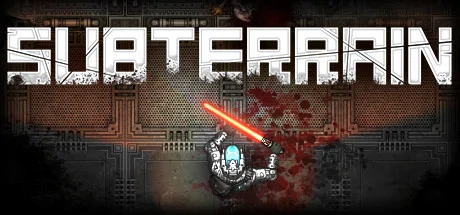
- Research items to create more powerful versions! Create your own lightsaber or power armor!
- Explore randomly generated sub-levels and hand-crafted locations!
- Experience non-linear storytelling through logs and story sequences!
- Wander freely through Mars colony! Explore districts as you wish!
- Restore the colony’s habitat by repairing temperature and oxygen generators!
- Find clues to the infection! Escape the nightmare!
There is free demo version of Subterrain! If you would like to see how the game plays, please try it!
Setting:
By 2050, humanity has finally colonized Mars thanks to the efforts of one man, Jeff Murray. To avoid Mars’ high radiation levels and inhospitable temperature changes, he built a city underground. This city was named Mars MPO. Free of the constraints that often plagued businesses and researchers on Earth, scientists and entrepreneurs flocked to MPO.
Recently, Dr. Albert West has migrated to MPO at the personal invitation of Mr. Murray. West has been working on a cure for Alzheimer's disease in a race to save his wife, Jennifer, from dementia. His efforts are cut short; a lab accident leads to an accusation of murder and a prompt prison sentence.
We join Dr. West a little over a year into his prison sentence. It’s been a week since the guards mysteriously vanished. Dr. West is about to find out why.
Score N/A
Released 1/20/2016
Developer
Publisher
Platforms
Subterrain System Requirements
Minimum
- OS:
- -
- CPU:
- Not specified
- GPU:
- Not specified
- RAM:
- Not specified
- File Size:
- -
Recommended
- OS:
- -
- CPU:
- Not specified
- GPU:
- Not specified
- RAM:
- Not specified
Can I run Subterrain on my PC?
To run Subterrain on PC you need at minimum a Not specified processor, a Not specified graphics card, and Not specified of RAM running on Windows 10. For the best experience at recommended settings, upgrade to a Not specified CPU and Not specified GPU.
What GPU do I need to run Subterrain?
The minimum GPU required to run Subterrain is the Not specified. For smooth gameplay at high graphics settings, a Not specified is recommended.
How much RAM does Subterrain require?
Subterrain requires a minimum of Not specified RAM. For the recommended experience, Not specified of RAM is suggested.
How to check if your PC can run Subterrain
- Check your CPU: Compare your processor against the minimum requirement: Not specified.
- Check your GPU: Your graphics card should meet or exceed: Not specified.
- Check your RAM: You need at least Not specified of RAM installed.
- Check storage: Ensure you have at least Not specified of free disk space.
- Use our tool above: Select your RAM in the "Can I Run It?" box to get an instant result.