Survivor Squad System Requirements (2015) | Minimum & Recommended PC Specs
Quick Hardware Summary
Survivor Squad requires at least a capable CPU, a dedicated GPU, and 8 GB RAM. For recommended settings, aim for powerful CPU and high-end GPU.
Can I Run Survivor Squad?
Enter your PC specs to instantly check compatibility
N/A
N/A
About Survivor Squad
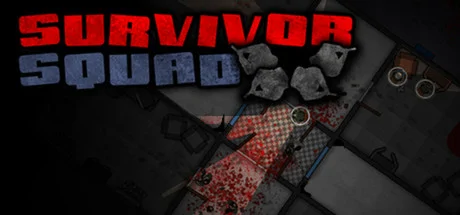
Survivor Squad is a Strategy Action game where you control a Squad of up to four survivors and guide them through a highly randomized world looking for supplies to aid you on your journey.
Scavenge for supplies in every corner of every building, craft your gear, pick your skills and loadout while keeping your Squad alive by covering every corner and moving as a group.
It is a game that encourages quick thinking and fast paced play since you need to pay attention to all of your squad mates. If you leave someone behind, chances are they will be pounced on and die. Move as a Squad and cover every corner.
Four game modes: Campaign, Survival, Death Lab and Multiplayer.Features:
Certain events require you to move around a building while fighting off a horde, you must keep a close eye on your squad or they will perish one by one.
Various types of Special Infected have abilities such as Blinding Powder or Acid Pool that encourage you to quickly move your Survivors while making sure they are never alone
In campaign mode you can capture infected buildings that generate resources but must be defended from horde invasionsCampaign:Play through a highly randomized world following a simple storyline with unique events and a conclusion.Survival:Score based mode, go through as many randomly generated buildings as you can never looking back.Death Lab:Equip your Survivor Squad with a limited budget and take them through a collapsed Lab. Good micro management of your Squad is essential to your survival.Multiplayer:The new Multiplayer mode is a 1v1 scenario (Online/LAN) where one player controls the Survivors and another player controls the Infected. The Survivors must reach the extraction zone and the Infected must stop them by spawning various types of Infected around them. Will the survivors reach their extraction zone alive and well or will they be devoured along the way? It's up to you!
Scavenge for supplies in every corner of every building, craft your gear, pick your skills and loadout while keeping your Squad alive by covering every corner and moving as a group.
It is a game that encourages quick thinking and fast paced play since you need to pay attention to all of your squad mates. If you leave someone behind, chances are they will be pounced on and die. Move as a Squad and cover every corner.
Four game modes: Campaign, Survival, Death Lab and Multiplayer.Features:
- Top Down 2d Strategy Action
- Use Melee weapons to take down enemies silently or go guns blazing
- Scavenge buildings for materials to craft your gear
- Equip Gadgets to assist you in combat
- Highly randomized world providing infinite possibilities
- Capture Infected buildings and defend them from the horde
- Several types of Special Infected that must be dealt with quickly
- Rename your Survivors to have a more intense personal experience
- Four game modes: Campaign, Survival, Death Lab and Multiplayer.
Certain events require you to move around a building while fighting off a horde, you must keep a close eye on your squad or they will perish one by one.
Various types of Special Infected have abilities such as Blinding Powder or Acid Pool that encourage you to quickly move your Survivors while making sure they are never alone
In campaign mode you can capture infected buildings that generate resources but must be defended from horde invasionsCampaign:Play through a highly randomized world following a simple storyline with unique events and a conclusion.Survival:Score based mode, go through as many randomly generated buildings as you can never looking back.Death Lab:Equip your Survivor Squad with a limited budget and take them through a collapsed Lab. Good micro management of your Squad is essential to your survival.Multiplayer:The new Multiplayer mode is a 1v1 scenario (Online/LAN) where one player controls the Survivors and another player controls the Infected. The Survivors must reach the extraction zone and the Infected must stop them by spawning various types of Infected around them. Will the survivors reach their extraction zone alive and well or will they be devoured along the way? It's up to you!
Score N/A
Released 1/21/2015
Developer
Publisher
Survivor Squad System Requirements
Minimum
- OS:
- -
- CPU:
- Not specified
- GPU:
- Not specified
- RAM:
- Not specified
- File Size:
- -
Recommended
- OS:
- -
- CPU:
- Not specified
- GPU:
- Not specified
- RAM:
- Not specified
Can I run Survivor Squad on my PC?
To run Survivor Squad on PC you need at minimum a Not specified processor, a Not specified graphics card, and Not specified of RAM running on Windows 10. For the best experience at recommended settings, upgrade to a Not specified CPU and Not specified GPU.
What GPU do I need to run Survivor Squad?
The minimum GPU required to run Survivor Squad is the Not specified. For smooth gameplay at high graphics settings, a Not specified is recommended.
How much RAM does Survivor Squad require?
Survivor Squad requires a minimum of Not specified RAM. For the recommended experience, Not specified of RAM is suggested.
How to check if your PC can run Survivor Squad
- Check your CPU: Compare your processor against the minimum requirement: Not specified.
- Check your GPU: Your graphics card should meet or exceed: Not specified.
- Check your RAM: You need at least Not specified of RAM installed.
- Check storage: Ensure you have at least Not specified of free disk space.
- Use our tool above: Select your RAM in the "Can I Run It?" box to get an instant result.