Sword of the Necromancer System Requirements (2021) | Minimum & Recommended PC Specs
Quick Hardware Summary
Sword of the Necromancer requires at least a capable CPU, a dedicated GPU, and 4 GB RAM. For recommended settings, aim for powerful CPU and high-end GPU.
Can I Run Sword of the Necromancer?
Enter your PC specs to instantly check compatibility
About Sword of the Necromancer
What would you do to bring back someone you love?
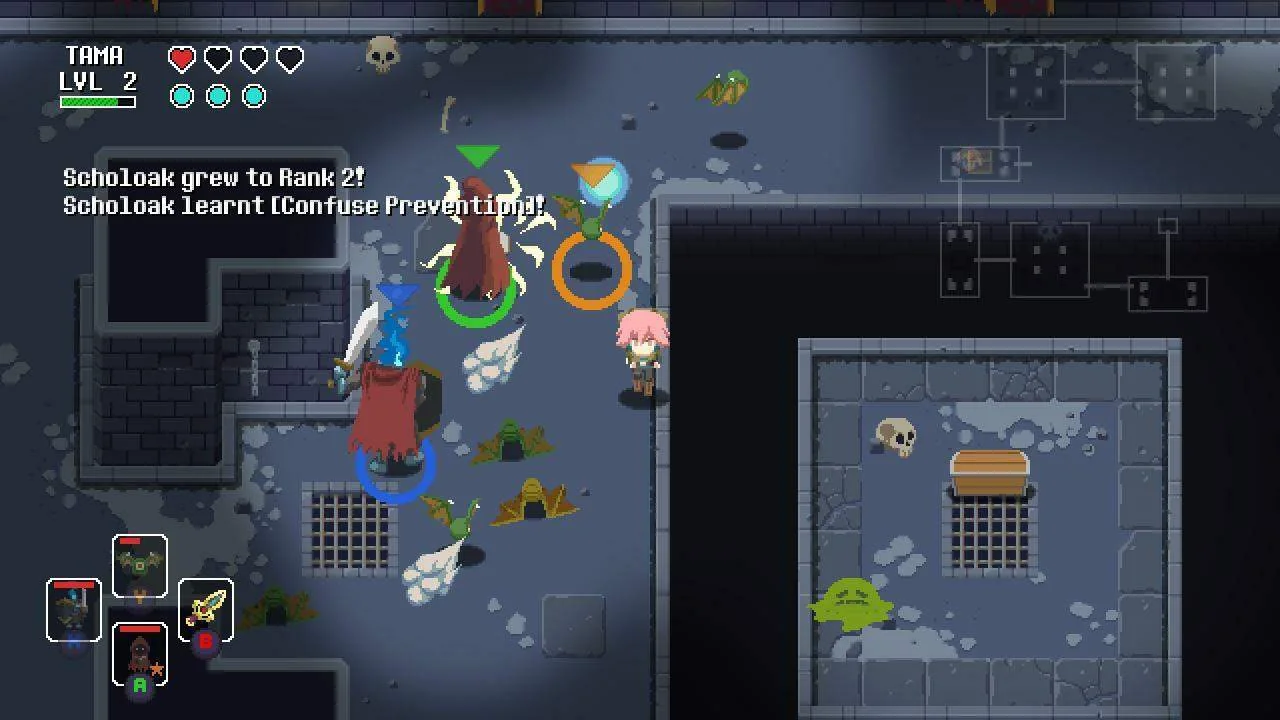
Sword of the Necromancer is a dungeon-crawler action RPG with Rogue-like elements where you can revive your defeated enemies to make them fight alongside you.
Turn your foes into allies using the forbidden powers of the Sword of the Necromancer and help Tama reach the dungeon's depths in order to gain enough power to bring Koko back from the dead.
Gather a little army of monsters, equip yourself with weapons and relics and level up to take on the guardians that stand between you and your objective.
Turn your foes into allies: use the Sword of the Necromancer to revive defeated monsters and make them fight alongside you.
Gather weapons and relics: each weapon is different from the others thanks to the procedural weapon generation system, which gives them various effects and attributes.
Fight with all your might: defeat your enemies using a variety of weapons and objects and dominating the fluid head-to-head battle system.
Level up: enhance your character by fighting enemies and upgrade your stats. Improve your summoned monsters by fighting alongside them.
Death is not the end: Each try gets you closer to the Necromancer. You will lose all your equipped weapons and monsters, but you will retain half the level you achieved in your run. Also, you can choose to exit the dungeon at some moments, losing all your level progress but maintaining all your equipment.
Learn the truth: Discover Tama and Koko's past as you advance through the dungeon.
Local co-op play: Use the Flask of Homunculus to create a copy of the playable character and play with a friend in local co-op game.
"Legend says that, deep within these mountains, a heretic decided to violate the will of the gods in order to achieve eternal life.
The heretic succeeded in this aberrant attempt, and created a tool for forbidden rituals that could grant immortality… and even bring back the dead.
Over the years and centuries many have tried to get that power for themselves, but all they found in the Necromancer’s crypt was their demise.
They say that the tool the Necromancer created is also a weapon…
The Sword of the Necromancer”
Tama is a former rogue that is tasked to escort the priestess Koko in her pilgrimage around the continent. During their travel Koko dies, and Tama carries the corpse to the Necromancer's crypt, where legends say there dwells a power that may resurrect the dead.
Filled with despair, Tama will enter the dungeon with the aim of obtaining the forbidden power of necromancy, ignoring the dangers that lurk in the shadows.
Sword of the Necromancer System Requirements
Minimum
- OS:
- Windows 8 / Windows 8
- CPU:
- Not specified
- GPU:
- Not specified
- RAM:
- 4 GB
- File Size:
- 800 MB
Recommended
- OS:
- Windows 8 / Windows 8
- CPU:
- Not specified
- GPU:
- Not specified
- RAM:
- 8 GB
Can I run Sword of the Necromancer on my PC?
To run Sword of the Necromancer on PC you need at minimum a Not specified processor, a Not specified graphics card, and 4 GB of RAM running on Windows 8 / Windows 8. For the best experience at recommended settings, upgrade to a Not specified CPU and Not specified GPU.
What GPU do I need to run Sword of the Necromancer?
The minimum GPU required to run Sword of the Necromancer is the Not specified. For smooth gameplay at high graphics settings, a Not specified is recommended.
How much RAM does Sword of the Necromancer require?
Sword of the Necromancer requires a minimum of 4 GB RAM. For the recommended experience, 8 GB of RAM is suggested.
How to check if your PC can run Sword of the Necromancer
- Check your CPU: Compare your processor against the minimum requirement: Not specified.
- Check your GPU: Your graphics card should meet or exceed: Not specified.
- Check your RAM: You need at least 4 GB of RAM installed.
- Check storage: Ensure you have at least 800 MB of free disk space.
- Use our tool above: Select your RAM in the "Can I Run It?" box to get an instant result.