Takedown: Red Sabre System Requirements (2013) | Minimum & Recommended PC Specs
Quick Hardware Summary
Takedown: Red Sabre requires at least a capable CPU, a dedicated GPU, and 8 GB RAM. For recommended settings, aim for powerful CPU and high-end GPU.
Can I Run Takedown: Red Sabre?
Enter your PC specs to instantly check compatibility
N/A
N/A
About Takedown: Red Sabre
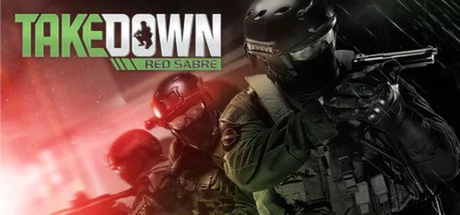
TAKEDOWN is a thinking-person’s shooter; brutal, hardcore and deadly - like the real thing. Not for the faint hearted, Takedown requires you to bring your 'A' game - FPS fans looking for an ultra hardcore experience only need apply!
The player that takes things slow, aims carefully, and plans their moves right will overcome the player who runs in with guns blazing. Close-quarters battle brings the fight inside, as you would see SWAT teams or SOF units taking down small numbers of dangerous adversaries. Non-linear environments allow for multiple routes and tactics and add replayability.
In recent years, shooters have become homogenized. There used to be a wide range of different games to choose, from run-and-gun action titles to slow-paced tactical shooters focusing on strategy and tactics, but now most shooters follow the same model of big set pieces, regenerating health, linear levels, and “cinematic experiences.” The realistic tactical shooters with in-depth planning have almost entirely disappeared in recent years.
This game focuses on realistic weapons modeling, squad based play, in a close-quarters battle setting. To succeed in this game you need to take things slow, study your environment, and execute flawlessly. If you get shot, there are consequences. You won’t be hiding behind a wall waiting for your health to regenerate. If a team member goes down, you will have to assess the situation and reallocate team members if necessary to complete the mission. Don’t expect all of the tools and plans to be forced fed to you – it is up to the player to ensure their team is equipped and ready for the tasks at hand. With features such as realistic bullet penetration, accuracy, and recoil, choosing the proper weapons, ammunition, armor, and gear for the mission is up to you, so choose carefully.
Gameplay modes include single player, co-op, and competitive multiplayer. If you are a fan of old school shooters where thinking meant more than running and gunning or perks, or if you are just looking for something different in your shooter games experience, this is the game for you.Key Features:
The player that takes things slow, aims carefully, and plans their moves right will overcome the player who runs in with guns blazing. Close-quarters battle brings the fight inside, as you would see SWAT teams or SOF units taking down small numbers of dangerous adversaries. Non-linear environments allow for multiple routes and tactics and add replayability.
In recent years, shooters have become homogenized. There used to be a wide range of different games to choose, from run-and-gun action titles to slow-paced tactical shooters focusing on strategy and tactics, but now most shooters follow the same model of big set pieces, regenerating health, linear levels, and “cinematic experiences.” The realistic tactical shooters with in-depth planning have almost entirely disappeared in recent years.
This game focuses on realistic weapons modeling, squad based play, in a close-quarters battle setting. To succeed in this game you need to take things slow, study your environment, and execute flawlessly. If you get shot, there are consequences. You won’t be hiding behind a wall waiting for your health to regenerate. If a team member goes down, you will have to assess the situation and reallocate team members if necessary to complete the mission. Don’t expect all of the tools and plans to be forced fed to you – it is up to the player to ensure their team is equipped and ready for the tasks at hand. With features such as realistic bullet penetration, accuracy, and recoil, choosing the proper weapons, ammunition, armor, and gear for the mission is up to you, so choose carefully.
Gameplay modes include single player, co-op, and competitive multiplayer. If you are a fan of old school shooters where thinking meant more than running and gunning or perks, or if you are just looking for something different in your shooter games experience, this is the game for you.Key Features:
- Fight Smart in Deadly, Close Quarters Combat – Players must think and move tactically, stay alert, watch, listen and choose wisely while setting up their squad for the perfect shot.
- Tackle Engagements That Are Different Every Time – Nonlinear maps allow for multiple tactics and approaches to both attack and defense. Gamers must choose their gear to best execute strategy.
- Out Think The Enemy – Gamers need to work closely and communicate well with their team to not only attack the enemy but to coordinate to secure multiple objectives.
Score 34
Released 9/20/2013
Genres
Developer
Publisher
Takedown: Red Sabre System Requirements
Minimum
- OS:
- -
- CPU:
- Not specified
- GPU:
- Not specified
- RAM:
- Not specified
- File Size:
- -
Recommended
- OS:
- -
- CPU:
- Not specified
- GPU:
- Not specified
- RAM:
- Not specified
Can I run Takedown: Red Sabre on my PC?
To run Takedown: Red Sabre on PC you need at minimum a Not specified processor, a Not specified graphics card, and Not specified of RAM running on Windows 10. For the best experience at recommended settings, upgrade to a Not specified CPU and Not specified GPU.
What GPU do I need to run Takedown: Red Sabre?
The minimum GPU required to run Takedown: Red Sabre is the Not specified. For smooth gameplay at high graphics settings, a Not specified is recommended.
How much RAM does Takedown: Red Sabre require?
Takedown: Red Sabre requires a minimum of Not specified RAM. For the recommended experience, Not specified of RAM is suggested.
How to check if your PC can run Takedown: Red Sabre
- Check your CPU: Compare your processor against the minimum requirement: Not specified.
- Check your GPU: Your graphics card should meet or exceed: Not specified.
- Check your RAM: You need at least Not specified of RAM installed.
- Check storage: Ensure you have at least Not specified of free disk space.
- Use our tool above: Select your RAM in the "Can I Run It?" box to get an instant result.