The Riftbreaker: Prologue System Requirements (2020) | Minimum & Recommended PC Specs
Quick Hardware Summary
The Riftbreaker: Prologue requires at least a capable CPU, a dedicated GPU, and 8 GB RAM. For recommended settings, aim for powerful CPU and high-end GPU.
Can I Run The Riftbreaker: Prologue?
Enter your PC specs to instantly check compatibility
About The Riftbreaker: Prologue
WHAT IS INCLUDED IN THE PROLOGUE?
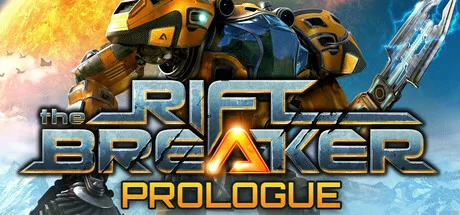
The Riftbreaker Prologue allows you to experience the events taking place before the story campaign of the main game. Explore an entirely new world. Gather resources. Build up a base. Defend yourself from thousands of alien creatures. Or just take the scenic route and do whatever you want - the choice is yours.
STORY
You play the role of captain Ashley S. Nowak - you are the Riftbreaker, an elite scientist/commando inside a powerful Mecha-Suit. Enter a one-way portal to Galatea 37, a distant planet at the far reaches of the Milky Way Galaxy, with the purpose of building up a base that will allow travel back to Earth and further colonization. Ashley's Mecha-suit, which she calls "Mr. Riggs", can withstand the harshest environmental conditions and has a full range of equipment for base construction, resource extraction, gathering specimens, and of course - combat. It is capable of traveling through rifts that connect space across vast distances.
BASE BUILDING
Your task is to construct a two-way rift back to Earth. It is a very complex invention and requires enormous amounts of energy. Simple solar collectors and a few tons of steel will not be enough. You will need to build up a complex chain of mines, refineries, powerplants, and research facilities to complete this mission.
EXPLORATION
Galatea 37 is an unknown planet in the Sycorax belt of the Milky Way galaxy. Long-distance surveys detected that it is inhabitable and perfect for colonization. The planet is full of rare minerals and substances that can be found in various locations around the globe. Varied biomes can surprise you with unknown fauna and flora as well as harsh weather conditions. Construct local outposts in resource-rich locations that will transport the required resources using rift technology.
DEFENSE
Your presence on this planet will not go unnoticed. As you build up your industry and disrupt the natural order, the world will start seeing you as a threat. Build up your defenses. Construct walls, barriers, and defense towers as the attacks get stronger with every passing day. You will face thousands of hostile creatures trying to eliminate your presence.
HACK, SLASH, SHOOT
Mr. Riggs can be equipped with powerful weapons and abilities that will allow you to take on the largest of beasts. You will need to be ready to face lots of hostile alien creatures as you scout the planet.
GATHER SAMPLES AND STRANGE ARTIFACTS
Fallen beasts will drop valuable research specimens as well as rare resources. Use everything that you can gather to research and craft new technologies, buildings, weapons, and equipment. You can also scout the terrain using your sensors and dig for treasure buried underground.
RESEARCH
Use the samples that you've gathered to research new technologies that will help you build up your base, improve your defenses, develop new blueprints for your Mecha-suit, or improve existing technologies.
CRAFT
Mr. Riggs is fully customizable and upgradeable. Use the blueprints that you've researched to craft new parts and weapons. Utilizing better materials for the crafting process results in developing gear with improved properties. Each crafted item has unique properties.
INTERACTIVE STREAMING
The Riftbreaker™ has built-in integration with the most popular streaming services out there. The stream's audience can actively participate in the game through multiple options, e.g. by voting to send waves of new enemies, spawn environmental disasters like a tornado, or by donating resources.
THE SCHMETTERLING ENGINE
This game is built using the latest iteration of EXOR Studio's in-house developed Schmetterling 2.0 engine which was previously used to create X-Morph: Defense and Zombie Driver. We pride ourselves in delivering fluid gameplay and utilizing all of your hardware's capabilities - uncapped frame rate, support for widescreen monitors, customizable controls, and more.
COMMUNITY DRIVEN DEVELOPMENT
If you've read everything and arrived all the way down here, then you might be interested in helping us shape the game. Please come and talk to us on the forums, our official Discord server, or through any other of our social media. We'll be sharing inside info about our development progress, and we'd love to hear your feedback. Please come and help us make Riftbreaker the game You want to play!
The Riftbreaker: Prologue System Requirements
Minimum
- OS:
- -
- CPU:
- Not specified
- GPU:
- Not specified
- RAM:
- Not specified
- File Size:
- -
Recommended
- OS:
- -
- CPU:
- Not specified
- GPU:
- Not specified
- RAM:
- Not specified
Can I run The Riftbreaker: Prologue on my PC?
To run The Riftbreaker: Prologue on PC you need at minimum a Not specified processor, a Not specified graphics card, and Not specified of RAM running on Windows 10. For the best experience at recommended settings, upgrade to a Not specified CPU and Not specified GPU.
What GPU do I need to run The Riftbreaker: Prologue?
The minimum GPU required to run The Riftbreaker: Prologue is the Not specified. For smooth gameplay at high graphics settings, a Not specified is recommended.
How much RAM does The Riftbreaker: Prologue require?
The Riftbreaker: Prologue requires a minimum of Not specified RAM. For the recommended experience, Not specified of RAM is suggested.
How to check if your PC can run The Riftbreaker: Prologue
- Check your CPU: Compare your processor against the minimum requirement: Not specified.
- Check your GPU: Your graphics card should meet or exceed: Not specified.
- Check your RAM: You need at least Not specified of RAM installed.
- Check storage: Ensure you have at least Not specified of free disk space.
- Use our tool above: Select your RAM in the "Can I Run It?" box to get an instant result.