Tower of Babel: Survivors of Chaos System Requirements (2025) | Minimum & Recommended PC Specs
Quick Hardware Summary
Tower of Babel: Survivors of Chaos requires at least a Intel Core i3-4130 CPU, a GeForce GTX 650 GPU, and 8 GB RAM. For recommended settings, aim for Intel Core i5-4430 CPU and GeForce GTX 960 GPU.
Can I Run Tower of Babel: Survivors of Chaos?
Enter your PC specs to instantly check compatibility
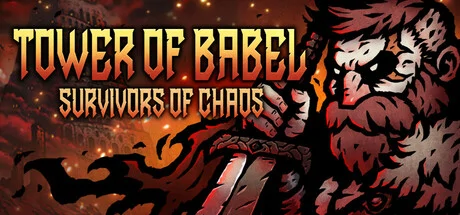
About Tower of Babel: Survivors of Chaos
Will you climb the tower, no matter the cost, to get everything you desire?
Blending Vampire Survivors' and Diablo's hack-and-slash action, roguelite survivor elements, and loot-based mechanics, Tower of Babel is a single-player action-RPG experience.
UPGRADE WITH WEAPONS AND EQUIPMENT
Battle relentless waves of enemies, acquire new skills, and upgrade your abilities. Become stronger with new gear and weapons. With a unique character build and numerous item combinations, your goal is to ascend to the top level. Join forces with heroes who have gathered for their own missions, defeat the swarming monsters, and reach the top of the Tower of Babel. Though its origins are shrouded in mystery, legend says that those who reach the top can obtain everything they desire.
ASCEND AGAINST ALL ODDS
Monsters infest every floor, and you have limited weapons and gear at your disposal with language barriers surrounding you. Despite these obstacles, your sole aim is to reach the summit, pushing yourself to acquire items and grow stronger.
What awaits you at the pinnacle of the Tower of Babel? Will your journey conclude with happiness? Discover the truth for yourself.
COLLECT, EQUIP, AND PREVAIL
At the start of the game, hordes of monsters converge to claim your life. Defeat them and earn experience to unlock new skills and upgrade your abilities. Craft a unique build using various combinations to overpower the monsters.
Collect items dropped after defeating enemies. For rare items, slay more monsters and ascend to higher floors.
Take the looted gear to the lobby to inspect, equip, and upgrade. With high-grade items and random abilities, infinite growth is achievable. Equipping new weapons and armor will also alter your character’s appearance.
KEY FEATURES
Gorgeous Hand-Drawn 2D Dark Fantasy Graphics
Intense Survival Combat Action
Build your own style with various skills and abilities
Loot Hundreds of Items
Rare unique items with random options
Gather resources and upgrade
Tower of Babel: Survivors of Chaos System Requirements
Minimum
- OS:
- Windows 10
- CPU:
- Intel Core i3-4130
- GPU:
- GeForce GTX 650
- RAM:
- 8 GB
- File Size:
- 500 MB
Recommended
- OS:
- Windows 10
- CPU:
- Intel Core i5-4430
- GPU:
- GeForce GTX 960
- RAM:
- 8 GB
Can I run Tower of Babel: Survivors of Chaos on my PC?
To run Tower of Babel: Survivors of Chaos on PC you need at minimum a Intel Core i3-4130 processor, a GeForce GTX 650 graphics card, and 8 GB of RAM running on Windows 10. For the best experience at recommended settings, upgrade to a Intel Core i5-4430 CPU and GeForce GTX 960 GPU.
What GPU do I need to run Tower of Babel: Survivors of Chaos?
The minimum GPU required to run Tower of Babel: Survivors of Chaos is the GeForce GTX 650. For smooth gameplay at high graphics settings, a GeForce GTX 960 is recommended.
How much RAM does Tower of Babel: Survivors of Chaos require?
Tower of Babel: Survivors of Chaos requires a minimum of 8 GB RAM. For the recommended experience, 8 GB of RAM is suggested.
How to check if your PC can run Tower of Babel: Survivors of Chaos
- Check your CPU: Compare your processor against the minimum requirement: Intel Core i3-4130.
- Check your GPU: Your graphics card should meet or exceed: GeForce GTX 650.
- Check your RAM: You need at least 8 GB of RAM installed.
- Check storage: Ensure you have at least 500 MB of free disk space.
- Use our tool above: Select your RAM in the "Can I Run It?" box to get an instant result.