Wallpaper Engine System Requirements (2016) | Minimum & Recommended PC Specs
Quick Hardware Summary
Wallpaper Engine requires at least a capable CPU, a dedicated GPU, and 8 GB RAM. For recommended settings, aim for powerful CPU and high-end GPU.
Can I Run Wallpaper Engine?
Enter your PC specs to instantly check compatibility
About Wallpaper Engine
'Wallpaper Engine' is a customizable desktop wallpaper software available for PC via Steam. Developed and published by Wallpaper Engine Team on October 10th, 2016, it dedicates the program towards the user's tastes and preference for their desktop wallpaper. It features high-definition static images, slideshow backgrounds, as well as animated live wallpapers, with a backlog presenting hundreds of default options and DIY tools. It also has a specialized Android app of the same name, which allows users to transfer wallpapers to their phones.
Official Description
Wallpaper Engine enables you to use live wallpapers on your Windows desktop. Various types of animated wallpapers are supported, including 3D and 2D animations, websites, videos and even certain applications. Choose an existing wallpaper or create your own and share it on the Steam Workshop! In addition to that, you can use the free Wallpaper Engine companion app for Android to transfer your favorite wallpapers to your Android mobile device and take your live wallpapers on the go.
Features:
• Bring your desktop wallpapers alive with realtime graphics, videos, applications or websites.
• Use animated screensavers while you are away from your computer.
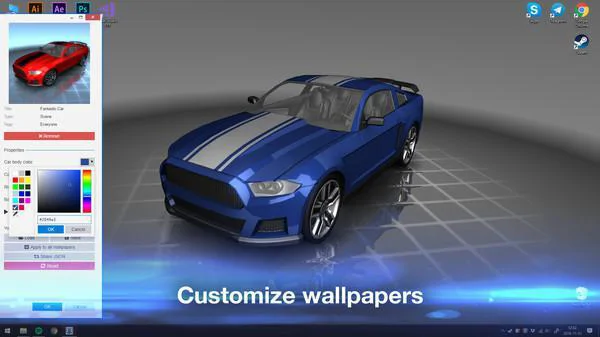
• Personalize animated wallpapers with your favorite colors.
• Use interactive wallpapers that can be controlled with your mouse.
• Many aspect ratios and native resolutions supported including 16:9, 21:9, 16:10, 4:3.
• Multi monitor environments are supported.
• Wallpapers will pause while playing games to save performance.
• Create your own animated wallpapers in the Wallpaper Engine Editor.
• Animate new live wallpapers from basic images or import HTML or video files for the wallpaper.
• Use the Steam Workshop to share and download wallpapers for free.
• Wallpaper Engine can be used at the same time as any other Steam game or application.
• Supported video formats: mp4, WebM, avi, m4v, mov, wmv (for local files, Workshop only allows mp4).
• Use the free Android companion app to take your favorite scene and video wallpapers on the go.
• Support for Razer Chroma and Corsair iCUE.
Wallpaper Engine System Requirements
Minimum
- OS:
- -
- CPU:
- Not specified
- GPU:
- Not specified
- RAM:
- Not specified
- File Size:
- -
Recommended
- OS:
- -
- CPU:
- Not specified
- GPU:
- Not specified
- RAM:
- Not specified
Can I run Wallpaper Engine on my PC?
To run Wallpaper Engine on PC you need at minimum a Not specified processor, a Not specified graphics card, and Not specified of RAM running on Windows 10. For the best experience at recommended settings, upgrade to a Not specified CPU and Not specified GPU.
What GPU do I need to run Wallpaper Engine?
The minimum GPU required to run Wallpaper Engine is the Not specified. For smooth gameplay at high graphics settings, a Not specified is recommended.
How much RAM does Wallpaper Engine require?
Wallpaper Engine requires a minimum of Not specified RAM. For the recommended experience, Not specified of RAM is suggested.
How to check if your PC can run Wallpaper Engine
- Check your CPU: Compare your processor against the minimum requirement: Not specified.
- Check your GPU: Your graphics card should meet or exceed: Not specified.
- Check your RAM: You need at least Not specified of RAM installed.
- Check storage: Ensure you have at least Not specified of free disk space.
- Use our tool above: Select your RAM in the "Can I Run It?" box to get an instant result.