Warlord: Britannia System Requirements (2022) | Minimum & Recommended PC Specs
Quick Hardware Summary
Warlord: Britannia requires at least a capable CPU, a GTX 1050 Ti GPU, and 8 GB RAM. For recommended settings, aim for powerful CPU and GTX 1060 GPU.
Can I Run Warlord: Britannia?
Enter your PC specs to instantly check compatibility
8 GB
16 GB
About Warlord: Britannia
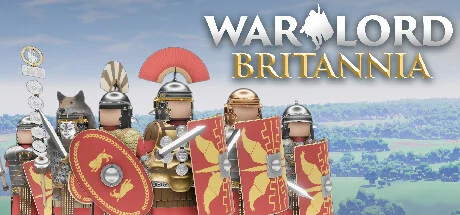
Warlord: Britannia is the first entry, in a new series of immersive-strategy games, created by Solo developer Darkmatter Games. Step into the shoes of a Roman General given direct command of a Legion, with orders from the Emperor to conquer an entire island.
Travel the roads cautiously and keep your eyes on the treelines, as trading convoys and roaming warbands criss-cross the open world in real-time. The local population quickly spreads word of your exploits, so choose your actions carefully. Manage the population’s unrest levels and prepare for uprisings and raids on your camp. Enemies will react aggressively to repeated attacks and transgressions by the Roman invading force.
Immersive-Strategy
A unique combination of first-person strategy elements places Warlord: Britannia in a genre of its own. Immersive-Strategy fixes the player in the first-person perspective of their character. Lead a large army, construct bases, conquer settlements, and disrupt enemy forces in the open world—entirely from this Immersive-Strategy perspective. Turn the tide of battle by participating directly in the action and fighting alongside your own troops, all in real-time.Dynamic Open World
The world of Warlord: Britannia is an island more than 45 square kilometers in size, divided by latitude into three visually distinct geographic zones. Start your occupation in the densely forested Lowlands, then march north to the rolling hills and farms of the Midlands. Finally, push further north into the imposing and desolate Highlands. All three zones flow seamlessly together, and never subject the player to a loading screen.Travel the roads cautiously and keep your eyes on the treelines, as trading convoys and roaming warbands criss-cross the open world in real-time. The local population quickly spreads word of your exploits, so choose your actions carefully. Manage the population’s unrest levels and prepare for uprisings and raids on your camp. Enemies will react aggressively to repeated attacks and transgressions by the Roman invading force.
Massive Battles
Recruit up to 9 Roman centuries and their officers to fully staff your Legion. Hundreds of Romans and Barbarians will clash and die on the battlefield. Use your legionaries to attack local strongholds and towns, pillage and loot settlements, impose draconian taxes, and send the population back to Rome in chains.Base Building
Construct a series of marching camps as you conquer the open world. Clear the forests and put up palisade walls. Set guards and patrol to keep watch over the camp at night. At any time, you may pack up and relocate your camp, allowing for complex strategic maneuvers. Decide where and when to set up your fort, and for how long to stay before conditions become too dangerous.Roman History
All of the weapons, armors, structures, names, and gameplay elements are inspired directly from extant material and literary archeological remains. Solo developer, Darkmatter Games, has painstakingly recreated these elements from scratch and by hand to bring the ancient world of Britain in the 1st Century AD to life like never before. Historical authenticity is the core element of the Warlord franchise. Score N/A
Released 5/24/2022
Developer
Publisher
Platforms
Warlord: Britannia System Requirements
Minimum
- OS:
- Windows Vista 64-bit
- CPU:
- Not specified
- GPU:
- GTX 1050 Ti
- RAM:
- 8 GB
- File Size:
- 5 GB
Recommended
- OS:
- Windows 10 64-bit
- CPU:
- Not specified
- GPU:
- GTX 1060
- RAM:
- 16 GB
Can I run Warlord: Britannia on my PC?
To run Warlord: Britannia on PC you need at minimum a Not specified processor, a GTX 1050 Ti graphics card, and 8 GB of RAM running on Windows Vista 64-bit. For the best experience at recommended settings, upgrade to a Not specified CPU and GTX 1060 GPU.
What GPU do I need to run Warlord: Britannia?
The minimum GPU required to run Warlord: Britannia is the GTX 1050 Ti. For smooth gameplay at high graphics settings, a GTX 1060 is recommended.
How much RAM does Warlord: Britannia require?
Warlord: Britannia requires a minimum of 8 GB RAM. For the recommended experience, 16 GB of RAM is suggested.
How to check if your PC can run Warlord: Britannia
- Check your CPU: Compare your processor against the minimum requirement: Not specified.
- Check your GPU: Your graphics card should meet or exceed: GTX 1050 Ti.
- Check your RAM: You need at least 8 GB of RAM installed.
- Check storage: Ensure you have at least 5 GB of free disk space.
- Use our tool above: Select your RAM in the "Can I Run It?" box to get an instant result.