Winter Ember System Requirements (2022) | Minimum & Recommended PC Specs
Quick Hardware Summary
Winter Ember requires at least a Intel Core i5-6400 CPU, a NVIDIA GeForce GTX 960 GPU, and 8 GB RAM. For recommended settings, aim for Intel Core i5-7400 CPU and NVIDIA GeForce GTX 1060 GPU.
Can I Run Winter Ember?
Enter your PC specs to instantly check compatibility
About Winter Ember
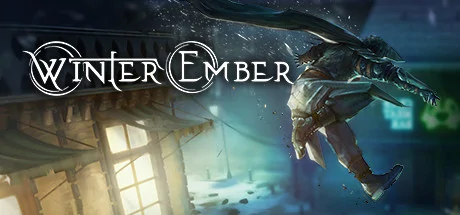
You are Arthur Artorias – the sole survivor of a massacre that devastated your family’s legacy and tore them out of the history books. Thought to be dead, you emerge from exile 8 years later, the faceless man kindled by the flame and seeking vengeance.
Embark on an adventure unravelling a dark tale filled with twisted characters, centered around a militant religion hell bent on keeping control.
Key Features:
A True Stealth Experience
As Arthur, you must stick to the shadows, infiltrate homes and explore hidden passageways; but, be careful not to be spotted! Choose your playstyle: knocking out enemies may keep them quiet for some time, but they will eventually wake up; a quick slice to the throat may be a more permanent solution, but the bloodstain you leave on the carpet might be a dead giveaway! Keep your wits about you, dispose of bodies, peek through keyholes and pickpocket unsuspecting victims.
Deep Arrow Crafting System
Prepare for your mission by planning your loadout. With over 30 arrows to craft, experimentation is key to your success! Do you craft a smoke arrow to blind your opponent, or do you add on a poison element to create poisonious gas? Use your arrows offensively or defensively: break down weak walls with a blunt arrow to surprise your enemy, or use a rope arrow to reach a higher place and take out your enemies from a distance.
Skill Tree
Customize your playstyle from 3 distinct skill trees – stealth, combat, and utility. Unlock over 70 unique passive and active skills to choose from and seek vengeance your way.
Explore A Dark World
Return home to the cold Victorian town of Anargal, on the verge of technological breakthrough. Infiltrate and explore vast environments brimming with treasure and mystery. From rival gangs to unique characters, approach each scenario in a myriad of ways. Take advantage of the environment, find solutions to every problem, and move past any challenge standing in your way.
Explore A Dark World
Return home to the cold Victorian town of Anargal, on the verge of technological breakthrough. Infiltrate and explore vast environments brimming with treasure and mystery. From rival gangs to unique characters, approach each scenario in a myriad of ways. Take advantage of the environment, find solutions to every problem, and move past any challenge standing in your way.
Winter Ember System Requirements
Minimum
- OS:
- Windows 10
- CPU:
- Intel Core i5-6400
- GPU:
- NVIDIA GeForce GTX 960
- RAM:
- 8 GB
- File Size:
- 10 GB
Recommended
- OS:
- Windows 10
- CPU:
- Intel Core i5-7400
- GPU:
- NVIDIA GeForce GTX 1060
- RAM:
- 8 MB
Can I run Winter Ember on my PC?
To run Winter Ember on PC you need at minimum a Intel Core i5-6400 processor, a NVIDIA GeForce GTX 960 graphics card, and 8 GB of RAM running on Windows 10. For the best experience at recommended settings, upgrade to a Intel Core i5-7400 CPU and NVIDIA GeForce GTX 1060 GPU.
What GPU do I need to run Winter Ember?
The minimum GPU required to run Winter Ember is the NVIDIA GeForce GTX 960. For smooth gameplay at high graphics settings, a NVIDIA GeForce GTX 1060 is recommended.
How much RAM does Winter Ember require?
Winter Ember requires a minimum of 8 GB RAM. For the recommended experience, 8 MB of RAM is suggested.
How to check if your PC can run Winter Ember
- Check your CPU: Compare your processor against the minimum requirement: Intel Core i5-6400.
- Check your GPU: Your graphics card should meet or exceed: NVIDIA GeForce GTX 960.
- Check your RAM: You need at least 8 GB of RAM installed.
- Check storage: Ensure you have at least 10 GB of free disk space.
- Use our tool above: Select your RAM in the "Can I Run It?" box to get an instant result.