Wordatro! System Requirements (2025) | Minimum & Recommended PC Specs
Quick Hardware Summary
Wordatro! requires at least a Intel Core i3-6100 CPU, a dedicated GPU, and 2 GB RAM. For recommended settings, aim for powerful CPU and high-end GPU.
Can I Run Wordatro!?
Enter your PC specs to instantly check compatibility
About Wordatro!
It all started on a rainy afternoon, trapped in an endless word game session with his grandma. That’s when he wondered: how to make it even more engaging and replayable for everyone?
So he took the original word-game challenge, sprinkled in some roguelite mechanics, added a cozy art direction and strategic choices, and boom! Wordatro! was born — your next favorite word game addiction.
Now sit back, relax, and prepare to spell your way to victory!
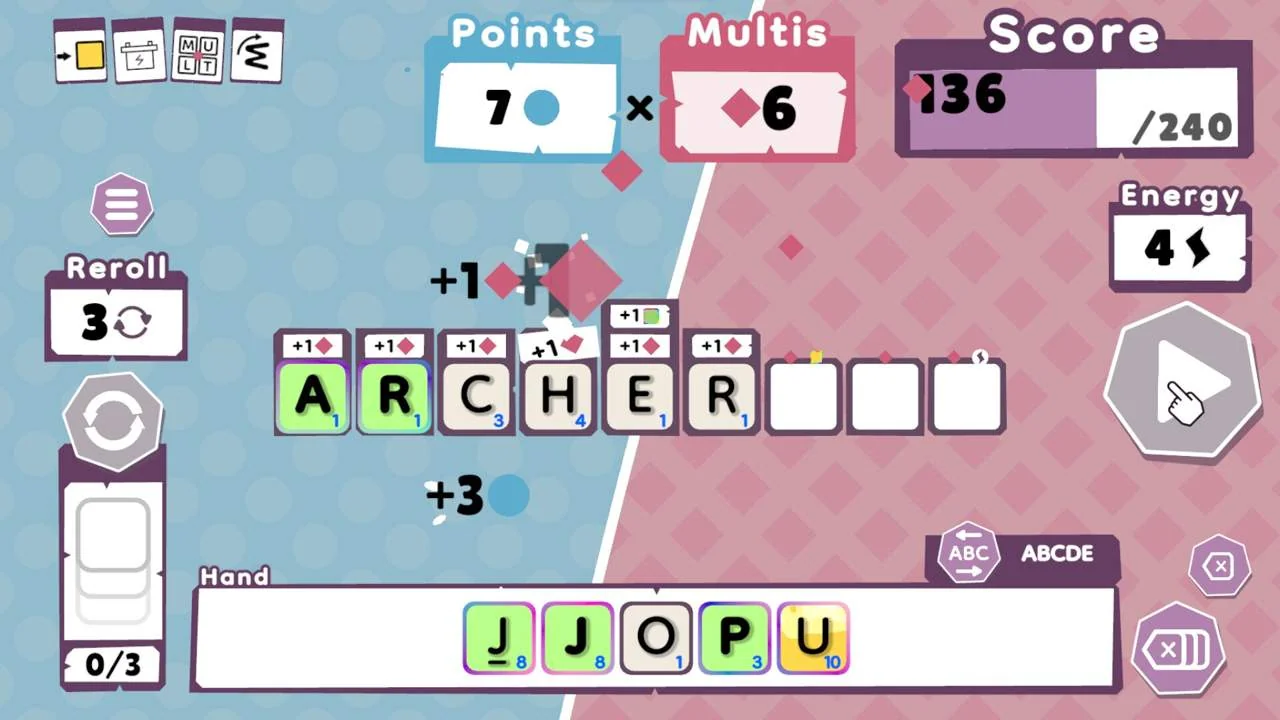
Wordatro is an easy-to-get-into roguelite word game that challenges both your linguistic and strategic thinking. Build words using a limited pool of letters, with each letter carrying a unique point value. Your goal? Create high-scoring words, trigger powerful combo multipliers, and unlock strategic bonuses to progress through 10 intense levels.
Strategy
Choose your words, special letters, and bonuses wisely to rack up combos, score big, and level up! But watch out, you’ve only got a limited number of tries to hit the target score. Need help? Reroll your letters and hope for a better hand!
Roguelite
No two runs are ever the same! Each run presents a fresh combination of letters, bonuses, and challenges. With over 50 bonuses and challenges, Wordatro! offers an endless replayability. Start a new run, test different playstyles, and experiment with new strategies!
Challenge
Take on unique challenges to spice up your runs! From achieving a run to spelling ‘Wordatro’ itself, test your skills and push your limits across 50 creative achievements.
Every day, take on the Daily Challenge, a unique seed, and compare your score on a global leaderboard. How high can you score?
Features
Endless replayability: Infinite combinations of letters, bonuses, and challenges.
50+ Unique bonuses: Game-changing upgrades and synergies to max out your points.
50 Creative challenges: Test your skills on a myriad of additional challenges.
Daily challenges: Compete globally on a fresh puzzle every day.
7 Playable languages: Form words in English, French, Spanish, German, Italian, Brazilian Portuguese and Dutch.
Difficulty levels: Progress at your own pace
Cozy & relaxing: Take your time to compose words in a relaxing ambiance.
JOIN THE WORDATRO! COMMUNITY
Join the Wordatro! Discord community to show off your highest scores, your most shameful words, and chat about the Daily Challenge.
Plus, get access to exclusive giveaways just for members!
Wordatro! System Requirements
Minimum
- OS:
- Windows 10
- CPU:
- Intel Core i3-6100
- GPU:
- Not specified
- RAM:
- 2 GB
- File Size:
- 200 MB
Recommended
- OS:
- -
- CPU:
- Not specified
- GPU:
- Not specified
- RAM:
- Not specified
Can I run Wordatro! on my PC?
To run Wordatro! on PC you need at minimum a Intel Core i3-6100 processor, a Not specified graphics card, and 2 GB of RAM running on Windows 10. For the best experience at recommended settings, upgrade to a Not specified CPU and Not specified GPU.
What GPU do I need to run Wordatro!?
The minimum GPU required to run Wordatro! is the Not specified. For smooth gameplay at high graphics settings, a Not specified is recommended.
How much RAM does Wordatro! require?
Wordatro! requires a minimum of 2 GB RAM. For the recommended experience, Not specified of RAM is suggested.
How to check if your PC can run Wordatro!
- Check your CPU: Compare your processor against the minimum requirement: Intel Core i3-6100.
- Check your GPU: Your graphics card should meet or exceed: Not specified.
- Check your RAM: You need at least 2 GB of RAM installed.
- Check storage: Ensure you have at least 200 MB of free disk space.
- Use our tool above: Select your RAM in the "Can I Run It?" box to get an instant result.