Zero Hour System Requirements (2008) | Minimum & Recommended PC Specs
Quick Hardware Summary
Zero Hour requires at least a capable CPU, a dedicated GPU, and 8 GB RAM. For recommended settings, aim for powerful CPU and high-end GPU.
Can I Run Zero Hour?
Enter your PC specs to instantly check compatibility
N/A
N/A
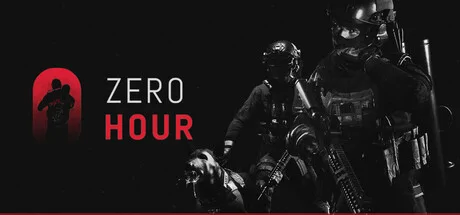
About Zero Hour
A tactical FPS with online team-based action game play that takes place in a variety of locations in Bangladesh with Real-life scale & resource management. Inspired by various other tactical shooter games, Zero Hour tries to bring a very grounded Team vs Team experience in locations with real-life scale (no video game scale) and resource management. Both sides are tasked to wipe out the other team and complete objectives. The defenders are tasked to protect the bomb from being defused and keep their hostage from being rescued and running away. On the contrary, the attackers are to defuse the bomb or rescue the hostage held captive
TACTICAL GAMEPLAY
Zero Hour brings a very grounded 5v5, team vs team, Close quarter combat experience to the game that focuses on two teams with each player having their own roles. The attackers utilizing shields, weapons and the planning table and the terrorists utilizing traps and gadgets in order to fortify the area.
PLANNING TABLE
At the start of each round, MS-09 Unit (The Attacking Team) can come up with strategies by drawing in the planning table with a 3D miniature version of the location being played similar to the use of blueprints. It can be used to direct teammates where to spawn and/or advance from. There are 3 types of marker that you can place around the planning table which can indicate danger and objectives. During this phase, The Terrorists (The Defending Team) will be given time to place traps and gadgets to aid in their defense strategy.
RESOURCE MANAGEMENT
Both Teams have resources that they need to manage per 3 rounds. The Attacking Team has 2 sets of 5 types of weapons while The Defending Team has 5 sets of 5 types of gadgets. This is crucial in terms of saving your resources, picking up and utilizing your opponent’s weapons, and not giving an advantage to your enemies
HOSTAGE
The hostage held captive by the defenders will have its own mindset which means it would run away if not careful. This indicates that it would be critical to keep an eye on the hostage and move it around wherever a player feels necessary.
DOORS
In order to bring a realistic approach, the doors help in encouraging slow and tactical gameplay. It would cause both teams to hesitate before entering a room since it will be oblivious to know what’s going on behind the door.
BREAKER SWITCH
The switch causes a complete blackout of the whole operation building that you're playing on. By doing this, the players won’t be able to visualize their surroundings unless they use the tactical flashlight.
TACTICAL GAMEPLAY
Zero Hour brings a very grounded 5v5, team vs team, Close quarter combat experience to the game that focuses on two teams with each player having their own roles. The attackers utilizing shields, weapons and the planning table and the terrorists utilizing traps and gadgets in order to fortify the area.
PLANNING TABLE
At the start of each round, MS-09 Unit (The Attacking Team) can come up with strategies by drawing in the planning table with a 3D miniature version of the location being played similar to the use of blueprints. It can be used to direct teammates where to spawn and/or advance from. There are 3 types of marker that you can place around the planning table which can indicate danger and objectives. During this phase, The Terrorists (The Defending Team) will be given time to place traps and gadgets to aid in their defense strategy.
RESOURCE MANAGEMENT
Both Teams have resources that they need to manage per 3 rounds. The Attacking Team has 2 sets of 5 types of weapons while The Defending Team has 5 sets of 5 types of gadgets. This is crucial in terms of saving your resources, picking up and utilizing your opponent’s weapons, and not giving an advantage to your enemies
HOSTAGE
The hostage held captive by the defenders will have its own mindset which means it would run away if not careful. This indicates that it would be critical to keep an eye on the hostage and move it around wherever a player feels necessary.
DOORS
In order to bring a realistic approach, the doors help in encouraging slow and tactical gameplay. It would cause both teams to hesitate before entering a room since it will be oblivious to know what’s going on behind the door.
BREAKER SWITCH
The switch causes a complete blackout of the whole operation building that you're playing on. By doing this, the players won’t be able to visualize their surroundings unless they use the tactical flashlight.
Score N/A
Released 11/15/2008
Genres
Developer
Publisher
Zero Hour System Requirements
Minimum
- OS:
- -
- CPU:
- Not specified
- GPU:
- Not specified
- RAM:
- Not specified
- File Size:
- -
Recommended
- OS:
- -
- CPU:
- Not specified
- GPU:
- Not specified
- RAM:
- Not specified
Can I run Zero Hour on my PC?
To run Zero Hour on PC you need at minimum a Not specified processor, a Not specified graphics card, and Not specified of RAM running on Windows 10. For the best experience at recommended settings, upgrade to a Not specified CPU and Not specified GPU.
What GPU do I need to run Zero Hour?
The minimum GPU required to run Zero Hour is the Not specified. For smooth gameplay at high graphics settings, a Not specified is recommended.
How much RAM does Zero Hour require?
Zero Hour requires a minimum of Not specified RAM. For the recommended experience, Not specified of RAM is suggested.
How to check if your PC can run Zero Hour
- Check your CPU: Compare your processor against the minimum requirement: Not specified.
- Check your GPU: Your graphics card should meet or exceed: Not specified.
- Check your RAM: You need at least Not specified of RAM installed.
- Check storage: Ensure you have at least Not specified of free disk space.
- Use our tool above: Select your RAM in the "Can I Run It?" box to get an instant result.