Zombie Party System Requirements (2016) | Minimum & Recommended PC Specs
Quick Hardware Summary
Zombie Party requires at least a capable CPU, a dedicated GPU, and 512 MB RAM. For recommended settings, aim for powerful CPU and high-end GPU.
Can I Run Zombie Party?
Enter your PC specs to instantly check compatibility
512 MB
N/A
About Zombie Party
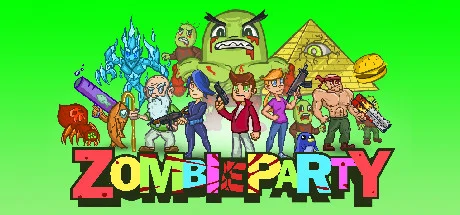
Zombie Party is a retro rampage of fun and over-the-top action, while still giving the players a deep and engaging Action-RPG Rogue-like experience! Go on a time traveling adventure, or delve deep into procedural dungeons full of gold, loot, and secrets! Unforgiving boss fights that challenge the players skills and abilities! Upgrade your guns with loads of gun mods and artifacts, find magic spell runes, potions, items, melee weapons, explore 10+ unique biomes each with its own enemies and bosses, discover 150+ unique guns and weapons, launch teddy bears that explode into fire, blow up your friends with heat-seeking missiles, and get to the final zone and try to kill the Dance King.
Hey guys, I want to make Zombie Party the best game I possibly can, and your support makes this all possible.
You guys are amazing!
NOTE: If you suffer from epilepsy or are sensitive to flashing lights, please be careful when playing Zombie Party--we have a lot of them!
- Travel through Time and different Dimensions in Adventure mode!
- Online Multiplayer! Play with your steam friends!
- Achievements!
- 50 Unique characters to unlock, each with their own special weapon!
- 150+ unique guns to discover! Every gun is unique!
- Fun and intuitive weapon creation/modification system in-game!
- Procedural Dungeons and Caves to explore with secrets to find!
- Battle Hordes of Enemies and Fantastic Challenging Bosses!
- RPG Leveling and permanent stat progression!
- Animal AI companions! (to love and help you fight)
- Items, Potions, and Melee weapons!
- Rainbow blaster, huge energy beams, incendiary teddy bear launchers, grenade shotguns, and triple-fire rocket launchers!
- Full Procedural Magic System with Elements! (used along side weapons)
- Steam Leaderboards!
- Full Controller Support - Steam Controller support!
- Overwhelmingly Fun Multiplayer Experience!
- Profile System that allows for tracking of Stats, Global Gold, Unlocks, and Custom Load-outs!
- Glossary/Discoveries menu to see everything you've encountered in the game, with a unique description.
- TONS of fun content to unlock - Characters, Guns, Hats, Pets, etc...
- Procedurally generated Levels with Destructible Environments!
- Mod and Customize your guns using a modular weapon builder to create unique weapons of destruction!
- Intense Gameplay that keeps you on the edge of your seat, and keeps you coming back for more!
- Loot! Get all the Gold you can! Buy all kinds of upgrades and unlocks!
- Hidden Easter Eggs and Interactive Environments!
- More Dungeons!
- More PVP modes!
- Story elements!
- Supergun Creator!
- Steam Workshop functionality.
Hey guys, I want to make Zombie Party the best game I possibly can, and your support makes this all possible.
You guys are amazing!
NOTE: If you suffer from epilepsy or are sensitive to flashing lights, please be careful when playing Zombie Party--we have a lot of them!
Score N/A
Released 6/10/2016
Developer
Publisher
Zombie Party System Requirements
Minimum
- OS:
- Windows 7
- CPU:
- Not specified
- GPU:
- Not specified
- RAM:
- 512 MB
- File Size:
- -
Recommended
- OS:
- -
- CPU:
- Not specified
- GPU:
- Not specified
- RAM:
- Not specified
Can I run Zombie Party on my PC?
To run Zombie Party on PC you need at minimum a Not specified processor, a Not specified graphics card, and 512 MB of RAM running on Windows 7. For the best experience at recommended settings, upgrade to a Not specified CPU and Not specified GPU.
What GPU do I need to run Zombie Party?
The minimum GPU required to run Zombie Party is the Not specified. For smooth gameplay at high graphics settings, a Not specified is recommended.
How much RAM does Zombie Party require?
Zombie Party requires a minimum of 512 MB RAM. For the recommended experience, Not specified of RAM is suggested.
How to check if your PC can run Zombie Party
- Check your CPU: Compare your processor against the minimum requirement: Not specified.
- Check your GPU: Your graphics card should meet or exceed: Not specified.
- Check your RAM: You need at least 512 MB of RAM installed.
- Check storage: Ensure you have at least Not specified of free disk space.
- Use our tool above: Select your RAM in the "Can I Run It?" box to get an instant result.